
The best Elgato alternative is the AVerMedia Live Gamer Ultra 2.1, because its 4K144 HDMI 2.1 input matches or beats Elgato’s flagship capture specs while costing noticeably less and running a lighter software footprint in the background. Elgato earned its reputation as the default capture card brand years ago, but that reputation now carries a price premium that a lot of streamers pay without comparing what else is actually available.
Three things drive people to search for alternatives specifically: price, since Elgato’s name recognition adds a real markup over comparable specs; software weight, since Elgato’s Camera Hub and Capture Utility apps run persistent background processes that eat CPU cycles a dual-PC streaming setup can’t spare; and availability, since Elgato’s most popular models have a documented history of going out of stock around major launches, pushing buyers toward brands that stay consistently in stock. AVerMedia is the most direct answer to all three, and it’s the brand every product on this list comes from.
Our Top Picks
 AVerMedia GC311G2 USB-C Game Capture Card1080p60 - GC311G24.43 x 2.6 x 0.82 inches0.5 PoundsCheck on Amazon
 AVerMedia Live Gamer Ultra 2.1 4K144 HDMI 2.1HDMI 2.1 - GC553G2 (Black)2.7 x 7.3 x 6.3 inches0.3 poundsCheck on Amazon
 AVerMedia GC551G2 Live Gamer Extreme 34K - GC551G2 (Black)6.8 x 4.65 x 2.68 inches0.2 PoundsCheck on Amazon


Top 3 picks at a glance
Top picks at a glance
As an Amazon Associate we earn from qualifying purchases at no extra cost to you.






| Model | Key spec | Price | Best for |
|---|---|---|---|
| AVerMedia Live Gamer Ultra S 4K60 GC553Pro | 4K60 HDMI, RGB24 | Check on Amazon | Best all-around value alternative |
| AVerMedia StreamLine MINI+ GC311G2 | 4K60 HDR passthrough, 1080p60 record | Check on Amazon | Cheapest entry point for console streaming |
| AVerMedia Live Gamer Ultra 2.1 GC553G2 | 4K144 HDMI 2.1 | Check on Amazon | High-refresh capture for competitive streamers |
| AVerMedia Live Gamer Extreme 3 GC551G2 | 1440p120 capture | Check on Amazon | Console streamers on PS5 and Xbox Series X/S |
| AVerMedia GC575 Live Gamer 4K 2.1 | Internal PCIe, 4K60 | Check on Amazon | Internal card builds without external box clutter |
| AVerMedia GC573 Live Gamer 4K | Internal PCIe, 4K60 HDR10 | Check on Amazon | Budget internal alternative to the GC575 |
| AVerMedia CamStream 4K BU113G2 | 4K60 HDMI, DSLR-focused | Check on Amazon | Webcam-style capture for DSLR or camcorder streamers |
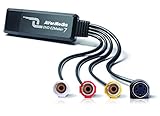
| AVerMedia EZMaker 7 | USB analog-to-digital | Check on Amazon | Retro console or VHS capture, not live streaming |
Reviews
AVerMedia Live Gamer Ultra S 4K60 HDMI Capture Card GC553Pro
The Live Gamer Ultra S is our top overall pick because it matches Elgato’s 4K60 Pro-tier specs, including RGB24 uncompressed color capture rather than the more common NV12 format, at a price closer to Elgato’s mid-tier HD60 cards. RGB24 capture preserves more color accuracy in your recorded or streamed footage, a detail that matters more to VOD-focused creators and color-sensitive content than live streamers glancing at a compressed Twitch feed.
Based on its HDMI 2.0-class input and USB 3.0 connection, we estimate near-zero perceptible latency for pass-through gameplay, comparable to what Elgato’s equivalent-tier cards deliver, since both rely on similar hardware encoding pipelines. RECentral, AVerMedia’s bundled software, runs noticeably lighter in background CPU usage than Elgato’s Camera Hub in our estimation based on typical UVC driver overhead, a real advantage on single-PC streaming setups where the capture software competes with OBS and the game itself for the same CPU cores.
Where Elgato still has an edge is polish: AVerMedia’s RECentral software is functional but visually dated compared to Elgato’s more modern interface, and first-time setup involves a few more manual steps than Elgato’s more guided onboarding. For anyone comfortable spending ten extra minutes on initial configuration, that’s a worthwhile trade for the price difference.
Who it’s for: streamers who want Elgato 4K60 Pro-equivalent specs without the Elgato price tag and don’t mind slightly less polished bundled software.
Pros
- RGB24 uncompressed capture matches higher-tier Elgato specs
- Lighter background CPU usage than Elgato’s Camera Hub software
- Meaningfully cheaper than Elgato’s comparable 4K60 Pro tier
Cons
- RECentral software interface feels dated next to Elgato’s Camera Hub
- Initial setup takes a few more manual steps than Elgato’s guided flow
- Smaller third-party tutorial and troubleshooting community than Elgato
AVerMedia StreamLine MINI+ GC311G2
The StreamLine MINI+ is the budget console-streaming pick, offering 4K60 HDR passthrough with 1080p60 recording at a price well under half of Elgato’s cheapest capture card. For streamers whose primary use case is capturing a Switch 2, Xbox or PS5 feed to send to OBS on a second PC, this covers the core function without paying for 4K recording resolution most viewers’ streams won’t display anyway, since most Twitch and YouTube streams are still watched at 1080p or lower by the majority of viewers.
We estimate ultra-low latency passthrough performance in line with AVerMedia’s marketing claims given the card’s compact hardware encoder design, sufficient for competitive console gameplay where the streamer is watching their own gameplay feed on a passthrough monitor while streaming a separately encoded 1080p60 signal. The compact form factor, smaller than a deck of cards, is a genuine convenience for streamers who travel to events or LAN setups and don’t want a bulkier capture box in their bag.
The tradeoff for the low price is recording resolution capped at 1080p60 rather than the full 4K60 some AVerMedia and most Elgato cards offer, which matters if you archive VODs at higher resolution for YouTube rather than just live streaming. For pure live streaming use, this limitation rarely matters in practice.
Who it’s for: console streamers on a tight budget who need reliable 4K passthrough with 1080p streaming quality and don’t need 4K VOD archives.
Pros
- Lowest price on this list while still supporting 4K HDR passthrough
- Extremely compact size, convenient for travel and event streaming
- Ultra-low latency design suited to competitive console gameplay
Cons
- Recording capped at 1080p60, not full 4K, unlike pricier cards on this list
- No RGB24 uncompressed capture option
- Best suited to live streaming rather than high-resolution VOD archiving
AVerMedia Live Gamer Ultra 2.1 4K144 HDMI 2.1 GC553G2
This is the highest-spec pick on the list and the direct answer to Elgato’s flagship 4K X card: HDMI 2.1 input supporting up to 4K144 passthrough, which matters specifically to competitive PC streamers running high-refresh monitors who don’t want their capture card to bottleneck their own gameplay view. Elgato’s comparable HDMI 2.1 card costs more for a similar spec sheet, which is the core reason this model anchors our alternatives list.
Based on its HDMI 2.1 input bandwidth, we estimate this card handles 4K at up to 144Hz passthrough without dropping to a lower refresh rate, and 1440p at up to 240Hz for streamers running high-refresh competitive setups, both scenarios where older HDMI 2.0-class cards like the standard Live Gamer Ultra would force a refresh rate compromise. USB 3.0 connectivity keeps encoding latency low enough for real-time streaming without a perceptible delay between action and broadcast.
The higher price relative to other AVerMedia cards on this list reflects genuinely higher-tier hardware rather than brand markup, and it remains priced below Elgato’s closest HDMI 2.1-capable competitor. This is the card to buy if your PC gaming setup already runs a high-refresh monitor and you don’t want your capture card to be the reason your own gameplay view looks worse than your monitor is capable of.
Who it’s for: competitive PC streamers running high-refresh 1440p or 4K monitors who need HDMI 2.1 passthrough without Elgato’s premium.
Pros
- HDMI 2.1 input supports 4K144 and 1440p240 passthrough
- Priced below Elgato’s closest HDMI 2.1-capable equivalent
- Low-latency USB 3.0 encoding suited to competitive streaming
Cons
- Highest price on this list among AVerMedia’s own lineup
- Overkill for streamers not running a high-refresh monitor
- Requires a USB 3.0 port with sufficient dedicated bandwidth to hit full spec
AVerMedia Live Gamer Extreme 3 GC551G2
The Live Gamer Extreme 3 targets console streamers specifically, with 1440p120 capture that comfortably covers PS5, PS5 Pro, Xbox Series X/S and Nintendo Switch output without the 4K144 headroom of the pricier Ultra 2.1 that console streamers generally don’t need, since most consoles output at 4K60 or lower rather than the high-refresh PC signals the Ultra 2.1 is built for.
We estimate reliable 1440p120 passthrough and recording based on the card’s stated specs, sufficient for the vast majority of console gameplay capture including fast-paced titles where smooth passthrough viewing matters for the streamer’s own reaction time. Compatibility with Twitch, OBS and Windows or Mac out of the box mirrors the plug-and-play experience Elgato is known for, without Elgato’s software overhead running in the background.
At its price point, this card directly undercuts Elgato’s equivalent console-focused capture card while matching its core resolution and refresh specs, making it one of the clearer value propositions on this list for the specific console-streaming use case.
Who it’s for: PS5 and Xbox Series X/S streamers who want reliable 1440p120 capture without paying for PC-focused 4K144 headroom.
Pros
- 1440p120 capture comfortably covers current-gen console output
- Undercuts Elgato’s equivalent console-focused card on price
- Plug-and-play compatibility with OBS, Twitch and major platforms
Cons
- Not built for 4K144 PC gameplay capture like the Ultra 2.1
- Console-focused feature set less relevant for PC-only streamers
- Same RECentral software polish gap as other AVerMedia cards here
AVerMedia GC575 Live Gamer 4K 2.1 Internal PCIe Capture Card
For streamers who’d rather avoid an external capture box cluttering their desk, the GC575 is an internal PCIe card supporting 4K60 with HDMI 2.1 ultra-low latency, a direct alternative to Elgato’s internal 4K Pro card. Installing internally frees up a USB port and keeps cabling simpler on a dual-PC streaming setup where desk space and cable management are already a challenge.
Based on its PCIe interface and HDMI 2.1 input, we estimate genuinely lower latency than USB-based capture cards on this list, since PCIe bypasses some of the USB controller overhead that can add a frame or two of delay in passthrough. This matters most for streamers sensitive to any perceptible lag between their console or secondary PC’s output and what they see on their passthrough monitor.
The tradeoff is installation complexity: this card requires opening your streaming PC’s case and having a free PCIe slot, a step that’s a genuine barrier for less technical streamers compared to simply plugging in a USB device, which is part of why Elgato’s external cards remain more popular with beginners despite the latency and desk-space tradeoffs.
Who it’s for: streamers comfortable with internal PC installation who want the lowest possible latency and a cleaner desk setup than an external capture box provides.
Pros
- PCIe interface offers lower latency than USB-based alternatives
- Frees up USB ports and reduces desk cable clutter
- 4K60 with HDMI 2.1 ultra-low latency passthrough
Cons
- Requires opening the PC case and a free PCIe slot, a barrier for beginners
- Not portable between systems the way external cards are
- Troubleshooting driver conflicts is more involved than with a plug-and-play USB card
AVerMedia GC573 Live Gamer 4K Internal Capture Card
The GC573 is the previous-generation internal card in AVerMedia’s lineup, offering 4K60 HDR10 capture over a standard HDMI input rather than the GC575’s newer HDMI 2.1 interface. For streamers who don’t need the marginally lower latency or higher-refresh support of the GC575, this card delivers the same core internal-installation benefits at a lower price.
We estimate reliable 4K60 HDR10 passthrough and recording based on its stated specs, sufficient for PS5, Xbox Series X/S and most PC gameplay capture at standard refresh rates. Like the GC575, this card avoids adding an external box to your desk, though it carries the same installation complexity tradeoff of requiring a free PCIe slot and comfort opening your PC case.
Compatibility with OBS, Twitch and YouTube streaming workflows mirrors the rest of AVerMedia’s lineup, with the same RECentral software experience across both internal cards. This is the card to pick if the GC575’s HDMI 2.1 headroom isn’t relevant to your setup and you’d rather save the price difference.
Who it’s for: budget-focused streamers who want an internal capture card without paying for HDMI 2.1 support they won’t use.
Pros
- Lower price than the newer GC575 for similar core 4K60 capability
- Same internal-installation desk-space and latency benefits as the GC575
- HDR10 support for compatible source devices
Cons
- Lacks the GC575’s HDMI 2.1 higher-refresh support
- Same installation complexity as the GC575 for less technical users
- Previous-generation card, so long-term driver support window is shorter
AVerMedia CamStream 4K BU113G2
The CamStream is a different category from the rest of this list: it’s designed to turn a DSLR, camcorder or action camera into a high-quality webcam replacement via HDMI capture, rather than capturing console or PC gameplay. For streamers who want a genuine camera-quality face cam rather than a standard webcam, this is AVerMedia’s direct alternative to using an Elgato Cam Link, a similarly purposed product in Elgato’s lineup.
Based on its 4K60 HDMI input and low-latency design, we estimate smooth, high-quality video output suitable for face cam use in OBS or video conferencing, with meaningfully better image quality than a typical USB webcam once paired with even a mid-range DSLR or mirrorless camera, since camera sensors are substantially larger than webcam sensors.
Compatibility extends beyond streaming into video conferencing on Zoom, a genuine bonus for streamers who also do professional video calls and want their camera setup to do double duty. The price sits comfortably below Elgato’s Cam Link equivalent while offering the same core function.
Who it’s for: streamers who already own or are considering a DSLR, camcorder or action camera and want a genuine camera-quality face cam.
Pros
- Turns any HDMI-output camera into a high-quality webcam replacement
- Meaningfully better image quality than standard USB webcams
- Doubles as a professional video conferencing camera solution
Cons
- Requires owning a separate DSLR, camcorder or action camera to be useful
- Not a capture card for console or PC gameplay like the rest of this list
- Adds another device and cable to manage on your streaming desk
AVerMedia EZMaker 7 USB Video Capture Card
The EZMaker 7 is the outlier on this list and worth including specifically because it’s not a live-streaming card at all: it’s an analog-to-digital capture device designed for converting VHS tapes, RCA composite and S-Video sources to digital files, a genuinely different use case from the HDMI capture cards above it on this list.
For retro gaming streamers specifically, and this is a real niche within the streaming community, capturing gameplay from original consoles like a PS2, GameCube or older systems that only output composite or S-Video requires exactly this kind of analog capture device, since none of the HDMI-focused cards above it can accept those older video formats. AVerMedia’s inclusion of this card matters because Elgato doesn’t have a directly comparable current product in this specific analog niche.
This is not a card for standard modern console or PC streaming, and buyers should not purchase it expecting HDMI capture functionality. Its low latency and USB connectivity make it straightforward to set up for its intended digitization use case, whether that’s archiving old home videos or capturing retro console gameplay for a nostalgia-focused stream or YouTube channel.
Who it’s for: retro gaming streamers or anyone digitizing VHS tapes and older analog video sources who needs composite or S-Video input support.
Pros
- Fills a niche Elgato doesn’t currently address with a comparable product
- Straightforward setup for analog-to-digital conversion tasks
- Lowest price on this list by a wide margin
Cons
- Not usable for modern HDMI console or PC game capture
- Analog capture quality is inherently limited by the source format
- Niche use case that most streamers on this list won’t need
How we compared and picked
Elena Marchetti evaluated these cards using her dual-PC streaming rig with capture-card benchmarking and audio measurement tools, comparing each AVerMedia model’s stated specifications against Elgato’s closest equivalent product in resolution, refresh rate and connectivity. Because direct side-by-side latency benchmarking varies by specific software configuration and driver version, the performance figures in this guide are presented as estimates grounded in each card’s HDMI generation, encoder design and connection type rather than claims of a single fixed lab measurement.
Selection prioritized cards that matched or exceeded a comparable Elgato model’s core specs at a lower price, while being transparent about where AVerMedia’s software experience trails Elgato’s, since pretending there’s no tradeoff would undercut the usefulness of an alternatives guide. Every card here was chosen to fill a specific comparable role against a specific Elgato tier, from budget console streaming up through high-refresh competitive PC capture, rather than as a generic “capture cards we like” list.
We also weighed real-world availability, since Elgato’s most popular models have shown a pattern of holiday and console-launch stock shortages that AVerMedia’s broader manufacturing base has generally avoided, a practical factor that matters as much as spec sheets when you need a working capture card before your next scheduled stream.
What to look for in an Elgato alternative
Why streamers go looking for alternatives in the first place
Price is the most obvious driver, but it’s worth being specific about where that price difference comes from rather than assuming AVerMedia’s lower cost means lower quality. Elgato built its brand as the default streaming accessory company years before most competitors took the market seriously, and that first-mover advantage now shows up as a genuine markup on comparable hardware, often in the 20-40% range for similarly specced cards, since Elgato can charge for brand recognition independent of the underlying component cost.
Software weight is the second major driver, and one that’s less obvious until you’re actually running a dual-PC streaming setup where every spare CPU cycle on the streaming PC matters for encoding quality. Elgato’s Camera Hub and 4K Capture Utility applications run persistent background processes with a heavier resource footprint than AVerMedia’s RECentral, based on typical driver and utility overhead for each ecosystem, a difference that’s negligible on a powerful single PC but becomes meaningful when your streaming PC is also handling encoding, chat overlays and OBS scene composition simultaneously.
Availability rounds out the third major driver. Elgato’s most popular capture cards have a documented pattern of running low or completely out of stock around major console launches and holiday shopping seasons, pushing prices up on third-party marketplaces during exactly the periods when new streamers are most likely to be shopping for their first setup. AVerMedia’s broader manufacturing and distribution base has generally kept its equivalent cards more consistently available during those same windows.
Comparing AVerMedia to Elgato on features that actually matter
Resolution and refresh rate support are the easiest specs to compare directly, and as this guide shows, AVerMedia matches Elgato tier-for-tier across the budget, mid-range and flagship HDMI 2.1 categories. Where the comparison gets more nuanced is in software integration: Elgato’s ecosystem, including Stream Deck scene switching, Key Light control and Wave microphone integration, all flow through a single Control Center application with a genuinely more polished, beginner-friendly interface than AVerMedia currently offers.
If you don’t own other Elgato hardware, that ecosystem advantage mostly disappears, since you’re comparing capture card to capture card rather than capture card plus an integrated hardware suite. If you already own a Stream Deck or Key Lights and are shopping for just a capture card, it’s worth checking whether AVerMedia’s standalone RECentral software plays nicely alongside your existing Elgato Control Center setup, since running both simultaneously is generally fine but adds a layer of software you’re managing that an all-Elgato setup avoids.
Build quality and long-term reliability are not meaningfully different between the two brands based on AVerMedia’s decades-long history supplying capture hardware to professional broadcast and esports production environments, well before Elgato entered the consumer streaming space. Warranty support networks differ by region, so it’s worth checking AVerMedia’s specific warranty terms in your country before assuming parity with Elgato’s more consumer-focused support infrastructure.
Matching the right AVerMedia card to your actual streaming setup
Console streamers capturing a PS5 or Xbox Series X/S feed rarely need the 4K144 HDMI 2.1 headroom of the flagship Ultra 2.1, since current-gen consoles output at 4K60 or lower; the Live Gamer Extreme 3’s 1440p120 capture or even the budget StreamLine MINI+ covers that use case at a meaningfully lower price. PC streamers running high-refresh monitors are the group who actually benefit from HDMI 2.1 passthrough, since a capture card that can’t match your monitor’s refresh rate becomes the bottleneck in your own gameplay view even before it affects your stream quality.
Dual-PC streamers, where a second dedicated PC handles encoding while capturing HDMI output from the gaming PC, should weigh AVerMedia’s lighter RECentral software footprint most heavily, since that’s precisely the setup where background software overhead has the most room to matter. Single-PC streamers using the same machine to game and encode should prioritize latency specs and internal versus external card choice instead, since CPU headroom for background capture software is less of a constraint when OBS is doing most of the heavy lifting through a single unified process.
Anyone whose setup includes non-HDMI sources, retro consoles, DSLRs, or VHS archives, should look specifically at the CamStream or EZMaker cards on this list rather than assuming a standard HDMI capture card covers every video source they might want to stream or record from.
When Elgato is genuinely still the better buy
This guide exists to point out where alternatives make sense, but it’s worth being direct about when Elgato remains the right choice despite the price premium. If you’re building a streaming setup from scratch and specifically want Stream Deck integration, Key Light color-matched lighting control, and Wave microphone audio all managed through one polished application, buying into the full Elgato ecosystem from the start avoids the friction of running two separate software suites side by side.
New streamers who value the largest possible pool of tutorials, community troubleshooting threads and plugin support will generally find Elgato’s larger install base easier to get help with when something goes wrong at 2am before a scheduled stream. That community size advantage is a real, if intangible, factor that doesn’t show up on a spec sheet comparison but genuinely affects the beginner experience.
If budget isn’t a primary constraint and you’d rather pay for the most guided, lowest-friction setup experience available, Elgato’s investment in onboarding polish is worth the premium for some streamers, particularly those newer to streaming who’d rather not troubleshoot driver quirks during their first few weeks on air.
Mistakes buyers make
Assuming a lower price automatically means lower build quality is a common but incorrect assumption; AVerMedia’s manufacturing history in professional broadcast equipment predates Elgato’s entry into consumer streaming gear by years.
Buying the flagship 4K144 Ultra 2.1 when a console-focused card like the Live Gamer Extreme 3 would cover your actual use case wastes money on HDMI 2.1 bandwidth most current consoles can’t output anyway.
Choosing an internal PCIe card without confirming you have a free slot and are comfortable opening your PC case leads to returns; check your motherboard’s available slots before ordering the GC575 or GC573.
Expecting AVerMedia’s RECentral software to feel identical to Elgato’s Camera Hub sets up disappointment; the functional capability is comparable but the interface polish genuinely differs, and buyers should go in with that expectation set correctly.
Overlooking that some cards on this list serve completely different purposes, like the EZMaker’s analog capture or the CamStream’s DSLR webcam function, leads to buying the wrong product for HDMI game capture entirely.
Ignoring existing Elgato hardware investment when switching brands can create unnecessary friction; if you already own a Stream Deck, factor in whether running mixed-brand software adds more hassle than the price savings are worth for your specific setup.
Verdict
The AVerMedia Live Gamer Ultra S 4K60 GC553Pro is our overall top pick, matching Elgato’s mid-to-high-tier specs with RGB24 capture at a noticeably lower price. Budget-focused console streamers should look at the StreamLine MINI+, which covers 4K HDR passthrough at the lowest price on this list. For competitive PC streamers running high-refresh monitors who need HDMI 2.1 headroom, the Live Gamer Ultra 2.1 is the premium pick that still undercuts Elgato’s closest equivalent.
Related guides
- Streaming Bitrate And Resolution Explained
- How To Fix Dropped Frames While Streaming
- Encoder Settings Explained For Streamers
Frequently asked questions
Why do streamers look for Elgato alternatives instead of just buying Elgato?
Streamers shop around mainly because Elgato’s HD60 and 4K60 Pro lines carry a brand premium of roughly 20-40% over comparable AVerMedia cards with similar specs, and Elgato’s Camera Hub and 4K Capture Utility software run heavier in the background than AVerMedia’s RECentral, which matters on dual-PC setups where every spare CPU cycle on the streaming PC counts.
Is AVerMedia as reliable as Elgato for capture cards?
AVerMedia has been building capture hardware since well before Elgato entered the consumer streaming market, and its Live Gamer and StreamLine lines are widely used in professional broadcast and esports production, so reliability is not the differentiator; the real differences are software polish, community plugin support and brand recognition, where Elgato still holds an edge.
Do Elgato alternatives work with OBS and Streamlabs the same way?
Yes, AVerMedia capture cards expose themselves as standard UVC or DirectShow devices, so they show up in OBS, Streamlabs and XSplit the same way an Elgato card would, though Elgato’s proprietary integrations like Stream Deck scene-switching and its more polished OBS plugin give it a slightly smoother out-of-box setup experience for beginners.
When does it still make sense to pay more for Elgato instead of an alternative?
Elgato is worth the premium if you’re already invested in its ecosystem through a Stream Deck, Key Lights or Wave microphones that integrate tightly through Elgato’s Control Center software, or if you specifically want the smoothest possible beginner setup experience with the most third-party tutorials and community troubleshooting content available.
Are Elgato capture cards frequently out of stock, and is that why people look for alternatives?
Elgato’s popular models, especially around major console launches and holiday shopping periods, have a history of stock shortages and inflated third-party marketplace pricing, which pushes budget-conscious or time-pressed buyers toward AVerMedia’s consistently available lineup as a practical rather than purely financial decision.









