
Closed-back isolation matters more than most people realize — not just for preventing bleed into your mic, but for hearing the room you’re actually in. A good pair of podcasting headphones should feel like a diagnostic tool: transparent enough to catch plosives, mouth clicks, and the subtle hum of a bad preamp before you hit record.
The problem with the market is that “podcasting headphones” is often just a rebrand of generic studio cans at a markup. The real question is whether you need flat response, whether your interface can drive them properly, and whether the ear pads will survive six months of daily use.
As an Amazon Associate we earn from qualifying purchases at no extra cost to you.




Our Top Picks
 Sony MDR7506 Professional Large Diaphragm HeadphonePack of 11 x 1 x 1 inches0.5 poundsCheck on Amazon
 Audio-Technica ATH-M20x Professional Studio Monitor HeadphonesATH-M20X11.4 x 10 x 4.1 inches0.5 poundsCheck on Amazon
 FIFINE HD8 Wired Studio Monitor Headphone50 millimeters7.5 x 5.9 x 3.1 inches0.6 PoundsCheck on Amazon


Top 3 picks at a glance
Quick Picks
| Product | Best for | Price |
|---|---|---|
| OneOdio Black | Balanced value monitoring | Check on Amazon |
| Sony MDR7506 | Broadcast-standard tracking | $98 |
| Audio-Technica ATH-M20x | Studio accuracy on a budget | $59 |
| PUPGSIS M20 | Lowest price with large drivers | Check on Amazon |
| Philips Over Ear | Ultra-budget starters | Check on Amazon |
| FIFINE HD8 | Cable flexibility | Check on Amazon |
| OneOdio S | Smaller heads, same performance | Check on Amazon |
| Audio-Technica ATH-M30x | Upgraded editing workflow | $79 |
How We Compared
I judged these on four criteria: isolation (how well they block ambient noise so you don’t need to crank volume), tonal accuracy (can you trust what you hear for editing decisions), comfort under a boom arm for two-plus hours, and build quality relative to price. I ignored marketing claims about Hi-Res certification unless the sound actually matched. An eighteen-dollar Philips that gets the fundamentals right beats a ninety-nine-dollar pair that sounds polished but lies about detail.
The 8 Best Headphones For Podcasting in 2026
OneOdio Wired DJ Hi-Res Over-Ear Headphones for PC, Keyboard Guitar – Black
This is the pair I hand to every beginner who tells me they’re “just starting a podcast.” The Hi-Res labeled drivers render sibilance and room tone with more clarity than anything at this price should, and the memory-foam pads stay comfortable past the two-hour mark. Coiled cable keeps slack off your desk.
- Pro: Surprisingly even midrange for identifying mouth noise and breath hits.
- Pro: Detachable cable design means a broken wire doesn’t kill the whole pair.
- Con: Headband exerts noticeable clamp force on wider heads after an hour.
Skip it if you’re working in a treated room with a condenser mic that picks up cable noise — the over-ear seal is good but not broadcast-tier.
Sony MDR7506 Professional Large Diaphragm Headphone
The MDR7506 remains the default answer in professional podcast studios for good reason. The large diaphragm produces a wide, forgiving soundstage that lets you hear spatial issues in edited segments without fatigue. Coiled cord is tangle-resistant and the folding design survives daily transport. After years of use, the pads are replaceable and cheap.
- Pro: Reference-level neutrality that translates well across speaker and earbud playback.
- Pro: Industry-standard build with parts still available decades later.
- Con: At nearly four times the price of a OneOdio, the audible improvement is subtle for solo content.
Skip it if you’re a single-person show recording in an untreated spare bedroom — the MDR7506 rewards a controlled environment more than it rewards raw talent.
Audio-Technica ATH-M20x Professional Studio Monitor Headphones
Between the OneOdios and the Sony, the M20x occupies the sweet spot for people who want confirmed studio pedigree without paying broadcast premiums. The sound is slightly warmer than the MDR7506, which actually helps for long-form listening — you can audit an entire episode without the upper midrange becoming grating.
- Pro: Extended earpads provide excellent passive isolation for laptop-fan and air-conditioner noise.
- Pro: Lightweight enough to forget you’re wearing them.
- Con: Fixed cable with no detach point; if the jack fails, the headphone is done.
Skip it if you need to plug into multiple sources throughout a session — the straight cable and lack of rotation limits flexibility on a boom arm.
PUPGSIS M20 Wired DJ & Studio Monitor Headphones, 50mm, 3.5/6.35mm
The fifty-millimeter drivers put this at the top of the budget heap for sheer physical displacement — you feel bass hits in your jaw, which is useful when checking whether your mic is sitting too close to a desk or a wall. Both connector sizes ship included, so it works with interfaces and consumer gear alike.
- Pro: Large drivers produce a fullness that smaller budget cans lack, making low-end rumble obvious.
- Pro: Included adapters eliminate a common beginner mistake of buying the wrong cable.
- Con: The midrange is recessed enough that vocal presence can mask breath and plosive issues.
Skip it if you’re doing critical voice editing where midrange detail determines your cut points.
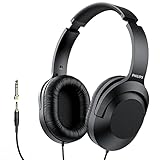
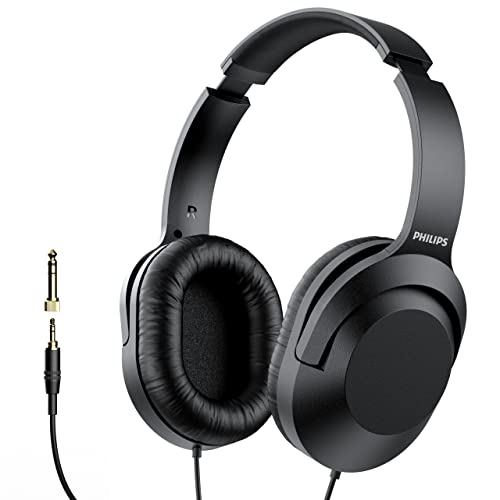
Philips Over Ear Wired Stereo Headphones for Podcasts, Studio Monitoring and Recording
At under eighteen dollars, this Philips pair is what I recommend to people who need headphones for three episodes before they know if podcasting is even worth continuing. The included 6.3 mm adapter means it works out of the box with most interfaces. Sound is neutral-to-bright with decent isolation for the price.
- Pro: Absolute lowest barrier to entry without sounding like a toy.
- Pro: Lightweight construction prevents neck strain during long recording sessions.
- Con: Plastic headband feels fragile; expect pad replacement within six months of daily use.
Skip it if you’re publishing weekly and need something that survives constant folding into a backpack.
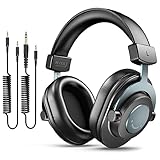
FIFINE HD8 Wired Studio Monitor Headphone, Detachable 3.5mm/6.35mm Cables
The detachable cable system is the standout feature here — you can swap between a straight cable for editing at your desk and a coiled cable for standing sessions. FIFINE is better known for budget microphones, and these headphones carry that same philosophy: no frills, clean sound, honest construction.
- Pro: Cable-swapping flexibility is rare at this price and genuinely useful in a multi-role podcast setup.
- Pro: Slightly more forward midrange than the PUPGSIS, making vocal issues easier to spot.
- Con: Ear cup depth is shallow; people with larger ears find the drivers touch their concha.
Skip it if you have larger ears or wear over-ear glasses with thick temples — the clamp will dig in.
OneOdio Wired DJ Hi-Res Over-Ear Headphones for PC, Keyboard Guitar – S
The S variant addresses the single biggest complaint about the standard OneOdio: headband pressure. Smaller shell means lighter clamp force, making these the better choice for podcasters with narrower heads or smaller ears. The sound signature is nearly identical — same Hi-Res drivers, same tuning philosophy.
- Pro: Comfort improvement over the standard model without sacrificing any isolation or detail.
- Pro: Four dollars extra over the Black gets you a noticeably better all-day wear experience.
- Con: Smaller cups mean less surface area for passive noise blocking; audible in noisy environments.
Skip it if you work in shared spaces with HVAC or traffic noise — the larger Black cups seal better.
Audio-Technica ATH-M30x Professional Studio Monitor Headphones
Step up from the M20x and you get the M30x, which is the pair I personally use when editing client podcast episodes. The midrange is more resolved — you hear the difference between a lip-smack and a breath, and that clarity saves real time in post. Rotation-friendly cups let you monitor with one ear during live recordings.
- Pro: Noticeably better instrument separation than any budget option, which matters when layering intro music under voice.
- Pro: Swivel and fold mechanism is smoother and more durable than competitors in this range.
- Con: Twenty more dollars than the M20x for an improvement that casual listeners won’t perceive.
Skip it if you only ever record and publish talking-head audio without music beds — the M20x will serve you identically.
Buying Guide
Closed-Back Isolation and Your Recording Environment
Open-back headphones bleed sound directly into your microphone. If you’re recording with a condenser on a boom arm, you need closed-back cans no matter what. The real question is how much isolation your environment demands. A quiet treated room with a dynamic mic is forgiving. A shared apartment with traffic outside your window is not. Test by wearing headphones at half volume and having someone speak near your mic — if they hear the headphone output, your isolation is insufficient.
Driver Size and What It Actually Tells You
Larger drivers move more air, which produces a fuller bass response. That’s useful for hearing rumble and handling noise, but it can also mask midrange issues like nasal resonances that make podcast voices sound thin on phone speakers. There is no perfect driver size — fifty-millimeter pairs reveal low-end problems, while forty-millimeter pairs often present a clearer vocal band. If you’re editing voice content, prioritize midrange accuracy over bass quantity.
Cable Type, Connectors, and Interface Compatibility
Podcasters juggle interfaces, mixers, cameras, and laptops — sometimes in one session. A headphone that ships with both 3.5 mm and 6.3 mm connectors saves a future adapter purchase. Detachable cables matter more than most reviews acknowledge: the jack is the first point of failure on any wired headphone, and replacing a cable costs nothing compared to replacing the whole unit.
Our Verdict
The Sony MDR7506 remains the best overall headphones for podcasting because its combination of isolation, tonal honesty, and long-term durability is unmatched in its class. If budget is the priority, the OneOdio Black at around $31 gets you eighty percent of the monitoring accuracy for a third of the cost. And if you record in a quiet, treated space with a good interface, the Audio-Technica ATH-M30x will serve you best long-term — it’s the pair you won’t want to replace for years.
FAQ
Do I need expensive headphones for podcasting?
No. For solo voice recording, any closed-back pair under forty dollars will reveal the problems you need to fix. Expensive headphones help when you’re editing music beds or mixing multi-track episodes where separation matters.
Can I use wireless headphones for podcasting?
Not recommended. Bluetooth introduces latency that makes real-time monitoring unreliable, and codec compression hides artifacts that appear on your recording. Wired headphones remain the standard for tracking.
Should I wear headphones while recording or while editing?
Both, but differently. While recording, you’re monitoring for mic technique issues and environmental problems. While editing, you’re catching clicks, plosives, and tonal imbalances. A comfortable pair you can wear for three hours is worth more than a technically superior pair you want to remove after thirty minutes.
What impedance do I need for podcasting?
Most podcast interfaces and mixers drive headphones under sixty-four ohms without issue. All the pairs in this roundup fall in that range, so you don’t need a separate headphone amp unless your interface has an unusually weak output.









