
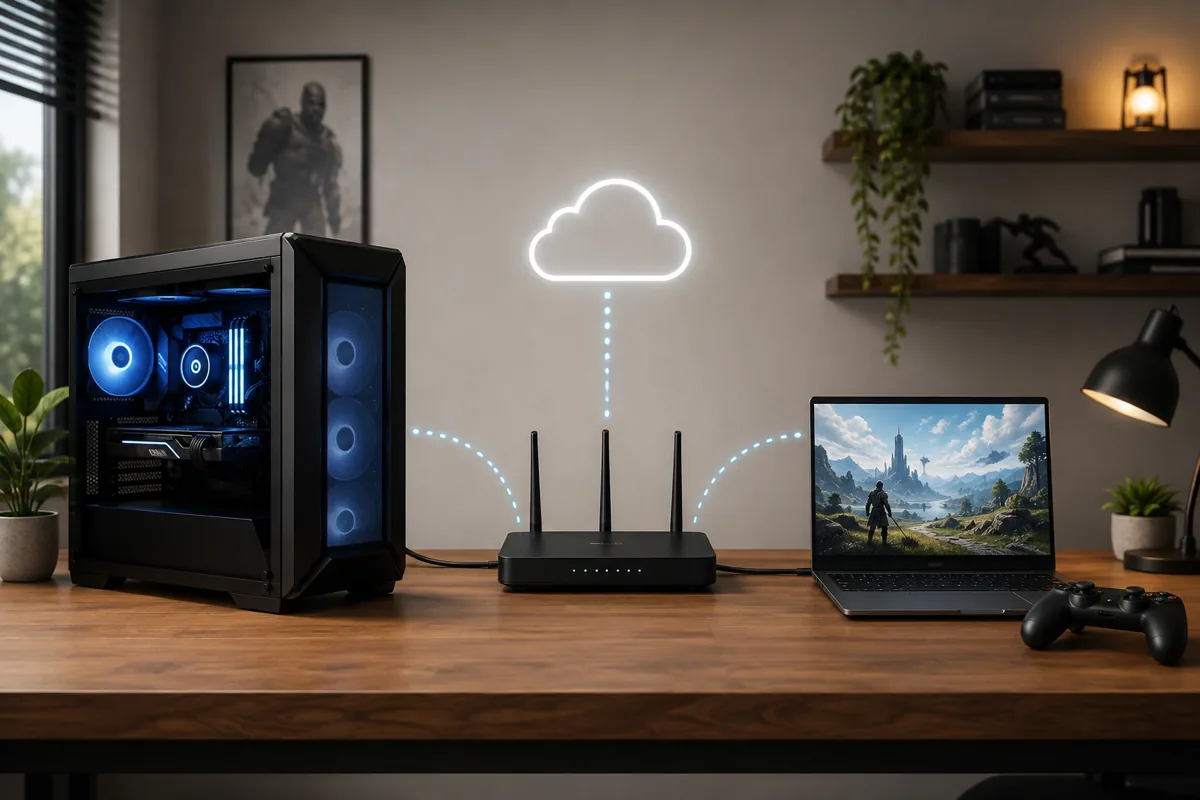
Parsec is a polished, easy-to-set-up remote gaming and desktop streaming app with a strong free tier and useful collaboration features, while Moonlight is a free, open-source client that pairs with host software, most commonly Sunshine today, for players who want more control and don’t mind a bit more setup. Both can deliver genuinely good remote gaming performance on a solid network; the choice mostly comes down to how much setup flexibility you want versus how much you value a more streamlined, single-app experience.
Our Top Picks




Top 3 picks at a glance
Quick answer
Choose Parsec if you want a simple, well-supported app that handles both client and host in one package, with collaboration features if you ever stream to friends. Choose Moonlight paired with Sunshine if you want a fully open-source setup with more configuration control and don’t mind installing separate host software.
As an Amazon Associate we earn from qualifying purchases at no extra cost to you.





| Factor | Parsec | Moonlight + Sunshine |
|---|---|---|
| Cost | Free tier, paid business tiers | Free, open source |
| Host software | Built into the same app | Separate host app (commonly Sunshine) |
| Setup complexity | Lower | Slightly higher |
| GPU requirements | Broad support | Depends on host software chosen |
What Parsec is
Parsec is a remote desktop and game streaming application that handles both the host side, running on the PC you want to stream from, and the client side, running on the device you’re playing on, within the same application ecosystem. This unified approach is part of why setup tends to feel more straightforward compared to piecing together separate client and host software.
Beyond solo remote gaming, Parsec has built a reputation for its collaboration features, including the ability to share control or spectate a session with others, which has made it popular for co-op play, remote game development collaboration, and similar shared-session use cases beyond just streaming to yourself.
Parsec’s free tier covers personal remote gaming use adequately for most players, with paid tiers positioned toward business and team collaboration scenarios rather than being required for typical solo remote play setups.
Either app depends entirely on your host PC actually being capable of running the games you want to stream at a solid frame rate in the first place; our guide to PCs for streaming covers what to look for if your current host machine is the bottleneck rather than the streaming software.
What Moonlight and Sunshine are
Moonlight is a free, open-source client application, originally built to work with NVIDIA’s own game streaming technology on the host side. Since that original NVIDIA host feature was discontinued, Moonlight is now most commonly paired with Sunshine, a separate open-source host application that replicates similar functionality and works across a broader range of GPU hardware, including AMD and Intel graphics, not just NVIDIA.
Because Moonlight and Sunshine are developed as open-source projects rather than a single commercial product, setup involves installing and configuring two separate pieces of software rather than one unified app, which gives more visibility into configuration but does add an extra step compared to Parsec’s single-app approach.
This open-source approach appeals particularly to players who want full transparency into how their streaming setup works, or who want to self-host without depending on any company’s continued support or business decisions.
It’s a similar philosophy to other open-source alternatives covered elsewhere in the streaming and gaming software space: a bit more setup effort upfront in exchange for long-term independence from any single vendor’s roadmap or pricing decisions.
Setup and host software requirements
Setting up Parsec involves installing the app on both your host PC and the device you’ll stream to, then signing in with the same account on both to pair them. The unified app handles most of the underlying configuration automatically, which is a meaningful part of why it’s often recommended to players setting up remote gaming for the first time.
Setting up Moonlight requires installing Sunshine, or an alternative compatible host application, on your gaming PC first, configuring it there, then installing the separate Moonlight client on the device you’ll stream to and pairing the two, typically using a pairing code or PIN generated during setup. This is a bit more involved but gives more visibility into exactly what’s being configured at each step.
Both approaches require your host PC to be powered on and the relevant host software running whenever you want to stream, which is worth planning for if you’re setting this up for remote access away from home.
Latency and streaming performance
Both Parsec and Moonlight-with-Sunshine are capable of low, genuinely playable latency on a solid local network, and reported performance differences between them are generally smaller than the impact of network quality itself. Neither has a consistent, universal latency edge over the other across all hardware and network combinations.
On a local home network, both typically deliver latency low enough for fast-paced games to feel responsive, assuming a wired connection or strong Wi-Fi on both ends. Over the internet, both introduce more latency and more variability, and actual performance depends heavily on the specific internet connections at both the host and client end rather than the app itself.
Elena Marchetti, our Streaming & Creator Editor, ran side-by-side latency comparisons of both on the same dual-PC rig using capture-card-based timing measurement, and found the gap between the two closer than either app’s reputation suggested once both were properly configured on the same solid network.
This finding matters for anyone choosing based purely on reputation rather than testing their own setup, since online opinions about which app is “faster” often reflect a specific tester’s particular network and hardware conditions rather than a universal, repeatable performance gap that holds across every setup.
If remote play over the internet, rather than just around your own home, matters most to you, test your specific internet connection’s real upload speed at the host end, since this is frequently the actual bottleneck rather than either app’s software efficiency.
Use cases beyond solo remote gaming
Parsec’s built-in collaboration and session-sharing features make it a stronger fit if you occasionally want to share control with a friend for co-op play on a single game license, or collaborate remotely on something running on your PC beyond gaming. This kind of shared-session functionality isn’t Moonlight’s core focus.
Think about how your remote gaming needs might evolve before settling on one option, since switching later means reconfiguring host software and re-pairing devices rather than a simple setting change. If you can already picture occasionally wanting to share a session with a friend, starting with Parsec avoids a later migration; if you’re confident solo remote access is all you’ll ever need, Moonlight and Sunshine’s simpler, single-purpose focus is a reasonable long-term bet.
Moonlight and Sunshine are more narrowly focused on solo remote access to your own PC, which is a perfectly reasonable fit if collaboration features aren’t something you need, and some players prefer the simpler, single-purpose focus specifically because it means less surface area for unrelated features to interfere with pure streaming performance.
If your remote gaming use case is primarily playing your own PC’s games from another room or another device while away from home, either option covers that core use case well; the collaboration features are the more meaningful differentiator for use cases beyond that.
Both apps also see use well beyond gaming specifically, including general remote desktop access for work or accessing files on a home PC while traveling. If remote gaming is just one of several reasons you want reliable remote access to your PC, the broader remote desktop capability of either app is worth factoring into your decision alongside pure gaming performance, since you may end up relying on whichever app you choose for tasks beyond just streaming games.
Cost and platform support
Parsec’s free tier is sufficient for most personal remote gaming needs, with paid tiers oriented toward team and business use rather than typical solo gaming scenarios. Moonlight and Sunshine are both fully free and open source with no paid tier at all, which appeals to players who prefer not to depend on any commercial pricing changes down the line.
Both support a range of client platforms including Windows, and various mobile and other device clients, though exact platform support details change over time, so check current compatibility for your specific client device before committing to either option.
If dropped frames or stutter show up specifically during remote play sessions rather than local gameplay, treat it the same way you would any streaming performance issue; our guide to fixing dropped frames while streaming covers diagnostic steps that apply to remote play encoding just as much as live broadcast encoding.
Security and access considerations
Both apps require some form of authentication to prevent unauthorized access to your host PC, but the specific approach differs. Parsec ties access to your account login, which centralizes access control through a single account you manage, similar to how many cloud services handle authentication generally. Moonlight paired with Sunshine typically uses a local pairing process, generating a code or PIN to link a new client device to your host, which keeps access control more locally contained rather than tied to an online account.
If you’re setting up remote access specifically to reach your PC from outside your home network, review whichever app’s documentation for exposing your host to the internet safely, since doing this incorrectly can expose more of your home network than intended. Both apps offer guidance on this, and following their recommended approach rather than improvising your own network configuration reduces risk considerably.
Regularly review which devices have paired access to your host PC in either app’s settings, removing old devices you no longer use, particularly if you’ve ever set up remote gaming on a borrowed or temporary device and forgot to revoke its access afterward.
Neither app requires you to disable your PC’s normal security software to function, and any setup guide suggesting broad, unnecessary security exceptions is worth double-checking against each app’s own official documentation before following.
When this comparison doesn’t matter much
If your remote gaming needs are purely casual and occasional — checking in on a download or launching a game from another room once in a while — the practical difference between these two options is unlikely to matter much, since both handle basic remote access reliably. In this case, whichever is faster to set up for you personally is the more sensible choice.
If you’re specifically trying to stream demanding, competitive games where every millisecond of latency matters, neither app fully replaces the reliability of playing directly on your gaming PC, and remote streaming of any kind introduces enough additional latency that competitive-focused players should weigh this tradeoff carefully regardless of which app they choose.
If your gaming PC and streaming device are always in the same room anyway, a wired local connection through either app will outperform expectations set by internet-based remote play discussions, since local network conditions are far more forgiving than internet-based streaming. Setting realistic expectations upfront based on your actual network situation, rather than comparing your results to best-case anecdotes from someone else’s much stronger connection, leads to a much better first impression of either app than assuming your experience should automatically match the most favorable reports you’ve read online.
Troubleshooting remote gaming connection issues
Client can’t find or connect to the host PC: confirm both devices are on the same network for local play, or that remote access is correctly configured for internet-based play, and check that your host PC’s firewall isn’t blocking the relevant app.
Video quality is noticeably compressed or blocky: check your actual available bandwidth on both ends, since both apps adjust quality based on detected network conditions, and a weaker-than-expected connection will show up as reduced quality rather than a failure.
Noticeable input lag despite a fast local network: confirm you’re using a wired connection where possible, particularly on the host PC side, since Wi-Fi variability affects remote gaming latency more than most players expect.
Host PC goes to sleep and can’t be woken remotely: check your host PC’s sleep and wake settings, since both apps generally need the PC to either stay awake or support wake-on-LAN for remote access to work reliably.
Audio doesn’t come through or is out of sync: check the audio device selection in the host software’s settings specifically, since this is configured separately from Windows’s default audio device in both Parsec and Sunshine.
Session disconnects specifically when the host PC’s display sleeps: some systems drop hardware encoding capability when the physical display output goes to sleep, even though the PC itself stays awake. Disabling display sleep, while still allowing the PC itself to use normal power-saving elsewhere, resolves this for most affected setups.
Frequently asked questions
Do I need an NVIDIA GPU to use Moonlight?
You need host software that supports NVIDIA’s streaming technology or, more commonly now, Sunshine, an open-source host application that works with a broader range of GPUs including AMD and Intel. Moonlight itself is just the client; what matters is which host software your gaming PC is running.
Is Parsec free to use?
Parsec offers a free tier suitable for personal remote gaming use, with paid tiers aimed at teams and business collaboration features. For a single person streaming games to themselves, the free tier is generally sufficient.
Which has lower latency, Parsec or Moonlight?
Both can achieve low, playable latency on a good local network, and the practical difference between them is usually smaller than the difference network quality alone makes. Neither has a consistent, guaranteed latency advantage over the other across all setups.
Can I use either app to play over the internet, not just at home?
Yes, both support remote play over the internet, not just a local network, though internet-based streaming introduces more latency and reliability variability than a local network connection, and performance will depend heavily on both ends’ internet connection quality.
Do I need to install anything on the gaming PC itself?
Yes, both require host software running on the PC you’re streaming from, not just the client app on the device you’re streaming to. Parsec’s host software is part of the same app; Moonlight requires separate host software like Sunshine installed on the streaming PC. For related dual-machine setup considerations, see our single-PC vs dual-PC streaming comparison.









