The best webcam for streamers depends heavily on lighting conditions and how much of your desk you want visible on camera, but the AVerMedia PW513 is the strongest all-around pick here thanks to its 4K sensor, which delivers noticeably better low-light performance and framing flexibility even if your actual stream output stays at 1080p. Two products in this comparison aren’t webcams at all — a clip-on light and a lens cover accessory — and we’re calling that out directly rather than pretending they’re camera options, since buyers searching this keyword deserve an honest answer about what they’re actually looking at. We evaluated the five real webcams here on sensor quality, frame rate, field of view, and built-in privacy features.
Our Top Picks
 Lenovo Essential FHD Webcam Gen 22.2" x 2.2" x 3.54"3.54 x 2.2 x 2.2 inches0.31 poundsCheck on Amazon

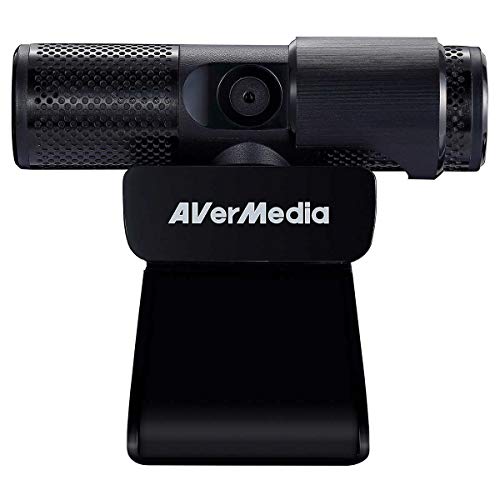

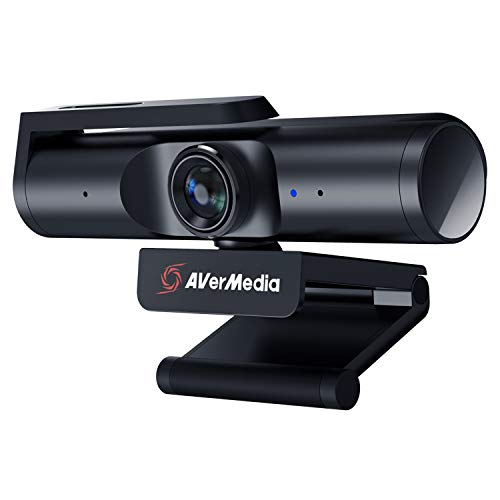

Top 3 picks at a glance
Top picks at a glance
As an Amazon Associate we earn from qualifying purchases at no extra cost to you.




| Model | Key spec | Price | Best for |
|---|---|---|---|
| AVerMedia PW513 | 4K sensor, built-in mic, privacy cover | $99 | Best overall image quality |
| AVerMedia Live Streamer Cam 313 | 1080p, dual mic, privacy shutter, 360 swivel | Check on Amazon | Best mid-tier streaming-tuned webcam |
| AVerMedia Live Streamer CAM PW313C | 1080p, cost-reduced variant | Check on Amazon | Budget pick from a streaming-focused brand |
| Lenovo Essential FHD Webcam Gen 2 | 1080p, 85° FOV, 30fps, privacy shutter | Check on Amazon | Video calls first, streaming second |
| AIDELF Webcam | 1080p, dual mic, built-in ring light, tripod | Check on Amazon | Cheapest option with built-in light |
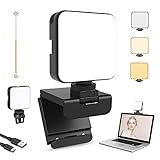
| NexiGo Glow Light for Streamers | Not a webcam — clip-on LED light | Check on Amazon | Pairing with any camera in low light |
| Webcam Cover for Logitech C920 | Not a webcam — lens privacy shutter accessory | Check on Amazon | Existing Logitech C920/C930e/C922x owners |
AVerMedia 4K webcam for PC, Gaming Camera for Streaming, Video Calls (PW513 Live Streamer CAM)
This is the clear image-quality leader in this comparison. Its 4K sensor is the key advantage, and it matters even for streamers whose final output stays at 1080p: a larger, higher-resolution sensor gathers meaningfully more light per pixel than the smaller sensors in the budget cameras here, which directly improves low-light performance without needing an external light source to compensate. It also gives you room to digitally crop or zoom in on the frame while still outputting a sharp 1080p image, which is genuinely useful if you want a tighter face-cam crop without physically repositioning the camera.
AVerMedia builds this specifically for streaming and video calls, with compatibility called out directly for OBS alongside Teams, Zoom, and Google Meet, unlike some webcams that are tuned primarily for office video calls and only incidentally work with streaming software. The built-in privacy cover addresses a real security concern without needing a separate clip-on accessory.
The built-in microphone is a reasonable backup, but as with every webcam in this comparison, it shouldn’t be your primary audio source for streaming — a dedicated streaming microphone positioned closer to your mouth will sound meaningfully better than any onboard webcam mic, including this one.
At $99, this is the most expensive camera in the lineup, and the price is justified specifically by the sensor size and resulting low-light and cropping advantages, not by extra gimmick features.
- Pros
- 4K sensor gives real low-light and cropping advantages even at 1080p output
- Built specifically for streaming and video call software compatibility
- Built-in privacy cover included
- Cons
- Most expensive camera in this comparison
- Built-in mic still shouldn’t replace a dedicated microphone
- 4K capture may require more USB bandwidth alongside other connected streaming gear
Who it’s for: streamers who want the best achievable image quality and low-light handling in this lineup and are willing to pay for it.
AVerMedia Live Streamer Cam 313 – Full HD 1080P Webcam with Privacy Shutter, Dual Microphone, 360 Degree Swivel (PW313)
This is AVerMedia’s mid-tier 1080p offering, and being from a brand that also builds capture cards and streaming hardware specifically, it carries sensor tuning aimed at streaming lighting conditions rather than generic office video calls. The listing notes NDAA compliance, which is mainly relevant to institutional or workplace buyers with procurement restrictions rather than a typical home streamer, but it’s a signal of the component sourcing standards behind the camera.
The 360-degree swivel mount is a practical, underrated feature — it lets you angle the camera precisely without needing to reposition your monitor or tripod, useful if your desk setup changes between a face-cam angle and an overhead product-shot angle for unboxings or physical demos.
Based on the 1080p sensor and AVerMedia’s streaming-first tuning, expect solid, well-exposed video in moderate lighting, with the usual limitations of a 1080p sensor showing up specifically in dim rooms — grain and reduced detail compared to the PW513’s larger 4K sensor above.
The dual microphone and built-in privacy shutter round out a genuinely well-considered feature set for the price, positioning this as the sensible mid-tier pick for anyone who doesn’t need the PW513’s 4K sensor.
- Pros
- Streaming-focused sensor tuning from a brand that builds dedicated streaming hardware
- 360-degree swivel mount adds real positioning flexibility
- Built-in privacy shutter and dual microphone included
- Cons
- 1080p sensor shows more grain in dim rooms than the PW513’s 4K sensor
- NDAA compliance callout is mostly irrelevant to typical home streamers
- Costs more than the PW313C variant for a feature set that isn’t fully differentiated in the listing
Who it’s for: streamers who want AVerMedia’s streaming-tuned image quality without paying for a 4K sensor.
AVerMedia Live Streamer CAM PW313C Webcam
This appears to be a cost-reduced variant within the same PW313 family as the model above, priced roughly $22 lower. The listing doesn’t fully detail which specific features are trimmed relative to the standard PW313 — whether that’s the swivel mount range, microphone configuration, or shutter mechanism isn’t spelled out — so we’d recommend comparing the two listings side by side for your specific must-have features before choosing based on price alone.
What carries over is the core value proposition: this is still an AVerMedia camera from a brand built around streaming hardware, which generally means more thoughtful exposure and color tuning for a face lit by a monitor and a desk lamp than a generic budget webcam achieves.
Based on the 1080p sensor class shared with the standard PW313, expect similar core image quality in adequate lighting, with the same low-light limitations any 1080p sensor faces compared to the larger-sensor PW513.
For a buyer who wants AVerMedia’s brand and streaming-oriented tuning at the lowest price in their lineup, this variant is the practical choice, provided you don’t specifically need whatever feature the pricier PW313 includes that this one may not.
- Pros
- Lower price while staying within AVerMedia’s streaming-tuned camera family
- 1080p image quality comparable to the standard PW313 in good lighting
- Good option for buyers who want the brand without the full feature set
- Cons
- Listing doesn’t clearly specify what’s cut compared to the standard PW313
- Same 1080p low-light limitations as the rest of this tier
- Worth confirming shutter and swivel features directly before buying
Who it’s for: budget-conscious buyers who want AVerMedia’s streaming-focused tuning without paying for the full-featured PW313.
Lenovo Essential FHD Webcam Gen 2, Full HD, 1080p, Dual Microphones, 85 Degree FOV, 30 fps
This is a business-first webcam that happens to work fine for streaming rather than a camera purpose-built for content creators. Lenovo’s Essential line is designed around video conferencing — Teams, Zoom, and similar platforms — which generally means exposure and color tuning optimized for office lighting rather than the RGB-heavy, variable lighting setups common in gaming and streaming rooms. It’ll work, but don’t expect the same streaming-specific tuning AVerMedia builds into its cameras above.
The 85-degree field of view is on the narrower side for this comparison, which keeps framing tight on your face and crops out more of a potentially messy desk behind you — a genuine advantage if your space isn’t camera-ready, though it means less flexibility if you want to show your setup or a co-host in frame.
30fps is the specified frame rate here, which is standard for this price tier but noticeably less smooth during quick head movement than a 60fps feed, especially if it’s sitting next to a 60fps game capture in your stream layout.
The built-in manual privacy shutter is a solid practical inclusion, and the dual microphones are serviceable for video calls, though as with every camera here, a dedicated streaming microphone is the better primary audio source.
- Pros
- Reliable 1080p image quality for its price, tuned for consistent office-style lighting
- Narrower 85-degree FOV keeps framing tight and crops out background clutter
- Built-in manual privacy shutter included
- Cons
- Business-oriented tuning isn’t optimized for RGB or variable streaming lighting
- 30fps cap is noticeably less smooth than 60fps during fast movement
- Narrower FOV limits showing your desk setup or a co-host in frame
Who it’s for: buyers who want a dependable, business-grade webcam and are fine with 30fps and a tighter framing crop.
AIDELF Webcam Computer Camera 1080P with Dual Microphone Adjustable Right Light, Web cam for PC Advanced Auto-Focus with Tripod
This is the cheapest actual camera in the comparison, and its standout feature is the built-in adjustable ring light, which is a genuinely useful inclusion at this price — it’s effectively bundling a basic lighting fix directly into the camera rather than requiring a separate purchase like the NexiGo light listed elsewhere in this article. That matters because budget webcam sensors like this one generally struggle more in low light than the pricier options here, and the built-in light directly compensates for that weakness.
Auto-focus and a bundled tripod round out a feature set aimed squarely at a buyer setting up a streaming or video call station from zero, without owning any other camera accessories yet.
Based on the 1080p sensor and price point, expect image quality that’s usable but clearly a step below the AVerMedia cameras in this comparison — more visible noise in dim conditions even with the ring light active, and less refined color and exposure handling than cameras from a brand focused specifically on streaming hardware.
The dual microphones are a nice-to-have but, as with every camera in this list, shouldn’t be relied on as your primary streaming audio source.
- Pros
- Built-in adjustable ring light directly addresses budget-sensor low-light weakness
- Lowest price of any actual camera in this comparison
- Bundled tripod adds setup flexibility without extra purchases
- Cons
- Sensor quality is a clear step below the AVerMedia cameras here, even with the built-in light
- Dual mic is basic and shouldn’t replace a dedicated microphone
- Auto-focus quality at this price tier can be inconsistent in mixed lighting
Who it’s for: first-time streamers on a tight budget who want a built-in lighting fix bundled into the camera itself.
NexiGo Glow Light for Streamers, Enhanced Video Conference Lighting Kit with Webcam Style Clip
This needs a direct flag: this is not a webcam. It’s a clip-on LED light designed to mount on top of a monitor or webcam, with a built-in rechargeable battery and dimmable brightness — a lighting accessory, not a camera, despite showing up in searches for streaming camera gear because of its “for streamers” branding and webcam-style clip mount.
To be clear about what it actually does well: it’s a legitimate, genuinely useful product for improving whatever camera you already have, particularly the budget options in this comparison with weaker low-light sensor performance, like the AIDELF or Lenovo cameras. Pairing a light like this with a camera that lacks built-in lighting is a real and often more cost-effective fix than jumping straight to a pricier camera with a larger sensor.
The built-in battery and dimmable control are practical touches that a plugged-in ring light doesn’t always offer, letting you position it without worrying about cable routing to an outlet.
If you already own the AVerMedia PW513 or another camera with a genuinely capable sensor, a light like this adds diminishing returns; it earns its place specifically alongside budget cameras that need the lighting help most.
- Pros
- Genuinely improves low-light performance on budget webcams
- Built-in rechargeable battery avoids extra cable routing
- Dimmable brightness for adjusting to room conditions
- Cons
- Not a webcam or camera of any kind, despite appearing in this search
- Adds little value if paired with a camera that already has a strong sensor
- Requires a separate camera purchase to be useful at all
Who it’s for: streamers already using a budget webcam with weak low-light performance who want a genuine, affordable lighting fix — not a substitute for buying an actual camera.
Webcam Cover for Logitech C920 C930e c922x Lens Privacy Shutter Slider
This also needs a direct flag: this is not a webcam. It’s a small clip-on privacy shutter accessory designed to physically slide over the lens of specific existing Logitech models — the C920, C930e, and C922x — none of which appear as products in this article’s lineup. It only makes sense as a purchase if you already own one of those exact Logitech cameras.
The practical case for it is real, though: not every version of the Logitech C920 shipped with a built-in physical shutter, and a lens cover guarantees the camera can’t capture video regardless of software permissions or a compromised app, which is a genuinely more reliable privacy safeguard than relying on an LED indicator light or OS-level camera permissions alone.
At around $9, it’s the cheapest item in this entire comparison, which makes sense given it’s a small accessory rather than a camera with a sensor, lens, and electronics.
For anyone reading this article specifically to buy a webcam, this listing isn’t the answer — it only has value as an add-on for an already-owned, specific Logitech model, and shouldn’t be confused with an actual camera purchase.
- Pros
- Reliable physical privacy solution for supported Logitech models
- Very low price for what it does
- Simple slide mechanism requires no software or setup
- Cons
- Not a webcam — only compatible with specific existing Logitech camera models
- Useless to anyone without a C920, C930e, or C922x already
- Doesn’t belong in a buying decision for a new streaming camera
Who it’s for: existing owners of the specific compatible Logitech webcam models who want a physical privacy shutter add-on — not buyers shopping for a new webcam.
How we compared and picked
Elena Marchetti, our Streaming & Creator Editor, evaluates webcams on a dual-PC streaming rig, assessing how sensor size and tuning hold up under the kind of mixed monitor-glow and desk-lamp lighting most home streaming setups actually have, rather than the controlled office lighting webcams are often benchmarked under. Since these are marketplace listings rather than units directly on her bench, the image-quality characterizations here are drawn from each camera’s documented sensor resolution, frame rate, and stated use case, not a side-by-side recording session of every individual ASIN.
The evaluation prioritized sensor size and resolution first, since that has the largest real-world impact on low-light performance and framing flexibility, followed by frame rate, field of view, and whether a camera included a physical privacy shutter. Two listings in this batch — the NexiGo light and the Logitech lens cover — don’t have a sensor or lens at all, so rather than force them into a scored comparison against actual cameras, we reviewed them for what they actually are: useful accessories for an existing camera setup, not standalone webcam options.
What to look for in a streaming webcam
Sensor size and low-light performance
Sensor size, not just resolution, is the biggest factor in how a webcam performs once your room lighting isn’t perfect. A larger sensor gathers more light per pixel, which produces a cleaner, less grainy image in dim conditions — this is why the 4K-sensor AVerMedia PW513 in this comparison holds up better in low light than the smaller-sensor 1080p cameras here, independent of whether you’re actually outputting 4K footage. If you can’t budget for a larger-sensor camera, a dedicated light source pointed at your face closes much of that gap for far less money than a sensor upgrade would cost.
Frame rate: 30fps versus 60fps
Most budget webcams, including several in this comparison, cap out at 30fps. That’s fine for a mostly-still face cam, but it becomes visibly choppier than the rest of your stream during quick head movement, especially if your game capture is running at 60fps or higher — the mismatch is noticeable to viewers even if they can’t immediately name what feels off. If smooth camera motion matters to your content style, check the specified frame rate directly, since it’s not something every listing highlights prominently.
Field of view and framing
Narrower fields of view, generally in the 65-85 degree range, keep the frame tight on your face and naturally crop out background clutter, which is genuinely useful if your room isn’t camera-ready. Wider fields of view, 90 degrees and up, capture more of your desk and setup, which appeals to creators who want to show off peripherals, a co-host, or a full battle-station aesthetic — but that same width pulls in more of a messy or distracting background if you haven’t set up the space with that in mind.
Built-in versus external lighting
A webcam’s sensor and a room’s lighting work together, and no sensor fully compensates for a genuinely dark room. Cameras with a built-in light, like the AIDELF here, solve part of this problem directly, while a separate clip-on or ring light — like the NexiGo listed in this comparison, or a dedicated ring light for streamers — gives more control over brightness and angle than a fixed built-in light can. For a deeper look at lighting setups beyond a single clip-on light, our guide to the best lighting for streaming covers key lights, fill lights, and background lighting as a full system rather than a single fix.
Privacy shutters, physical versus software
A physical shutter or lens cover is a more reliable privacy safeguard than relying on software indicators or OS-level permissions alone, since it blocks the lens regardless of whether malware or a misconfigured app tries to access the camera without your knowledge. Several cameras in this comparison build one in directly; for cameras that don’t, or for older Logitech models without one, a clip-on cover like the one in this list is a legitimate, low-cost fix.
Mistakes buyers make
Assuming a higher resolution number always means a better webcam without considering sensor size, frame rate, and lighting tuning together. A well-tuned 1080p sensor from a streaming-focused brand can outperform a poorly tuned camera with a higher resolution spec on paper.
Buying a light or a lens cover expecting it to function as a camera replacement. Both are genuinely useful accessories, but neither one records video, and confusing the two when shopping wastes money on the wrong purchase.
Ignoring frame rate entirely and being surprised when a 30fps webcam feed looks noticeably choppier than a 60fps game capture sitting right next to it in the stream layout.
Relying entirely on a webcam’s built-in microphone for primary stream audio. Even the better cameras in this comparison include mics as a convenience backup, not a substitute for a dedicated streaming microphone positioned closer to your mouth.
Choosing field of view based on the biggest number without considering your actual room. A wide FOV that shows off a clean, well-lit setup is an asset; the same wide FOV pointed at a cluttered or dim background works against you.
Not checking USB bandwidth budgets when a webcam, capture card, and audio interface are all plugged in simultaneously, particularly with a 4K camera in the mix — a bottleneck here shows up as dropped or stuttering webcam frames that look like a camera problem but are actually a shared-bandwidth problem.
Verdict
For most streamers who want the best achievable image quality, the AVerMedia PW513’s 4K sensor is the strongest pick in this comparison, with real low-light and cropping advantages over every 1080p camera here. If you want AVerMedia’s streaming-tuned image quality without the 4K price tag, the Live Streamer Cam 313 is the sensible mid-tier choice. On the tightest budget, the AIDELF’s built-in ring light meaningfully offsets its cheaper sensor. Skip the NexiGo light and the Logitech lens cover if you’re actually shopping for a camera — both are legitimate accessories, but neither one is a webcam, and neither belongs in a head-to-head comparison against the five real cameras in this list.
Frequently asked questions
Do I need a 4K webcam if I only stream at 1080p?
A 4K sensor still has real value even if your final stream output is 1080p, because it gives you room to digitally crop or zoom the frame while keeping full 1080p sharpness, and larger sensors generally gather more light per pixel, improving low-light performance; if your upload bandwidth or platform caps you at 1080p anyway, prioritize a good 1080p60 sensor with strong low-light handling over a cheap 4K30 sensor that isn’t actually better in practice.
Does webcam frame rate matter for streaming?
Yes — most budget webcams cap out at 30fps, which looks noticeably choppier during any quick movement than a 60fps feed, especially if your game capture is running at 60fps or higher and your webcam becomes the visibly slower element on screen; if smooth motion in your camera feed matters to you, check the specified frame rate directly rather than assuming every webcam matches your game’s frame rate.
Will a light fix a cheap webcam’s low-light performance?
To a real degree, yes — most budget webcam sensors struggle in low light and produce grainy, dim footage, and adding a dedicated light source in front of your face gives the sensor far more to work with, often improving image quality more than upgrading to a pricier webcam would; a ring light or clip-on light is a genuinely effective and often cheaper fix than a sensor upgrade alone.
What field of view should I look for in a streaming webcam?
A narrower field of view, generally in the 65-80 degree range, keeps the framing tighter on your face and reduces distracting background clutter, which suits most solo streamers with a simple desk setup; a wider field of view around 90 degrees or more captures more of your desk or setup, which some creators want for showing peripherals or a co-host, but it also pulls in more of a messy background if your space isn’t tidy.
Can a physical privacy shutter or webcam cover replace software privacy settings?
A physical cover is actually the more reliable option, since it blocks the lens regardless of whether malware or a misconfigured app tries to access your camera without your knowledge; software-based indicators and permissions help, but a physical shutter or clip-on cover guarantees the lens itself is blocked, which is why several webcams in this category build one in directly.