Buying a drawing tablet for a PC starts with a fork in the road that many first-time buyers miss: do you draw on a blank pad while watching your monitor, or do you draw directly on a screen? Pen tablets without a display are cheaper, tougher, and perfectly capable once your hand-eye coordination adapts. Pen displays show the line under the nib but cost more and add cables. The rest of the decision is active area, pressure sensitivity, and how many shortcut keys you actually need.
This guide covers seven pen tablets and one pen display, all listed for Windows PCs and most also for Mac, Android, or Chromebook. It is aimed at beginners, students, digital painters, and people who use a pen for photo editing or rhythm games like osu!, and it keeps the 2026 shopping basics in view: size first, then pressure, then keys.
Our Top Picks
Top 3 picks at a glance
Quick Picks
As an Amazon Associate we earn from qualifying purchases at no extra cost to you.





| Product | Best for | Key spec from the title |
|---|---|---|
| HUION Inspiroy H640P | Beginners with limited desk space | 6×4 inch, 8192 pen pressure, 6 hot keys |
| XPPen Deco 01 V3 | Mid-size drawing and teaching | 10×6 inch, 16K pressure stylus, 8 keys |
| HUION Inspiroy 2 Large | Heavy shortcut users | 10.5×6.56 inch, 8 ExpressKeys, scroll wheel |
| XPPen StarG640 | Compact travel and Chromebook | 6×4 inch, battery-free stylus |
| UGEE M708 | Large area, high pressure levels | 10×6 inch, 16384 levels, 8 hot keys |
| HUION H420X | osu! and signatures | 4.17×2.6 inch, 8192 level pressure |
| HUION Kamvas 13 (Gen 3) | Drawing directly on a screen | 13.3 inch, full lamination, 99% sRGB, 16384 levels |
| XOPPOX Graphics Tablet | Shortcut-heavy large area | 10×6 inch, 8192 levels, 12 hot keys |
How to Choose
Active area versus desk space
Active area is the part of the tablet that responds to the pen. Around 6×4 inches suits note-taking, signatures, and osu!, and it fits beside a laptop. A 10×6 inch pad gives a comfortable arm swing for sketching on a 24-inch monitor. Measure your desk first, because the pad needs room for your forearm and keyboard. If the screen is very large, a bigger area helps map pen travel to cursor travel more naturally.
Pressure levels and tilt
Listings show 8192, 16384, or “16K” levels. Higher numbers can help with fine line variation, but most beginners cannot feel the gap between 8192 and 16384. Tilt recognition matters more for shading and brush angles, so look for it if you paint. Battery-free styluses never need charging, which is a real convenience over rechargeable pens.
Shortcut keys and drivers
Six to twelve hot keys can replace frequent keyboard shortcuts for undo, brush size, and erase. Dials and scroll wheels help with zoom and canvas rotation. Check that the driver supports your operating system and the software you use, such as Photoshop, Krita, or Clip Studio. Ignore any claim of “plug and play” without checking Windows driver support.
Pad or screen
Pen displays add lamination, color coverage, and direct drawing, but they cost more and need cable management. If a screen is on the list, look for sRGB coverage and full lamination, which reduces the gap between nib and line. Budget pen tablets cut corners on surface texture and driver polish, so read what the title says about compatibility before you buy.
The 8 Best Options
HUION Inspiroy H640P
A compact entry point for beginners who want to try digital art without committing much desk space. The title lists a 6×4 inch active area, 8192 levels of pen pressure, a battery-free stylus with tilt, six hot keys, and compatibility with Mac, PC, and Android.
- Small footprint fits next to a laptop or in a bag
- Tilt support and a battery-free stylus add flexibility for a compact tablet
- Trade-off: 6×4 inches can feel cramped on a large monitor or for broad strokes
Skip it if you plan to paint large pieces with wide arm movements. The compact area forces you to zoom in and out often, which slows down bigger illustrations and can frustrate buyers who sketch on a large monitor.
XPPen Deco 01 V3
A 10×6 inch pad for artists who want a roomy workspace plus shortcuts. The title lists a 16K battery-free stylus, 8 keys, and use cases including digital art, teaching, and osu!, with Mac, PC, and Android compatibility.
- Larger active area suits sketching and online teaching
- 16K pressure and 8 keys give shading control and quick commands
- Trade-off: the pad takes more desk room than a small tablet
Skip it if you travel often with a thin laptop bag or have a narrow desk. The teaching and osu! mentions in the title also show it is meant to be a general-purpose pad rather than a specialist tool.
HUION Inspiroy 2 Large
This tablet is for shortcut-heavy workflows. The title lists three groups of 8 customizable ExpressKeys, a scroll wheel, a 10.5×6.56 inch art tablet, and a battery-free stylus.
- Scroll wheel and key groups speed up zooming, brush resizing, and layer work
- Large active area for broad strokes and detailed linework
- Trade-off: many keys take time to learn and map to your software
Skip it if you prefer a clean pad with few buttons or have little desk space. Buyers who work mostly with the keyboard may find the extra keys redundant, since each one must be mapped and remembered before it saves any time.
XPPen StarG640
A small digital graphics tablet for people who need basic pen input on Mac, Windows, or Chromebook. The title lists a 6×4 inch active area and a battery-free stylus, and the Chromebook mention is a rare plus for school users.
- Small active area and battery-free stylus keep it simple
- Chromebook compatibility helps students on school devices
- Trade-off: no shortcut key count appears in the title
Skip it if you want a built-in set of hot keys for fast editing. It is a plain pen-and-pad setup, so every shortcut stays on the keyboard, which is fine for note-taking, markup, and light sketching but slower for production illustration.
UGEE M708
A large 10×6 inch tablet that lists 16384 pressure levels with a passive stylus and 8 hot keys. It targets artists who want pressure-level headroom and a big canvas without moving to a display.
- 16384 pressure levels and a passive stylus that does not need charging
- Roomy active area with eight hot keys
- Trade-off: the title does not mention tilt recognition or OS support
Skip it if you rely on tilt for shading and want it confirmed in the listing. Before ordering, confirm driver availability for your Windows version, since a pad with high pressure numbers is only useful once the software recognizes it.
HUION H420X
The H420X is the smallest tablet in the group, listing a 4.17×2.6 inch area, 8192 levels of pen pressure, and a battery-free stylus, with osu!, design, and drawing use cases. It is aimed at rhythm gamers, signature capture, and light sketching.
- Tiny footprint suits osu! and quick sketches on a cluttered desk
- Battery-free stylus with 8192 levels covers the basics
- Trade-off: the area is too small for comfortable full-page drawing
Skip it if you want to illustrate, paint, or edit large photos. On a small area the cursor moves quickly across a large monitor, which makes fine line work harder than on a bigger pad, so treat this as a utility tool rather than a studio tablet.
HUION Kamvas 13 (Gen 3)
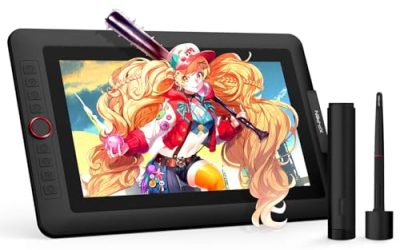
The only pen display in the group. The title lists a 13.3 inch screen, dual dial, full lamination, Canvas Glass 2.0, 99% sRGB, and PenTech 4.0 with 16384 levels. It suits illustrators who want to see the line under the nib.
- Full lamination and 99% sRGB suit color-sensitive illustration
- Dual dial adds zoom and brush controls
- Trade-off: a pen display costs more and needs a cable and stand setup
Skip it if you want a cheaper, simpler pad or need a pen input that works without a monitor connection. Because it is a display, you also need a free video or USB-C output on the PC, so check ports before ordering and plan a stand for a comfortable drawing angle.
XOPPOX Graphics Drawing Tablet
A 10×6 inch tablet with 12 hot keys and 8192 pressure levels, listed as compatible with PC. It targets buyers who want the largest key count and a battery-free stylus.
- Twelve hot keys cover many commands
- Large active area with a battery-free stylus
- Trade-off: the brand has less name recognition, so check driver support before buying
Skip it if you want a well-known brand with a wide user community for tutorials and troubleshooting. A larger community usually means more driver updates, forum answers, and replacement nibs, which matter once the first stylus tip wears down.
Which One Fits Your Situation
You are new to digital art
The HUION Inspiroy H640P keeps the cost and desk footprint low, lists tilt support, and includes six hot keys. It is easy to try without a large commitment, and if you outgrow it, the skills transfer directly to a larger pad later.
You paint or sketch on a large monitor
Choose the XPPen Deco 01 V3 or the UGEE M708. Both offer a 10×6 inch area, and the Deco lists a 16K stylus with 8 keys.
You want to draw directly on the screen
The HUION Kamvas 13 (Gen 3) is the only pen display here, with full lamination and 99% sRGB for color-aware work. It pairs best with a PC that has a free display output and enough desk space for a stand.
You play osu! or only need a pen
The HUION H420X has the smallest active area, which suits rhythm gaming and signatures better than a big pad.
Common Mistakes
- Buying the largest pad without checking whether it fits the desk and your arm movement
- Paying for 16K pressure when you only need basic sketching
- Skipping the driver check for your operating system and favorite art software
- Expecting a pen tablet to feel like paper on day one, without a short adjustment period
- Ignoring stylus type and ending up with a rechargeable pen you forget to charge
Related guides
- When I Turn On Record Game In Background On Gamebar. Gamebar Crashes, What Do I Do?
- How To Reduce Background Noise On A Streaming Microphone
- Poly Computer Accessories Company Streaming Evaluation
Frequently Asked Questions
Do I need a pen display or is a pad enough?
A pad is enough for many beginners and costs less. A pen display is better if you struggle with hand-eye coordination or want direct drawing for illustration.
Is 16K pressure better than 8192?
The numbers suggest finer granularity, but the difference is subtle for most users. Software support, tilt, and surface feel often matter more. Test how the pen feels on the surface before worrying about the last few thousand levels.
Will these work with a Chromebook or Mac?
Several listings mention Mac, Android, or Chromebook support. Always check the model page for your exact OS version before buying.
How big should the active area be?
Around 6×4 inches works for notes and osu!, while 10×6 inches suits sketching and larger monitors. If you split time between a laptop and a desktop, the smaller size is easier to carry and set up quickly.