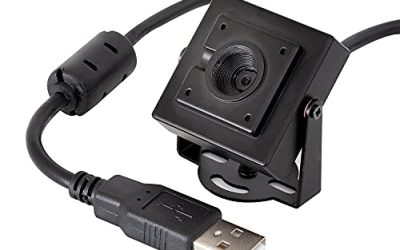
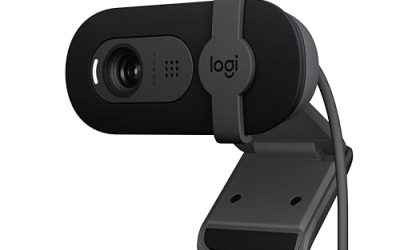
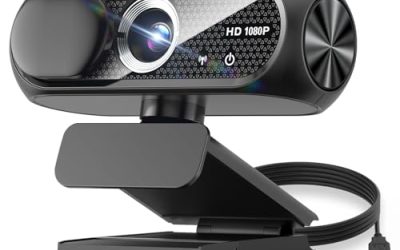
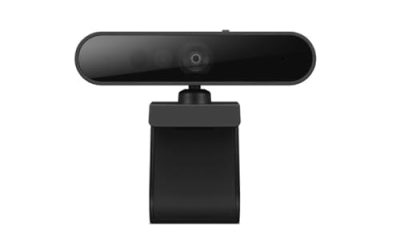
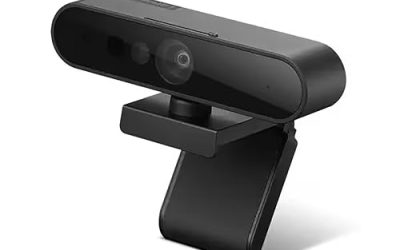
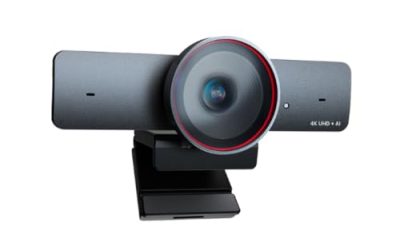
Frame rate is the whole point of this search. A 30fps webcam is fine for a quarterly review call, but once you stream gameplay, demo a product on camera, or gesture a lot, the slight stutter of 30fps becomes obvious, and 60fps looks noticeably smoother. The catch is that webcam titles love big resolution numbers, and the 60fps mode often applies only at one resolution. The real decision is which resolution you get when the camera runs at 60 frames per second.
This list is for streamers, remote workers who present on camera, and anyone with a good display who is tired of choppy video. We cover eight USB webcams for 2026 shopping, from a long-standing Logitech to NexiGo, EMEET, AOC, and Acer models, plus two lesser-known brands. Judgments come from the listed specs, so confirm the fine print on your chosen model before you buy.
Our Top Picks
 NBPOWER 1080P 60FPS Streaming Camera Webcam with Microphone3.34 x 1.77 x 1.96 inches0.5 poundsCheck on Amazon
 NexiGo N660P 1080P 60FPS Webcam with Software ControlSmall3.62 x 4.86 x 2.36 inches0.4 PoundsCheck on Amazon


Top 3 picks at a glance
Quick Picks
As an Amazon Associate we earn from qualifying purchases at no extra cost to you.





| Product | Best for | Key spec from the title |
|---|---|---|
| Acer A640 | Sharp meetings plus streaming | Sony 1/2.8″ sensor, PDAF autofocus, 1080P/60fps |
| AOC 4K Webcam | Desk setups needing a tripod in the box | PDAF, Sony sensor, 1080P 60FPS, 75-degree FOV |
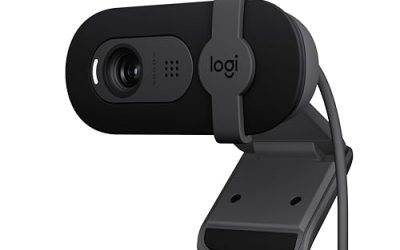
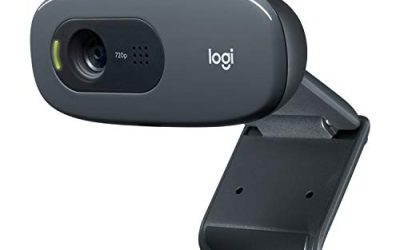
| Logitech C922x | Teams, Meet, and Zoom users | 1080p/30fps or 720p/60fps, light correction |
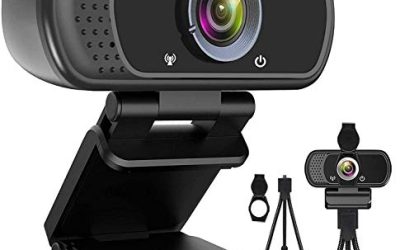
| NBPOWER 1080P | Dim rooms without a ring light | 1080P 60FPS, microphone, fill RGB light |
| Pro QHD 2K/60fps | Higher resolution at 60fps | 2K/60fps, dual noise-cancelling mics, tripod |
| NexiGo N660P | OBS and gaming streams | 1080P 60FPS, software control, dual mic, cover |
| NexiGo N980P | Shared desks and group framing | 1080P 60FPS, 120-degree wide angle |
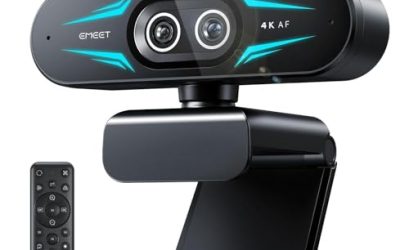
| EMEET C950 | Plug-and-play on a monitor mount | 1080P@60FPS, PDAF, USB 2.0, no tripod hole |
How to Choose
Read the resolution next to the 60fps
Several models here are sold as 4K but list 1080P at 60fps, which means the 4K mode runs at a lower frame rate. The Logitech C922x spells it out: 1080p at 30fps, or 720p at 60fps. If smoothness is the goal, look for the line that pairs 60fps with 1080p or higher, and treat the 4K badge as a bonus for stills and slower recordings.
Autofocus type and field of view
PDAF (phase-detection autofocus), listed on the Acer, AOC, and EMEET, generally refocuses faster than contrast-based systems when you lean in or hold up an object. A 75-degree view frames one person at a desk; a 120-degree view fits two people or a wide room but pushes your face smaller and can stretch the edges. Check whether the camera lets you narrow the view in software.
Mics, mounts, and cables
Built-in dual microphones are fine for calls, but streamers usually plug in a dedicated mic anyway, so do not pay extra for audio. Check the mount: the EMEET title says no tripod hole, while the AOC and Pro QHD include a tripod. Also note the connector; the Acer comes with an A to C adapter for newer laptops with only USB-C ports.
What to ignore and where budget cams cut corners
Ignore megapixel claims without a stated sensor and treat built-in RGB lights as a convenience, not a lighting solution. Cheaper webcams tend to save on lens quality and low-light handling, so footage turns soft and noisy in dim rooms. A physical privacy cover, listed on several models here, is a small feature worth having.
The 8 Best Options
Acer A640
The title packs in the credentials: a Sony 1/2.8″ sensor, PDAF autofocus, an AI noise-canceling microphone, and 1080P/60fps output, plus an A to C adapter. It suits workers who want crisp meeting video during the week and the option to stream on weekends. Of the cameras here, it has the most complete imaging description in its title.
- Strength: A named Sony sensor and PDAF point to a more serious imaging package.
- Strength: The included A to C adapter helps with modern laptops.
- Trade-off: The “4K” label does not mean 60fps at 4K, so set expectations at 1080p.
Skip it if you want a tripod bundled in the box or need a very wide field of view.
AOC 4K Webcam
A desk-ready pick with PDAF autofocus, a Sony sensor, 1080P 60FPS streaming, a 75-degree field of view, a privacy cover, and a tripod included. The 75-degree view is a natural fit for solo calls and tight streaming framings where your face should fill the shot. Buyers who dislike hunting for a separate stand will appreciate that the box already covers it.
- Strength: The bundled tripod makes it usable on a shelf or desk right away.
- Strength: A privacy cover is included for peace of mind between calls.
- Trade-off: The narrower field of view will crop out a second person.
Skip it if you need a wide shot for a shared desk or a small classroom.
Logitech C922x
The veteran of the list. The title lists Full HD 1080p/30fps or 720p/60fps, HD light correction, and compatibility with Teams, Meet, and Zoom. It makes sense for users who value familiar software and broad app support over the newest specs, especially in an office where IT departments prefer known brands. It is also the model to consider if your calls matter more than your streams.
- Strength: Light correction is listed, helping in rooms with uneven lighting.
- Strength: The title names the major meeting apps it works with.
- Trade-off: 60fps only works at 720p, so full HD streams run at 30fps.
Skip it if you want 1080p at 60fps, which is the point of this guide.
NBPOWER 1080P
This one adds a fill RGB light and a microphone to a 1080P 60FPS camera, with autofocus listed too. It appeals to shoppers who want an all-in-one option for streaming from a dimly lit corner, or for anyone who would rather buy one device than a camera plus a light. Since the light is part of the camera, it is easy to carry between rooms.
- Strength: The built-in fill light helps when your room lacks a lamp.
- Strength: The title promises laptop, desktop, Windows, and Mac compatibility.
- Trade-off: An on-camera light is close and flat, so it will not flatter like a proper side light.
Skip it if you already own a ring light or key light and prefer a simpler lens-only unit.
Pro QHD 2K/60fps
The only camera here whose title pairs 2K with 60fps outright. It includes a tripod, dual noise-cancelling mics, autofocus, a wide-angle lens, and low-light correction. Choose it if you want more resolution without giving up smoothness, such as for recording tutorials where on-screen detail matters. A wide-angle lens is also listed, which helps if your desk is close to the wall.
- Strength: 2K at 60fps is a higher spec than most of the 1080p cameras on the list.
- Strength: A tripod and low-light correction are packed in.
- Trade-off: The brand is generic, so check support and warranty terms before buying.
Skip it if you prefer a name with established driver support and long-term software updates.
NexiGo N660P
Aimed at gamers and streamers: 1080P 60FPS, software control, a dual microphone, a cover, and autofocus, with OBS, gaming, and Zoom named in the title. Software control means you can adjust settings from a desktop app, which helps lock exposure and white balance before going live. Compared with the plug-in-and-forget cameras, it rewards people who like to adjust things.
- Strength: Software control lets you fine-tune the image instead of living with defaults.
- Strength: The privacy cover and dual mics round out the package.
- Trade-off: The title does not list a sensor brand or autofocus type.
Skip it if you want PDAF specifically or need a named high-end sensor.
NexiGo N980P
Similar in spirit to the N660P but with a 120-degree wide-angle lens, a microphone with dual noise reduction, and software control. It fits a shared desk, a small classroom, or anyone who wants to show more of the room behind them, such as a craft or workshop stream. Because it shares software control with the N660P, the choice between them comes down to framing.
- Strength: The 120-degree field of view captures two people comfortably.
- Strength: Software control is listed, as with its sibling.
- Trade-off: Wide lenses make a single subject look smaller in the frame.
Skip it if you present alone and want a tight, flattering frame.
EMEET C950
A plug-and-play 4K-labeled webcam with PDAF autofocus, a microphone, a physical privacy cover, and 1080P@60FPS over USB 2.0. It is built to clip onto a monitor or laptop lid, which keeps setup to a few seconds for people who move between desks. Hybrid workers who carry a laptop between home and office are the obvious audience.
- Strength: PDAF autofocus and a physical privacy cover handle the key basics.
- Strength: USB 2.0 plug-and-play avoids driver fuss.
- Trade-off: The title says there is no tripod hole, so it depends on its clip mount.
Skip it if you mount cameras on arms or tripods.
Which One Fits Your Situation
You stream games with OBS
The NexiGo N660P names OBS and gaming in the title and offers software control, so you can lock settings before you go live and avoid auto-exposure drift mid-stream.
You work from a dim room
The NBPOWER 1080P brings its own fill light, and the Pro QHD 2K/60fps lists low-light correction. Pick the NBPOWER if you want light on the camera itself, or the Pro QHD for sensor-side correction.
You take mostly video calls but want smoother motion
The Acer A640 pairs a Sony sensor with PDAF autofocus and 1080P/60fps, a sensible upgrade for meetings. Teams-first buyers may still lean toward the Logitech C922x for its familiar software.
Two people share the desk
The NexiGo N980P’s 120-degree lens fits more of the room into the frame than the AOC’s 75-degree view, which suits a pair of colleagues or a parent and child.
Common Mistakes
- Assuming a 4K label means 4K at 60fps when the listing pairs 60fps with 1080p.
- Plugging a 60fps camera into a slow or shared USB port and losing frame rate.
- Ignoring the mount: some cameras have no tripod hole and clip only to monitors.
- Relying on a built-in RGB light instead of lighting the room properly.
- Skipping software settings, then letting auto-exposure flicker under LED lights.
Related guides
- When I Turn On Record Game In Background On Gamebar. Gamebar Crashes, What Do I Do?
- How To Reduce Background Noise On A Streaming Microphone
- Poly Computer Accessories Company Streaming Evaluation
Frequently Asked Questions
Is 60fps webcam video worth it for meetings?
It makes motion look smoother, but many meeting apps compress or cap video, so the gain is more visible in local recordings and streams. If your calls run at 30fps anyway, you will not see a difference.
Do I need USB 3.0 for 60fps?
Not always. The EMEET title lists USB 2.0 for its 1080P@60FPS output, so a compressed stream fits that connection. Higher resolutions may need more bandwidth, so check your chosen model’s notes.
Is a wide-angle lens better?
Only if you need to fit more people or a larger area. For solo use, a narrower lens like the 75-degree view on the AOC looks more natural and keeps your face larger in the frame.
Do these cameras work on Mac?
Several titles mention Windows and Mac compatibility, such as the NBPOWER. Check the listing for your operating system before buying, especially for software control features that may be Windows-only.