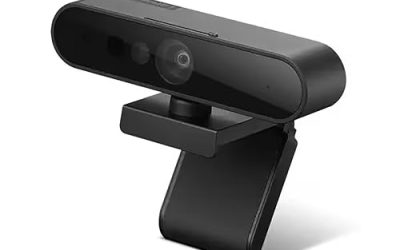
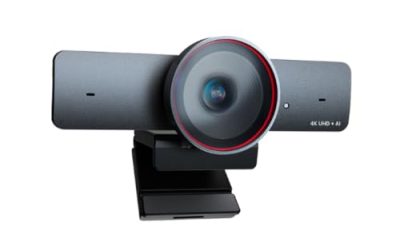
A webcam for a Raspberry Pi is a different purchase from a webcam for a laptop. On a Pi, the question is not only picture quality but also how the camera connects: through the ribbon-style camera port or through USB. That choice decides which cables you need, how much processor load you add, and which software tools can talk to it. The keyword really asks for a camera that works with the board’s operating system, ports and small footprint.
This guide is for hobbyists building a security camera, a time-lapse rig, a robot, a plant monitor or a small vision project. Seven options are compared using their titles, ranging from standard 5MP camera modules to USB boards with global shutters for fast motion. A short list of checks for 2026 builds follows, so you can match a camera to your Pi model before ordering a single cable.
Our Top Picks
Top 3 picks at a glance
Quick Picks
As an Amazon Associate we earn from qualifying purchases at no extra cost to you.



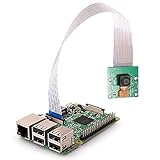
| Product | Best for | Key spec from the title |
|---|---|---|
| Arducam 4K 8MP IMX219 USB Autofocus | General USB camera projects with sound | 8MP IMX219, autofocus, 1080P UVC, microphone |
| Arducam Pi Zero 5MP OV5647 | Pi Zero builds with the right cable | 5MP OV5647, 1080P, two cable types |
| Arducam 4K 8MP Autofocus with HDR | High-contrast scenes and engraving setups | 8MP autofocus, HDR, 1080P USB 2.0 |
| Pi Zero 160 FOV Fisheye | Ultra-wide views in small spaces | 160 degree fisheye, 5MP OV5647, 1080P |
| Arducam 120fps Mono Global Shutter | Fast-moving subjects | 120fps, 800P, monochrome global shutter, 130 degree M12 lens |
| DORHEA 5MP Mini Camera | Older Pi models on a budget | 5MP OV5647, 1080p, Pi A/B/2B/3B |
| Arducam 100fps Mono Global Shutter | Low-distortion motion capture | 100fps, 720P OV9281, low-distortion M12 lens |
How to Choose
Camera port or USB
Ribbon-cable modules plug into the board’s camera connector and keep the USB ports free. USB cameras follow the UVC standard, so they appear as ordinary video devices and work on almost any Linux system, but they use more bandwidth and processing. Check the connector type: the Pi Zero uses a narrower camera cable than full-size boards, and the listing should say which cable is included.
Sensor, resolution and frame rate
A 5MP OV5647 sensor handles 1080p video, which is plenty for monitoring and time-lapse. An 8MP IMX219 adds resolution and, in some versions, autofocus. If your subject moves quickly, frame rate matters more than megapixels: global shutter sensors at 100fps or 120fps avoid the skewed look that standard rolling shutters create on moving objects, but they are often monochrome and lower resolution.
Lens, field of view and focus
A fixed-focus lens suits a set distance, such as a desk or a doorway. Autofocus is useful when the subject distance varies. A 160 degree fisheye covers a whole room corner but bends straight lines; a 130 degree M12 lens is wide yet more controlled. M12 mounts also let you swap lenses for a different field of view.
Software support and where cheap modules cut corners
Check that the camera is supported by your Pi operating system version and its camera tools, since older modules sometimes need configuration changes on newer releases. Cheaper modules include only one cable length, no case and no microphone. A built-in mic is a convenience, but for audio quality, a separate USB microphone is usually better.
The 7 Best Options
Arducam 4K 8MP IMX219 USB Autofocus
The title describes an 8MP IMX219 autofocus USB camera module with a metal case, 1080P UVC video over USB 2.0, a built-in microphone and a one-meter cable, for computers and more. It is a USB route that skips the ribbon cable entirely and adds sound.
- Strength: autofocus handles subjects at different distances without manual adjustment.
- Strength: a metal case and microphone make it a more complete package than a bare board.
- Trade-off: USB 2.0 caps the bandwidth, and the video listed is 1080P, not full 4K.
Skip it if you need a tiny profile for a Pi Zero enclosure. It suits desktop-style projects, such as a video call kiosk, a monitoring station or a recorder that needs a built-in microphone and a sturdier body for handling. Because it presents itself as a standard UVC device, the same camera can later move to a laptop for trial runs, which is handy while you debug scripts before deploying them to the board.
Arducam Pi Zero 5MP OV5647
This listing is a camera module for the Pi Zero with a 5MP OV5647 sensor, 1080P video and cables in two kinds, so you can pick the one that fits the board. It is a small, no-frills option aimed squarely at the Zero’s narrow connector.
- Strength: two cable types help avoid a mismatch with the smaller port.
- Strength: 5MP at 1080P is enough for monitoring, time-lapse and basic streaming.
- Trade-off: the title mentions no autofocus, microphone or case, so it is a minimal module.
Skip it if you want autofocus or sound. It suits Pi Zero builders making a compact camera, such as a doorbell prototype or a small bird-box monitor, who need the connector and cable question settled up front. Expect to add your own mount or case, and to enable the camera in the operating system settings before the first capture works.
Arducam 4K 8MP Autofocus with HDR
The listing combines an 8MP autofocus USB module, HDR, 1080P USB 2.0 video, a LightBurn camera function and multiple preset AI resolutions for computers and laptops. It is the pick for scenes with bright and dark areas in the same frame.
- Strength: HDR helps in high-contrast scenes such as a bright window behind a subject.
- Strength: autofocus and preset resolutions make setup flexible.
- Trade-off: the title is written around laser-engraving and general computer use, with Raspberry Pi compatibility not stated, so confirm UVC support.
Skip it if you need a ribbon-cable module for a Pi camera port. It suits makers who want better dynamic range from a USB camera and are comfortable verifying the software side first, ideally by checking that the board’s operating system lists the camera as a video device before you design a mount around it.
Pi Zero 160 FOV Fisheye
This module is a Pi Zero camera with a 160 degree fisheye lens, a 5MP OV5647 sensor, 1080P HD video and a Zero-specific cable. It is built for the widest view in this group, useful for seeing an entire room or enclosure from one point.
- Strength: a 160 degree field of view covers a large area from a tiny mount.
- Strength: the Zero cable is included, which simplifies the hookup.
- Trade-off: fisheye optics curve straight lines and make distant subjects small.
Skip it if you need accurate geometry or distant detail. It suits builders making an indoor overview camera, a pet monitor or an enclosure inspection cam in a tight space, where a normal lens would cut off half of what you want to watch. Plan on cropping or undistorting the image in software if you need a natural look.
Arducam 120fps Mono Global Shutter
The title describes a 120fps monochrome global shutter USB camera module with 800P resolution, a UVC interface, a 130 degree M12 wide-angle lens, and support for PC, laptop and Android devices. It is a specialist camera for motion and machine vision.
- Strength: 120fps with a global shutter captures fast movement cleanly.
- Strength: the M12 lens mount lets you swap lenses for the field of view you need.
- Trade-off: monochrome output and 800P resolution are a poor fit for general-purpose color video.
Skip it if you want color footage or sound. It suits robotics, tracking and inspection projects where speed and clean motion matter more than appearance, and where software can use the grayscale stream directly. A Pi can process the feed, but expect to spend time tuning exposure and frame size to hold the full frame rate over a USB 2.0 style connection.
DORHEA 5MP Mini Camera
This listing is a Raspberry Pi mini camera module with 5 megapixels, a 1080p OV5647 sensor and compatibility named for Pi Model A/B/A+/B+, Pi 2B and Pi 3B. It is an older-style, plain module for full-size boards.
- Strength: the title explicitly names several Pi models, which makes compatibility checking easy.
- Strength: a 5MP, 1080p sensor covers everyday monitoring and photo work.
- Trade-off: no autofocus, microphone or case are listed, and newer boards are not named.
Skip it if you own the latest board and want guaranteed support. It suits owners of older full-size boards who want a straightforward, inexpensive camera for a learning project, a first time-lapse or a basic motion-detection script. Check the connector orientation and cable length before mounting, because the listing does not mention a case or spare cable.
Arducam 100fps Mono Global Shutter
The title lists a 100fps monochrome global shutter USB camera at 720P, with an OV9281 sensor, a UVC interface and a low-distortion M12 lens, with no microphone, for computers and Android devices. It is the lower-speed sibling of the 120fps model with a focus on lens quality.
- Strength: a low-distortion lens helps measurement and tracking accuracy.
- Strength: 100fps with a global shutter handles quick motion without skew.
- Trade-off: 720P monochrome video and no microphone limit its use for ordinary recording.
Skip it if you want a general-purpose color webcam. It suits vision experiments, line tracking and robotics where straight lines in the image need to stay straight, such as reading a conveyor, a marker or a ruled line. The lack of a microphone is irrelevant in those jobs, and the swappable lens mount leaves room to refine the view later.
Which One Fits Your Situation
You are building a compact Pi Zero camera
The Arducam Pi Zero 5MP OV5647 includes two cable kinds, and the Pi Zero 160 FOV Fisheye adds the widest view.
You want video and sound from a USB port
The Arducam 4K 8MP IMX219 USB Autofocus gives a microphone and autofocus in a metal case.
You are tracking fast objects
The Arducam 120fps Mono Global Shutter offers the highest frame rate, while the Arducam 100fps Mono Global Shutter offers the low-distortion lens.
You are using an older full-size board
The DORHEA 5MP Mini Camera names the earlier models it fits.
Common Mistakes
- Buying a Pi Zero camera with the wrong cable for the board’s narrow connector.
- Choosing a monochrome global shutter camera and expecting color video.
- Overlooking that USB cameras need UVC support and add processing load.
- Picking a fisheye lens for a task that needs straight lines.
- Assuming 4K in the product name means 4K video, when the listed video mode may be lower.
Related guides
- When I Turn On Record Game In Background On Gamebar. Gamebar Crashes, What Do I Do?
- How To Reduce Background Noise On A Streaming Microphone
- Poly Computer Accessories Company Streaming Evaluation
Frequently Asked Questions
Is a USB webcam or a camera module better for a Pi?
Modules save USB ports and CPU load; USB cameras are easier to swap and test on other computers. Pick based on your enclosure and software needs.
Do I need autofocus?
Only if the subject distance changes. For a fixed doorway, shelf or tray, a fixed-focus module is fine.
What does a global shutter do?
It exposes the whole frame at once, which avoids the leaning or wobbly look rolling shutters can produce on fast motion.
Can I record audio?
Only with a camera that includes a microphone, or with a separate USB microphone. Many modules do not include one.