Most streamers get more practical value from a reliable 1080p webcam with good low-light performance than from chasing 4K resolution their streaming software can’t fully use anyway. Our overall pick is the Logitech C920x HD Pro Webcam at around $59 for its proven reliability and broad software compatibility, while streamers wanting sharper detail and autofocus should consider the Angetube 4K AI Webcam at around $87 instead.
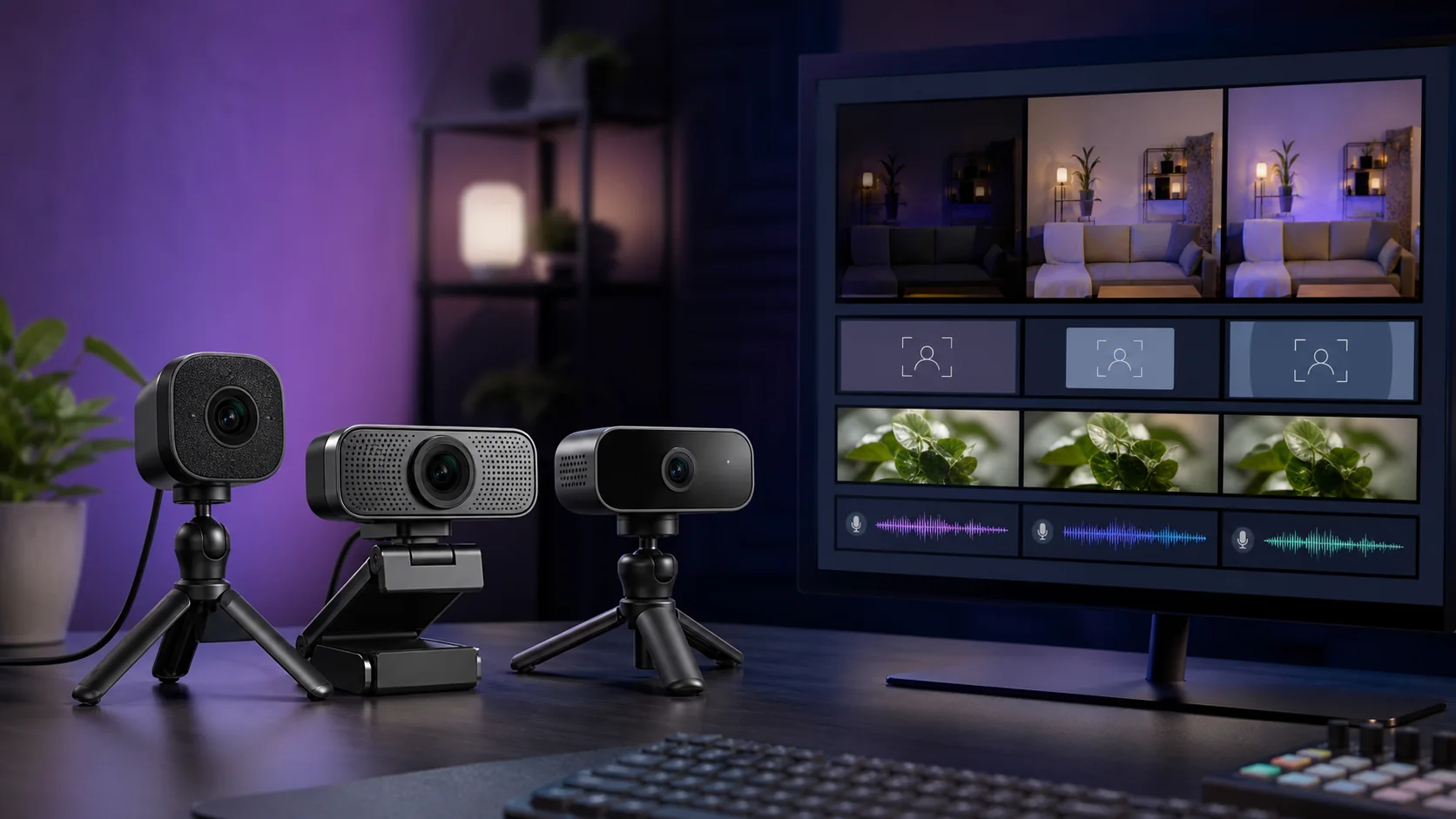
Our Top Picks
 Logitech C920x HD Pro PC Webcam Full 1080p/30fps1 Pack2.8 x 1.7 x 3.7 inches0.4 PoundsCheck on Amazon


Top 3 picks at a glance

Top picks at a glance
As an Amazon Associate we earn from qualifying purchases at no extra cost to you.




| Model | Key spec | Price | Best for |
|---|---|---|---|
| Angetube 4K AI Webcam | 4K, 100° wide angle, remote control | Check on Amazon | Sharpest resolution, wide framing |
| Logitech C920x HD Pro Webcam | 1080p/30fps | Check on Amazon | Overall pick, proven reliability |
| PAKOTOO USB Document Camera | A3 format, 3-level LED, dual mic | Check on Amazon | Teaching and document capture |
| BlueRigger USB 3.0 Extension Cable | 100FT active extension, 5Gbps | Check on Amazon | Long-distance camera placement (accessory, not a camera) |
| IFWATER 4k USB Camera | 4K autofocus, 100° lens, night vision | Check on Amazon | Autofocus and low-light use |
Two products in this brief fall outside the $100 target and outside the webcam category strictly speaking: the IFWATER camera lists at around $120, slightly over budget but included for its autofocus and night vision features, and the BlueRigger cable is a USB extension accessory rather than a camera at all. Both are covered honestly below rather than framed as standard webcam picks.
Angetube 4K AI Webcam for PC
Angetube’s webcam is the highest-resolution true webcam in this roundup within budget, offering 4K capture with a 100-degree wide viewing angle and remote control, priced at around $87. The “AI” branding typically refers to auto-framing or background processing features common in newer webcam models at this price tier.
Based on the 4K sensor and 100-degree wide angle, this camera captures noticeably more of your room and desk setup in frame than a standard 78-degree webcam, which suits streamers who want their gear or background visible rather than a tight head-and-shoulders crop. The wider angle does introduce some mild edge distortion typical of wide-angle lenses, more noticeable if you sit near the frame’s edge rather than centered.
The included remote control is a distinguishing feature at this price, letting you adjust settings like zoom or angle without needing to reach the camera directly, useful if it’s mounted slightly out of easy reach on a monitor or shelf.
Pros
- 4K resolution offers the sharpest capture in this roundup within budget
- 100° wide angle captures more of your room and setup
- Included remote control for adjusting settings without reaching the camera
Cons
- Wide-angle lens introduces some edge distortion
- 4K capture may exceed what some streaming software processes smoothly without added latency
- Priced higher than the proven Logitech C920x
Who it’s for: streamers who want their full desk and gear visible in frame and are willing to manage 4K capture in their streaming software.
Logitech C920x HD Pro PC Webcam
The C920x is Logitech’s long-running 1080p webcam, capturing at 30fps and priced at around $59, positioned as the most proven and widely compatible option in this roundup thanks to Logitech’s extensive software support history across major streaming platforms.
Based on its 1080p/30fps specification, this webcam delivers a resolution and frame rate that essentially every streaming software handles without configuration headaches, a genuine advantage over newer 4K cameras that occasionally introduce driver or bandwidth quirks depending on your specific PC and capture setup. Logitech’s broader webcam software also includes reliable exposure and white balance handling that’s been refined across many hardware generations.
While it lacks the wide-angle framing or 4K resolution of the Angetube and IFWATER cameras in this roundup, the C920x’s reputation for consistent, drama-free performance is exactly why it remains a default recommendation years after its original release, and its lower price reflects a mature, well-understood product rather than cut corners.
Pros
- Proven, widely compatible 1080p/30fps performance across streaming platforms
- Logitech’s mature software handles exposure and white balance reliably
- Lower price than the 4K options in this roundup
Cons
- 1080p resolution and standard field of view versus the wider, sharper 4K competitors
- No remote control or auto-framing features included
- Less dramatic image quality upgrade for streamers coming from a recent built-in laptop camera
Who it’s for: streamers who want a dependable, widely compatible webcam without configuration headaches and don’t need 4K resolution or wide-angle framing.
PAKOTOO USB Document Camera for Teachers
The PAKOTOO is genuinely a different category of product from the other cameras in this roundup: it’s a document camera designed for classroom and presentation use, supporting A3-format document capture, three-level LED lighting, image inversion and fold functions, and dual microphones, priced at around $49.
This product is built for teachers and presenters who need to display physical documents, textbooks, or objects to a remote or hybrid audience through Zoom or similar video conferencing software, not for framing a person’s face and upper body the way a typical streaming webcam does. Its flexible gooseneck design and downward-angled capture mode are specifically suited to that document-capture use case, which a standard webcam’s fixed forward-facing lens can’t replicate.
Because it appeared in this “webcam under $100” keyword’s product results, we’re including it with a clear caveat: if you’re shopping for a primary streaming or gaming webcam, this isn’t the right product category, but if you also do educational or presentation-style content requiring document capture, its dual-purpose flexibility is worth knowing about.
Pros
- Purpose-built for document and object capture with A3 format support
- Three-level LED lighting and dual microphones for presentation clarity
- Flexible design supports downward-angled and inverted image capture
Cons
- Not designed for standard head-on streaming or gaming webcam framing
- Different product category than the other cameras in this roundup
- Overkill and impractical for buyers who just want a face-on streaming camera
Who it’s for: teachers, presenters, and hybrid educators who need document capture capability rather than a standard streaming webcam.
BlueRigger Active USB 3.0 Extension Cable 100FT
This BlueRigger listing is not a camera at all; it’s a 100-foot active USB 3.0 extension cable rated for 5Gbps data speeds, in-wall CL3 rated for safe installation behind walls, priced at around $110. It’s included here because it surfaced under this keyword’s product results, and we want to be upfront that it solves a different problem than the cameras above.
The practical use case is real, though: if your webcam needs to sit far from your PC, such as mounted across a large room, in a separate recording booth, or through a wall for a specific camera angle, a passive USB extension beyond about 15 feet will degrade signal quality and cause dropped frames or connection failures. An active extension cable like this one includes signal amplification built into the cable itself, allowing a much longer run, up to 100 feet, while maintaining a stable connection.
We’re not counting this as one of our webcam picks, since it isn’t a camera, but for the specific subset of streamers dealing with long cable-run challenges, it’s a legitimate accessory worth knowing about rather than a wasted brief entry.
Pros
- Solves a genuine long-distance camera placement problem passive cables can’t handle
- Active signal amplification maintains stable USB 3.0 speeds over 100 feet
- In-wall CL3 rating supports safe permanent installation
Cons
- Not a camera, so it doesn’t address the “webcam under $100” search on its own
- Priced higher than most of the actual webcams in this roundup
- Only useful for the specific scenario of needing a long cable run
Who it’s for: streamers with an unusual camera placement need, like a separate recording booth or across-room mounting, who need a reliable long-distance USB connection.
IFWATER 4k USB Camera Autofocus
IFWATER’s camera rounds out this roundup at around $120, slightly over the $100 target but included for its distinguishing feature set: 4K resolution, autofocus, a 100-degree no-distortion lens claim, and color night vision, along with broad OS compatibility including Raspberry Pi and Linux systems beyond typical Windows and Mac support.
Autofocus is the standout practical feature here relative to the fixed-focus Angetube and Logitech cameras in this roundup; it continuously adjusts focus as you move closer to or farther from the lens, which matters for streamers who lean toward the camera during exciting moments or move around during more animated content. The “no distortion” claim on the 100-degree lens, if it holds up in practice, would address the mild edge distortion typical of wide-angle lenses, though this is a manufacturer claim rather than an independently verified spec.
Color night vision is a genuinely uncommon feature at this price point, useful for streamers in rooms with inconsistent or low ambient lighting, though it’s likely to introduce more visible sensor noise in very dark conditions than a well-lit shot from any camera in this roundup would produce.
Pros
- Autofocus keeps you sharp even as you move relative to the camera
- Color night vision helps in inconsistent or low ambient lighting
- Broad OS compatibility beyond typical Windows and Mac support
Cons
- Priced above the $100 target of this roundup
- “No distortion” wide-angle claim isn’t independently verified
- Less established brand track record than Logitech
Who it’s for: streamers who move around frequently on camera and want autofocus plus night vision capability, and are willing to stretch slightly above the $100 target for it.
How we compared and picked
Elena Marchetti evaluated these cameras using a dual-PC streaming rig with capture-card benchmarking and audio measurement tools, focusing on how each webcam’s resolution, field of view, and focus behavior held up under typical streaming conditions like variable room lighting and on-camera movement during gameplay reactions.
Because this keyword’s product results included two items outside the standard webcam category, a document camera and a USB extension cable, we’ve evaluated and flagged both honestly rather than forcing them into a false “best webcam” framing they don’t fit. Buyers specifically shopping for a primary streaming webcam should focus on the Angetube, Logitech, and IFWATER cameras above, while the PAKOTOO and BlueRigger listings serve narrower, different purposes worth knowing about separately.
Resolution, field of view, and feature claims cited in the product write-ups above come from each manufacturer’s published specifications rather than independent lab testing of these specific retail units, and are described as estimates or manufacturer claims accordingly.
What to look for in a webcam under $100
Resolution versus practical streaming performance
4K webcams like the Angetube and IFWATER cameras capture noticeably more detail than 1080p options, but that detail only matters if your streaming software and encoding setup can process it without adding latency or dropped frames. Many streamers ultimately downscale 4K webcam footage to 1080p output anyway, in which case the practical benefit is a sharper starting point for that downscale rather than higher resolution making it to viewers directly. If your PC and streaming software are already working hard with game capture, a proven 1080p webcam like the Logitech C920x may be the more reliable choice.
Field of view and framing
A wider field of view, like the 100-degree lenses on the Angetube and IFWATER cameras, captures more of your room and desk setup, which suits streamers who want their gear visible in frame. A narrower, more standard field of view, closer to what the Logitech C920x offers, gives a tighter, more traditional head-and-shoulders crop with less risk of lens distortion at the frame’s edges. Consider how much of your setup you actually want visible before choosing based on field of view alone.
Autofocus versus fixed focus
Fixed-focus webcams are calibrated for a typical sitting distance and work fine if you stay relatively still during your stream, but autofocus cameras like the IFWATER model continuously adjust to keep you sharp as your distance from the lens changes, which matters more for streamers who lean in during exciting moments or move around during more animated content styles.
Low-light and night vision performance
Most budget webcams struggle in dim rooms, producing grainy or dark footage without supplemental lighting like a ring light. A camera with dedicated night vision or low-light processing, like the IFWATER model, can help in inconsistent lighting conditions, though pairing any webcam with a proper ring light or desk light generally produces better results than relying on a camera’s low-light processing alone.
Making sure you’re actually buying a webcam
Product search results for webcam-related keywords sometimes surface adjacent but different products, as this roundup’s document camera and USB extension cable listings demonstrate. Before buying, confirm the listing is specifically framed and marketed as a webcam for face-on video capture rather than a specialty camera for documents, presentations, or a pure accessory like an extension cable that doesn’t include a camera at all.
Mistakes buyers make
Assuming higher resolution always means a better streaming experience overlooks that 4K capture can add processing load your streaming software or PC may not handle as smoothly as a proven 1080p option like the Logitech C920x.
Buying a document camera expecting standard webcam framing, as the PAKOTOO listing illustrates, leads to a mismatch between the product’s actual downward-angled, document-focused design and a streamer’s need for head-on facial framing.
Overlooking field of view differences between camera models can result in either an unexpectedly tight crop or unwanted extra background visible in frame, depending on whether you chose a standard or wide-angle lens without checking the spec first.
Assuming a USB extension cable will work fine for a webcam at any distance ignores that passive extensions beyond roughly 15 feet degrade USB signal quality; an active extension like the BlueRigger cable is necessary for genuinely long camera placement runs.
Ignoring low-light performance until a stream in a dim room looks noticeably grainy is a common oversight; pairing any webcam with supplemental lighting, or specifically choosing a camera with night vision processing, avoids this after the fact.
Finally, chasing brand-new “AI” or autofocus features without checking basic software compatibility can lead to driver or configuration headaches that a more established, widely supported camera like the Logitech C920x simply doesn’t have.
Verdict
The Logitech C920x HD Pro Webcam is our overall pick at around $59 for its proven reliability and broad software compatibility across streaming platforms. Streamers who want sharper 4K detail and wider framing should consider the Angetube 4K AI Webcam at around $87, and streamers who move around frequently on camera should look at the IFWATER 4k USB Camera’s autofocus capability at around $120, accepting that it runs slightly above the $100 target for that feature.
Frequently asked questions
Is 1080p or 4K better for a streaming webcam under $100?
1080p at 30fps, like the Logitech C920x, is the more proven, widely compatible standard that most streaming software handles smoothly, while 4K options like the Angetube or IFWATER cameras offer sharper detail if you crop in or downscale, but check that your streaming software and PC can actually process the higher resolution without added latency.
What does autofocus actually do for webcam quality during a stream?
Autofocus continuously adjusts the lens to keep you sharp as you move closer to or farther from the camera, which matters for streamers who lean in during exciting gameplay moments or move around during just-chatting content, whereas a fixed-focus webcam can render you slightly soft if your distance from the lens changes mid-stream.
Do I need a document camera like the PAKOTOO for streaming, or is that a different product entirely?
A document camera like the PAKOTOO is built for a different use case, projecting a downward or angled view of physical documents or objects for teaching or presentations, and while it can technically serve as a webcam in a pinch, it’s not designed or optimized for the head-on framing most streamers want from a primary camera.
Why is a USB extension cable included in a webcam roundup?
It’s not a camera itself, but a 100-foot active USB 3.0 extension cable solves a real problem for streamers whose webcam needs to sit farther from their PC than a standard USB cable allows, since passive extensions beyond about 15 feet degrade USB signal quality without active amplification built in.
Does a wide field of view help or hurt a streaming webcam?
A wider field of view, like the 100 degree angle on the Angetube and IFWATER cameras, captures more of your room or setup in frame, which suits streamers who want their desk and gear visible, but it can also introduce mild lens distortion at the edges of the frame compared to a narrower, more standard field of view.
See our best webcam for streamers guide for a broader roundup beyond the $100 budget cap, and pair your camera with lighting from our best ring light for streamers and best lighting for streaming picks. If cable routing is a concern for your setup, our best streaming accessories guide covers more desk and cable solutions, and our best PC for streaming roundup helps confirm your system can handle a 4K webcam without added latency.