The 15-inch class is where most laptop shoppers end up, and for good reason. It is large enough for a full keyboard and two windows side by side, yet small enough to slide into a normal backpack. The catch is that “15-inch” covers an enormous range: some listings are polished aluminum machines with a 15.3-inch display, others are plain plastic 15.6-inch budget models with 4GB of memory and a 128GB drive. The goal here is to help you pick the right one rather than the loudest one.
This guide is for students, remote workers, and households that want one dependable laptop for browsing, documents, streaming, and video calls. We compared seven options for 2026 using only what each listing title states, so when a detail such as battery life or weight is missing, we say to check the listing instead of making a number up.
Our Top Picks

Top 3 picks at a glance
Quick Picks
As an Amazon Associate we earn from qualifying purchases at no extra cost to you.





| Product | Best for | Key spec from the title |
|---|---|---|
| Apple MacBook Air 15-inch (M5) | Premium, long-term daily driver | M5 chip, 15.3″ Liquid Retina, 16GB memory, 512GB SSD |
| ASUS Vivobook Go 15 | Students who carry it everywhere | 15.6″ FHD, Ryzen 5, 512GB SSD, military-grade build, Wi-Fi 6E |
| Dell 15.6″ (Ryzen 5 7520U) | Smooth scrolling and video | FHD 120Hz IPS, LPDDR5, 512GB SSD |
| Dell 15.6″ (Core 3 100U) | Outdoor-friendly, bright-room use | 300 nits anti-glare, 8GB RAM, DDR5, 512GB SSD, Wi-Fi 6 |
| Acer Aspire Go 15 (Intel N355) | Light tasks on a tight budget | 15.6″ FHD IPS, 8GB DDR5, 128GB UFS |
| Acer Aspire Go 15 (Ryzen 3) | Budget laptop with a real SSD | 8GB LPDDR5, 128GB PCIe SSD, Wi-Fi 6 |
| HP Portable 15″ | Basic web use and secondary laptop | Intel Pentium, 4GB DDR4, 128GB SSD, HDMI |
How to Choose
Read the display line before anything else
For a 15-inch laptop, Full HD (1920 x 1080) is the baseline, and an IPS panel gives wider viewing angles than the cheaper TN type. Brightness is the spec that is easiest to overlook: around 250 nits is dim near a window, while 300 nits or more is more comfortable. A refresh rate of 120Hz makes scrolling and cursor movement smoother than 60Hz, but it does not change how fast the processor works.
Memory type and size set your ceiling
Eight gigabytes is the working minimum for Windows laptops, and 16GB is more comfortable for many tabs and video calls. Listings that name LPDDR5 or DDR5 use newer, faster memory than DDR4, though the capacity matters more day to day. A 4GB laptop will struggle with a modern browser, so treat it as a last-resort option for very light use.
Storage: SSD, UFS, and why 128GB goes fast
A PCIe or SATA SSD is the standard for responsive laptops. UFS is a flash format common in budget models; it is acceptable but not as spacious or flexible. At 128GB, Windows and updates consume a large part of the drive, leaving little for files, so plan on cloud storage or an external drive. At 512GB, you have comfortable room for a student or home workload.
Wireless, ports, and what budget models skip
Wi-Fi 6 or 6E is worth having on a home network with many devices; Wi-Fi 5 still works but is a generation behind. Look for HDMI if you plan to connect a monitor. Budget laptops commonly skimp on keyboard backlighting, display brightness, and speaker quality, and they often use plastic chassis. Ignore marketing phrases like “AI Ready” unless the title names the specific hardware behind them.
The 7 Best Options
Apple MacBook Air 15-inch (M5)
This is the premium option in the group and the only one that is not a Windows machine. The title lists the M5 chip, a 15.3-inch Liquid Retina display, 16GB of unified memory, a 512GB SSD, and a 12MP Center Stage camera. That is a generous configuration for years of daily use, particularly for people already in the Apple ecosystem who want their laptop to work smoothly with an iPhone, iPad, and shared photo library. Check the listing for the exact color and any bundled extras.
- Strength: 16GB of memory and a 512GB SSD in the base listing.
- Strength: A 12MP Center Stage camera helps with video calls.
- Trade-off: It sits in the premium tier, well above every other laptop here.
Skip it if you rely on Windows-only software or have a strict budget.
ASUS Vivobook Go 15
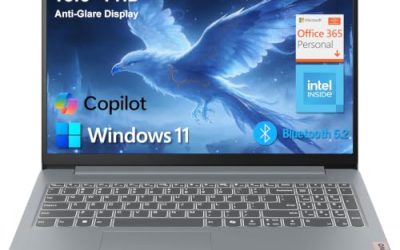
The Vivobook Go 15 packs a 15.6-inch Full HD screen, an AMD Ryzen 5 processor, 8GB of RAM, a 512GB SSD, and Wi-Fi 6E. The title also advertises a military-grade build and an ErgoSense keyboard, which appeals to students who toss a laptop into a bag several times a day. The display is listed at 60Hz, which is standard for the class. A commuter who types notes on a train and shoves the laptop into a crowded bag is the clearest fit.
- Strength: Military-grade durability claim suits a rough commute.
- Strength: Wi-Fi 6E and a 512GB SSD are strong for the class.
- Trade-off: Only 8GB of RAM, with no mention of upgradability.
Skip it if you want a high-refresh display or more than 8GB of memory.
Dell 15.6″ Laptop (Ryzen 5 7520U)
Dell pairs a Ryzen 5 7520U with Radeon 610M graphics and a 120Hz Full HD IPS screen. The title also lists LPDDR5 memory, a 512GB SSD, Bluetooth, and Windows 11 Home. The 120Hz panel is rare at this level and makes everyday scrolling feel more fluid. Anyone who reads long documents, browses social feeds, or scrubs through web pages all day will notice the difference, and the Ryzen 5 class processor is a sensible match for office work.
- Strength: A 120Hz IPS display is a standout feature in a budget-friendly class.
- Strength: LPDDR5 memory and a 512GB SSD round out a capable core.
- Trade-off: The title lists Wi-Fi 5, which is a generation behind Wi-Fi 6.
Skip it if you have a modern Wi-Fi 6 router and want to take full advantage of it.
Dell 15.6″ Laptop (Core 3 100U)
This Dell uses an Intel Core 3 100U, 8GB of DDR5 RAM, and a 512GB SSD. What sets it apart is the 300-nit anti-glare WVA display, which holds up better in bright rooms, plus Wi-Fi 6 and Bluetooth. It is a sensible office and school machine for a shared desk near a window, where reflections and glare would otherwise be a daily annoyance. The listing does not name its battery size, so check it before relying on it away from an outlet.
- Strength: A 300-nit anti-glare screen is easier to read in bright spaces.
- Strength: Wi-Fi 6 and DDR5 memory are modern touches.
- Trade-off: Eight gigabytes of RAM is just enough, not generous.
Skip it if you prefer a high-refresh panel or more memory.
Acer Aspire Go 15 (Intel Core 3 N355)
The Aspire Go 15 with the Intel Core 3 N355 offers a 15.6-inch Full HD IPS display and 8GB of DDR5 memory. Storage is only 128GB of UFS, so it is built for cloud-first use. It suits someone who mostly lives in a browser and wants a bigger screen at a budget tier. It is the kind of laptop a parent might buy for a middle schooler who uses web-based homework tools, or a retiree who sticks to email and video chat. Confirm what operating system is preinstalled in the listing.
- Strength: Full HD IPS panel with 8GB of DDR5 memory.
- Strength: Low-cost entry to a full-size 15-inch laptop.
- Trade-off: 128GB of UFS storage fills quickly.
Skip it if you keep large files, photos, or games on the laptop.
Acer Aspire Go 15 (AMD Ryzen 3)
This sibling swaps in an AMD Ryzen 3 processor with Radeon graphics and 8GB of LPDDR5 memory. Its storage is a 128GB PCIe SSD rather than UFS, and Wi-Fi 6 is listed. For many budget buyers, the PCIe SSD is the more appealing choice of the two Acers. If you are choosing between them, the extra responsiveness of an actual SSD is likely to be noticed every time the laptop boots or opens a large file.
- Strength: A PCIe SSD is typically snappier than UFS flash.
- Strength: Wi-Fi 6 and LPDDR5 are well suited to a modern home network.
- Trade-off: Still only 128GB of storage.
Skip it if you need local storage for large libraries.
HP Portable 15″ (Intel Pentium)
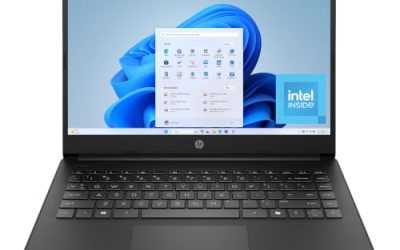
The HP is the most basic entry, with an Intel Pentium processor, 4GB of DDR4 memory, a 128GB SSD, HDMI, a webcam, and Wi-Fi 6. The display is a 15-inch HD micro-edge IPS. Think of it as a secondary laptop for streaming, email, and web pages. Because the title does not name the operating system edition beyond Windows, confirm it in the listing, and plan to keep software lean.
- Strength: IPS panel and HDMI at a very low cost tier.
- Strength: Wi-Fi 6 on a basic machine.
- Trade-off: 4GB of RAM and HD resolution limit longevity.
Skip it if you need a primary laptop for work or school.
Which One Fits Your Situation
A college student on a modest budget
The ASUS Vivobook Go 15 is the sensible start: 512GB of storage, Wi-Fi 6E, and a sturdy build claim for backpack life. Its 8GB of RAM is workable for classes, with the 512GB SSD leaving room for coursework files.
A remote worker with long screen hours
Consider the Dell with the Ryzen 5 7520U and the 120Hz screen for smoother scrolling, or the Dell Core 3 100U if you work near windows and want the brighter anti-glare panel.
A buyer who wants the last laptop for years
The Apple MacBook Air 15-inch is the one to shortlist, thanks to 16GB of memory and a 512GB SSD.
A household that mostly streams and browses
The Acer Aspire Go 15 with the Ryzen 3 and a PCIe SSD keeps costs down while avoiding the slower UFS storage.
Common Mistakes
- Choosing 4GB of RAM to save a little and then outgrowing the laptop within a year.
- Treating 128GB of UFS and a 128GB SSD as identical.
- Ignoring display brightness and buying a dim panel for a sunny room.
- Paying for a 120Hz screen but not noticing the laptop still has only 8GB of RAM.
- Believing “AI Ready” badges mean extra performance for everyday tasks.
Related guides
- When I Turn On Record Game In Background On Gamebar. Gamebar Crashes, What Do I Do?
- How To Reduce Background Noise On A Streaming Microphone
- Poly Computer Accessories Company Streaming Evaluation
Frequently Asked Questions
Is 15.3 inches different from 15.6 inches?
Slightly. The numbers describe the diagonal of different panel shapes, and both feel like full-size laptops in practice. Differences in weight and resolution matter more than that 0.3-inch gap.
How much RAM should a 15-inch laptop have?
Eight gigabytes is the minimum for current Windows machines and 16GB gives more breathing room. Apple lists 16GB of unified memory on its MacBook Air here.
Is a 120Hz display worth it?
It makes scrolling and animations look smoother, which many people notice in daily use. It does not increase processing speed, so memory and storage should come first.
Should I buy a laptop with 128GB of storage?
Only if you rely on cloud storage or an external drive. After Windows and updates, 128GB leaves limited room.