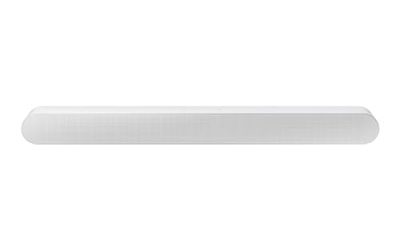
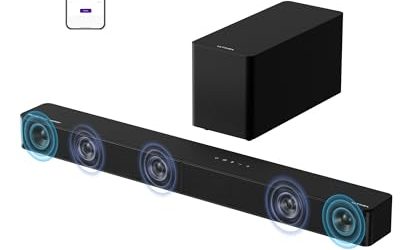
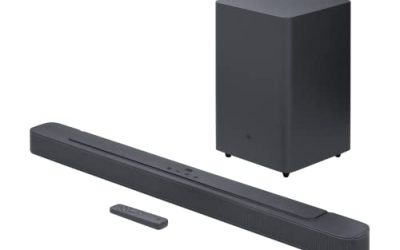
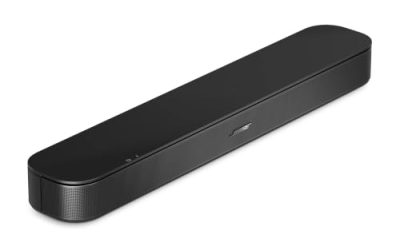
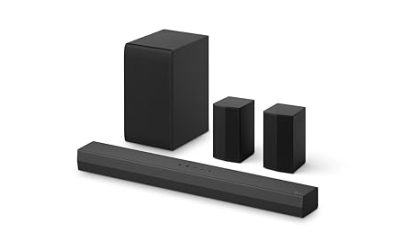
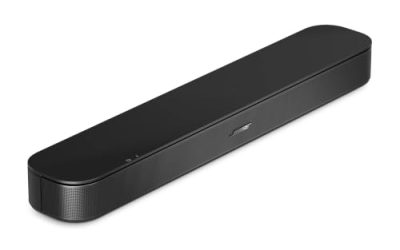
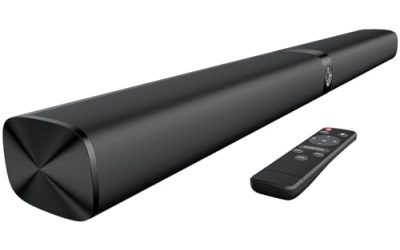
Hi-fi is a loose word on computer speaker listings, and the buyer asking for the best hifi speakers for PC is usually trying to escape the thin, tinny sound of the stock monitor speakers. The real decision is between compact powered pairs that plug into USB, bar-style units that sit under a monitor, and fuller desktop sets with a woofer or an external digital-to-analog converter. Each route trades desk space, connection flexibility and tuning options differently.
This guide is for listeners who care about clear vocals, controlled bass and a clean signal path from the computer, whether the use is music, video calls, films or the occasional game. Eight listings are compared for 2026 shopping using only the specs shown in their titles: wattage, Bluetooth version, DAC resolution, input types and tuning controls. Where a title offers marketing language rather than numbers, the review says so plainly.
Our Top Picks


Top 3 picks at a glance
Quick Picks
As an Amazon Associate we earn from qualifying purchases at no extra cost to you.





| Product | Best for | Key spec from the title |
|---|---|---|
| Bluedee Desktop Sound Bar | Tidy desks, simple setup | Bluetooth and AUX, USB or USB-C power |
| ICOREBEI USB Soundbar | Small home office | Bluetooth 5.3, USB-C, Hi-Fi stereo |
| OROW USB Speakers | Plug-and-play stereo | 16W, built-in DSP sound chip |
| Edifier G2000 | Gamers wanting a woofer | 32W, Bluetooth, USB and 3.5mm inputs |
| Creative XF1 | Serious tuning control | 72W RMS, LDAC, parametric EQ, sub-out |
| IBALL BOX H1 | Digital inputs | 60W, 24-bit USB-C DAC, optical |
| Audioengine A2 GEN3 | Bookshelf-style desktop audio | Bluetooth 5.4, 24-bit, wireless |
| Wired USB Computer Soundbar | Budget monitor add-on | USB plug-in, adaptive channel switching |
How to Choose
Power ratings and what they mean
Listings quote anywhere from 16W to 72W RMS. For a desk at arm’s length, 16W to 32W is plenty loud, and bigger numbers matter mainly if you play music in a larger room. Look for RMS rather than peak wattage, because peak figures are marketing. Higher power also usually means a larger cabinet and an external adapter, so check how much desk space you can give up before chasing numbers.
Inputs and the signal path
For real fidelity, favor speakers with a digital input such as USB-C with a 24-bit DAC or an optical port, because they let the speakers do the conversion rather than your motherboard. A 3.5mm AUX input works but carries more electrical noise from the computer. Bluetooth is convenient for phones; check the version and codecs such as LDAC or AAC if you care about wireless quality, and expect wired connections to sound cleaner.
Tuning controls beat badge claims
Ignore the words Hi-Fi on their own. Controls that actually shape sound are more telling: bass and treble knobs, parametric EQ, a subwoofer output or a desktop mode that adjusts tuning for close listening. If a title names DSP, treat it as processing that may help vocals and bass but also may flatten dynamics. Try modes one by one rather than leaving every enhancement on.
Where budget models cut corners
Low-cost bars and USB speakers typically skimp on cabinet bracing, driver size and connectivity. Expect smaller bass, fixed tuning and no digital input. RGB lighting is a styling extra rather than an audio feature, and it often comes at the expense of sound quality at a given price. If music quality matters most, put your money into drivers and inputs before lighting or extra modes.
The 8 Best Options
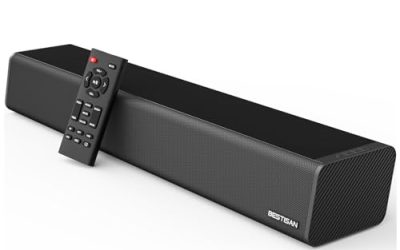
Bluedee Computer Speakers Desktop Sound Bar
A good fit for buyers who want a simple, tidy bar that connects over USB or USB-C power and also handles Bluetooth and AUX sources. It aims at people who value a clean desk more than a large soundstage, and who switch between a computer and a phone.
- Bluetooth and AUX inputs make it easy to move between a computer and a phone.
- USB or USB-C power keeps the cable arrangement simple.
- Trade-off: the title uses Hi-Fi wording but lists no wattage or DAC spec to confirm it.
Skip it if you want measurable power, digital inputs or a subwoofer output. Buyers who plan to listen critically, or who want to compare it fairly with other models, will find too many blanks in the title to judge it on specifications alone, so treat it as a convenience pick rather than an audiophile one.
ICOREBEI USB Powered SoundBar
Suited to home-office users who want a slim bar with modern connectivity and a little ambient lighting. The 3 RGB modes in the title are a visual extra, not an audio feature.
- Bluetooth 5.3 and a USB-C connection cover current phones and laptops.
- Hi-Fi stereo is claimed for home-office and desktop use.
- Trade-off: wattage and driver details are not stated, so power is an unknown.
Skip it if you dislike lighting effects or want clear output specs before buying. Anyone with a bright, minimal workspace may find the glow distracting, and because the title offers no wattage figure, buyers who need a loud, room-filling sound should look at models that state their output.
OROW USB Computer Speakers
A plain, plug-and-play stereo pair for someone who wants more presence than a laptop speaker without much setup. The title spells out its power and processing, which gives you numbers to work with.
- 16W output is ample for near-field listening at a desk.
- A built-in DSP sound chip is aimed at vocals and bass, and a headphone jack is included.
- Trade-off: USB power and a modest wattage limit how big the sound can get in a larger room.
Skip it if you plan to fill a living room or want Bluetooth in the title. The pair is best treated as a desk upgrade over laptop speakers, and listeners who want to stream from a phone without a cable will need to look at a model that advertises wireless support explicitly.
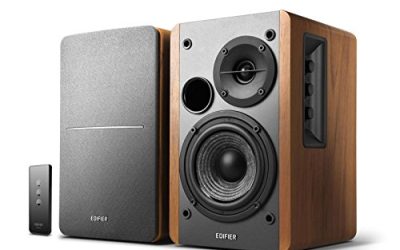
Edifier G2000 PC Gaming Speakers
Aimed at buyers who want a woofer-equipped set for both music and games, from a recognized speaker brand. The 32W rating and mix of inputs make it a flexible desktop centerpiece.
- 32W output and a woofer deliver more low-end weight than bars.
- Bluetooth, USB and 3.5mm AUX inputs cover most sources.
- Trade-off: RGB lighting and gaming styling will not suit a minimalist desk.
Skip it if desk space is tight or you want a neutral, studio-style look. A woofer needs room to breathe, ideally on the floor or at the side of the desk rather than against a wall, so small apartments and shared offices may prefer a bar-style alternative instead.
Creative XF1 PC Speakers
The most tuning-focused listing here, for buyers who want to shape the sound rather than accept a preset. The title reads like a spec sheet, which is useful to anyone comparing numbers.
- 72W RMS, Hi-Res Audio and LDAC support appeal to wireless-quality seekers.
- A sub-out, parametric EQ and a desktop mode give real control over bass and balance.
- Trade-off: Bluetooth 6.0 is stated, but compatibility depends on your source device.
Skip it if you want a plug-and-forget pair with no settings to learn. The extra controls only pay off for people willing to spend an evening adjusting them, and anyone who simply wants background music at a desk will get more value from a simpler and less expensive pair.
IBALL BOX H1 Computer Speakers
A strong candidate for anyone who wants digital connections instead of analog. It lists a USB-C DAC and an optical input, which points to a cleaner signal path than a plain AUX connection.
- 60W powered 2.0 stereo, with bass and treble controls, offers solid desk-to-room power.
- A 24-bit USB-C DAC, optical and 3.5mm AUX inputs cover digital and analog sources.
- Trade-off: Bluetooth 5.3 is listed without codec detail.
Skip it if you want a compact bar rather than a two-speaker setup. Two separate cabinets with cables need a wide desk, and the unit’s power rating is more than a small bedroom desk setup can use, so shoppers with limited space may be happier downsizing.
Audioengine A2 GEN3 Wireless Computer Speakers
For listeners who want compact bookshelf-style audio from a known audio brand, with wireless convenience. It targets PC, Mac, gaming and music use alike.
- 24-bit Bluetooth with adaptive support suits wireless streaming.
- The compact design fits crowded desks while covering several device types.
- Trade-off: no wattage or sub-out is stated, and the price tier is higher than the generic options.
Skip it if you want a woofer, RGB lights or the cheapest possible pair. The listing is positioned as a premium compact option, so bargain hunters and bass-heavy listeners will get more for their money elsewhere in this roundup.
USB Plug-in Wired Computer Soundbar
The no-frills monitor add-on. It is built for people who want a loud, wired bar that works the moment the USB cable is attached, with automatic channel handling.
- USB plug-in power means no separate adapter.
- Adaptive-channel switching and a loud sound claim keep setup simple.
- Trade-off: no Bluetooth, wattage or DAC details appear in the title.
Skip it if you need wireless audio or measurable specs. It is a stopgap upgrade for a monitor with weak speakers, not a long-term audio centerpiece, and listeners who care about music quality should step up to a model that states its power and inputs.
Which One Fits Your Situation
You want maximum control over the sound
The Creative XF1 gives parametric EQ, a sub-out and LDAC, which makes it the tinkerer’s choice. It rewards listeners who will test different modes, add a subwoofer later and adjust the sound to suit their room instead of accepting a fixed preset.
You prefer a digital signal path
The IBALL BOX H1 pairs a 24-bit USB-C DAC with optical input, so your computer’s own noisy audio chip is bypassed. That matters most with a cluttered desk full of cables and power bricks, where electrical interference can leak into an analog connection.
You game and listen to music on the same desk
The Edifier G2000 adds a woofer, 32W of power and several inputs for both uses.
You want a clean, small footprint
The Audioengine A2 GEN3 offers wireless convenience in a compact format, while the Bluedee bar is the lower-profile budget pick. Either will leave room for a keyboard, a notebook and a drink without crowding the monitor.
Common Mistakes
- Trusting the word Hi-Fi in a title without checking for DAC, EQ or sub-out details.
- Comparing peak wattage on one listing to RMS on another.
- Using the 3.5mm AUX input when a digital input is available.
- Choosing a large speaker set for a small desk and then living with poor placement.
- Leaving every sound enhancement switched on instead of choosing one tuning mode.
Related guides
- When I Turn On Record Game In Background On Gamebar. Gamebar Crashes, What Do I Do?
- How To Reduce Background Noise On A Streaming Microphone
- Poly Computer Accessories Company Streaming Evaluation
Frequently Asked Questions
Is a soundbar or a two-speaker set better for a PC?
A two-speaker set gives better stereo separation at the same quality tier, while a bar saves space. If you sit close to the screen, either works for music.
Does Bluetooth sound worse than USB?
Often, yes, unless codecs such as LDAC or a high-resolution Bluetooth link are in use. A wired digital connection is the more reliable choice for critical listening.
What does a built-in DSP do?
It processes audio to boost bass or vocal clarity. It can help at low volume but may sound artificial, so test the modes yourself.
Do I need a subwoofer output?
Only if you want deeper bass than the main drivers deliver. A sub-out lets you add a powered subwoofer later.