Laptop and monitor speakers are usually the weakest part of a desk setup, which is why a cheap pair of PC speakers is often the first upgrade. The catch is that the budget end of the market is crowded with near-identical black boxes, and the differences that matter are small but real: how the speakers are powered, which input they use, whether there is a volume knob you can reach, and whether the lighting is a feature or a distraction. This guide focuses on those details so you can skip the guesswork.
It is written for students, home-office workers, and casual gamers who want clearer sound than a monitor provides without spending on a full desktop audio rig. The eight speakers below all sit at the budget tier and run on USB power with a 3.5mm connection, and the sections that follow explain what to look for before you buy in 2026. Judgments rely only on what each listing says, so expect plain comparisons rather than audio measurements.
Our Top Picks



Top 3 picks at a glance
Quick Picks
As an Amazon Associate we earn from qualifying purchases at no extra cost to you.



![Computer Speakers, USB-A Powered PC Speakers, Wired 3.5mm AUX, No Bluetooth | Wired Stereo Desktop Speakers with 3.5mm AUX Audio Plug for Computer, Desktop, Laptop, PC [2026 Version]](https://m.media-amazon.com/images/I/31NDXqNMw3L._SL160_.jpg)


| Product | Best for | Key spec from the title |
|---|---|---|
| Generic USB Desktop Speakers | Smallest possible footprint | Small, USB powered, 3.5mm aux |
| Basics USB-Powered Speakers | Plug-and-play simplicity | Volume control, headphone jack, compact size |
| Basics Stereo 2.0 Speakers | Straightforward stereo pair | Stereo 2.0, 3.5mm aux input, USB-powered |
| USB-A Wired AUX Speakers | Wired-only audio without Bluetooth | USB-A powered, wired 3.5mm AUX, no Bluetooth |
| MELOGAGA RGB Speakers | Lit-up gaming desks | 7-color RGB lighting, USB powered, 3.5mm stereo |
| Logitech S150 | Brand-name reliability on a budget | USB speakers with digital sound |
| Touch-Control PC Sound Bar | Desks with limited space | Touch controls, USB plug-n-play, deep bass claim |
| LENRUE G11 | Modern laptops with USB-C | Touch lights, USB C or USB powered, AUX audio |
How to Choose
Power and input: USB plus 3.5mm is the common pairing
Most speakers in this class pull power from a USB port and carry audio over a 3.5mm cable. That means any computer with a headphone jack and a USB-A port will work. If your laptop has only USB-C, look for a model that lists USB-C power or plan to use an adapter. Because the speakers are not powered by a wall adapter, volume and bass are limited, so keep expectations realistic for a small desk.
Controls and ports you can actually reach
A front-facing volume knob or touch control is worth more than a long feature list. A headphone jack on the speaker is a bonus when you want private listening without unplugging anything. Check whether the controls sit on the speaker you place nearest your hand, and whether the cable between the two speakers is long enough for your layout. Short cables are a common budget annoyance.
Size, stereo separation, and sound basics
A 2.0 setup means two speakers with no subwoofer, which is what you should expect at this tier. Wider spacing gives better stereo separation, while a single-bar design saves space but narrows the soundstage. Ignore bass claims, since small drivers cannot produce deep low end. For clear voices, video calls, and casual music, a compact pair is generally enough, but fans of heavy music may want to step up in tier.
RGB lighting and where budget models cut corners
Lighting rarely improves sound, so treat it as a style choice. Look for a way to switch it off if you work late. Budget models cut corners on cable quality, volume range, and shielding against interference, which can cause a faint hum. A listing that mentions no Bluetooth is honest about being wired only, which is simpler and avoids pairing and latency issues for video and games.
The 8 Best Options
Generic USB Desktop Speakers
This pair targets people who want the smallest possible footprint on a crowded desk. The title lists small computer speakers for desktop PCs that are USB powered and use a 3.5mm aux connection. That is the bare-minimum arrangement for a budget upgrade, and it fits easily beside a monitor or under a shelf without taking up room.
- Strength: USB power plus 3.5mm aux works with nearly any desktop or laptop.
- Strength: A small size keeps the footprint low on a tight desk.
- Trade-off: The title gives few details on controls, so check where the volume knob sits.
Skip it if you want bass presence, lighting, or a headphone jack on the speaker, as the listing does not mention any of them. It is the cheapest-feeling route to better sound than a monitor provides, and that is enough for plenty of buyers.
Basics USB-Powered Speakers
This house-brand pair is the plug-and-play option. The listing mentions volume control, a headphone jack, a compact size, a portable design, and plug-and-play setup in black. It suits people who want one dependable pair for a desktop or laptop and do not need extras like lighting or touch controls.
- Strength: Volume control and a headphone jack are both listed.
- Strength: A compact, portable design travels easily between rooms.
- Trade-off: The plain styling offers no lighting or special features.
Skip it if you want visual flair or a bigger sound for a larger room. Anyone planning to fill a full-size room with music should expect it to run out of headroom quickly, since compact USB-powered pairs are meant for near-field listening at a desk.
Basics Stereo 2.0 Speakers
A near cousin of the previous pair, this model lists Stereo 2.0, a volume control, a 3.5mm aux input, USB power, and a single pair in black. It reads as a no-nonsense stereo setup for buyers who want something familiar and neutral, with no lights or tricks to distract from basic audio playback.
- Strength: Stereo 2.0 gives a conventional left and right pair.
- Strength: A volume control and aux input cover the basics.
- Trade-off: The title does not mention a headphone jack.
Skip it if you need to plug headphones directly into the speaker, or if you want a low-profile bar design. It is also worth confirming how long the connecting cable is before you commit to a layout. Stereo 2.0 pairs also let you place each speaker at ear height on either side of the monitor.
USB-A Wired AUX Speakers
This listing is explicit about what it is not: no Bluetooth. The title lists USB-A power, a wired 3.5mm AUX connection, and wired stereo desktop speakers. For people who prefer a simple cable over pairing, that honesty is a plus, since a wired connection avoids latency in video calls and games.
- Strength: A wired connection avoids Bluetooth pairing and audio lag.
- Strength: USB-A power works with the most common computer port.
- Trade-off: No wireless option means you cannot use it with a phone without a cable.
Skip it if you want wireless streaming from phones or tablets. Households that like to switch between a computer and a phone will find a Bluetooth model more convenient, even if it costs a little more.
MELOGAGA RGB Speakers
For desks with a lighting theme, the MELOGAGA pair lists seven-color RGB lighting, USB power, 3.5mm stereo, and a compact design with plug-and-play setup. It speaks to gamers and streamers who want sound and style to match the rest of a colorful setup without stepping up to a bigger audio system.
- Strength: Seven-color lighting adds atmosphere to a gaming desk.
- Strength: Compact, plug-and-play design keeps setup simple.
- Trade-off: Lighting does not improve sound quality, and it may be distracting.
Skip it if you prefer a quiet, understated look or work in a dark room where lights would distract. Look at the product page for a way to switch the lighting off, because the title does not say whether you can.
Logitech S150
The S150 is the familiar-brand choice. The title keeps it short: Logitech S150 USB speakers with digital sound. That brevity suggests a no-frills pair for people who value a recognized name and straightforward USB connection over a long feature list, and who would rather buy once than experiment with unknown labels.
- Strength: A recognized brand tends to offer clearer support and documentation.
- Strength: USB connection with digital sound keeps the setup simple.
- Trade-off: The title lists few details, so check controls and ports on the product page.
Skip it if you want RGB lighting, touch controls, or a bar-style shape. It is the safe, unremarkable choice, and that is precisely its appeal for a work-from-home desk where nobody wants a light show.
Touch-Control PC Sound Bar
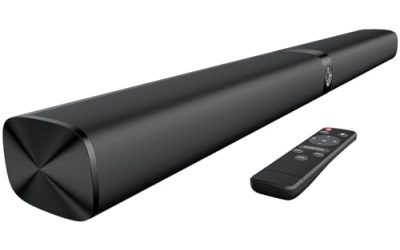
This sound bar fits desks with limited space. The title lists upgraded touch controls, USB plug-and-play, rich stereo audio, and deep bass, in a compact bar shape for desktop, laptop, or monitor. Because it is a single bar, it takes less room than a two-speaker pair and tucks under a monitor.
- Strength: Touch controls replace a physical knob and keep the front clean.
- Strength: A single bar saves desk space and tidies up cables.
- Trade-off: A single bar offers narrower stereo separation than two spaced speakers.
Skip it if you want wide stereo separation or prefer physical controls that work by feel. For a monitor that sits close to your face, though, the compact form can be an advantage.
LENRUE G11
The G11 suits newer laptops. The title mentions touch lights, clear sound, USB-C or USB power, and AUX audio for computers, desktops, and laptops. The dual power option matters for thin laptops that no longer carry a USB-A port, since it saves buying an adapter.
- Strength: USB-C and USB-A power options broaden compatibility.
- Strength: Touch lights give a visual cue without bulky knobs.
- Trade-off: Touch-based lighting controls can be fiddly to use.
Skip it if you prefer plain physical controls or a pair with a headphone jack. Check that your USB-C port supplies power as well as data, since some ports on older devices are limited. Also note that the title gives no wattage, so judge loudness by the size of the desk it must fill rather than by any number.
Which One Fits Your Situation
You use a thin laptop with only USB-C ports
The LENRUE G11 lists USB-C power, which removes the need for an adapter.
You want something familiar and dependable
The Logitech S150 gives you a recognized brand and a simple USB connection.
You game on a colorful desk
The MELOGAGA RGB Speakers match a lit-up setup with seven-color lighting.
You need to keep things simple and wired
The USB-A Wired AUX Speakers state plainly that they have no Bluetooth, which avoids pairing and lag.
Common Mistakes
- Expecting deep bass from small USB-powered drivers.
- Forgetting to check which USB port type your laptop has before buying.
- Choosing on RGB lighting rather than on the controls and ports you will use daily.
- Ignoring cable length, which can make placement awkward.
- Assuming every budget pair includes a headphone jack or Bluetooth.
Related guides
- When I Turn On Record Game In Background On Gamebar. Gamebar Crashes, What Do I Do?
- How To Reduce Background Noise On A Streaming Microphone
- Poly Computer Accessories Company Streaming Evaluation
Frequently Asked Questions
Do USB-powered speakers need a wall outlet?
No, they draw power from a USB port on your computer, which keeps cables simple. The trade-off is limited maximum volume compared with wall-powered speakers.
Will these work with a phone?
They can, if the phone has a 3.5mm output or an adapter, and some power sources work through a charger. Wired-only listings need a cable, since they have no Bluetooth.
Is a subwoofer necessary?
Not for casual listening, calls, and videos. A budget 2.0 pair will not reproduce deep bass, so heavy music fans should consider a higher tier.
Can I turn the lights off?
Many lit models include a button or touch control to turn lighting off, but the listing does not always say so. Check the product page for details.