Adding a subwoofer to a desktop speaker set changes the sound in a way that stereo pairs cannot copy. Explosions in a game, the kick drum in a playlist, and the low rumble under a film score all depend on frequencies that small satellite speakers simply cannot reproduce. A 2.1 system hands those low notes to a dedicated box on the floor, which lets the two small speakers on your desk concentrate on voices, effects, and the midrange where detail lives.
This guide is for PC owners who want that extra low end without moving to a full surround rig. It covers seven systems, from a long-running THX-certified design to compact USB-powered sets and newer Bluetooth models, and it is written for 2026 desks where space is tight and inputs vary. One otherwise attractive listing was left out because its title describes a plain stereo 2.0 pair with no subwoofer. The question to keep in mind throughout is how much bass you need, how much floor space you can spare, and which connections your setup actually uses.
Our Top Picks

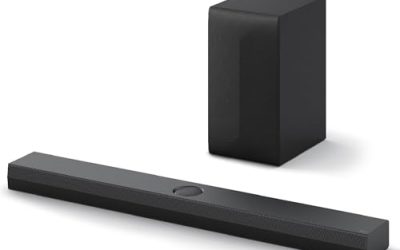
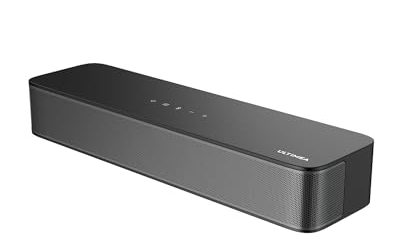
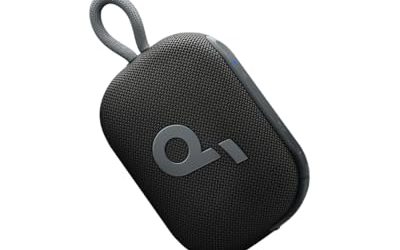
Top 3 picks at a glance
Quick Picks
As an Amazon Associate we earn from qualifying purchases at no extra cost to you.




| Product | Best for | Key spec from the title |
|---|---|---|
| Klipsch ProMedia 2.1 THX | Critical listening and gaming at a desk | THX Certified 2.1 computer speaker system |
| Cyber Acoustics CA-3090 | Small desks and simple setups | 2.1, 18W, 3.5mm, volume control pod, subwoofer adjustment |
| Logitech Z407 | Wireless control and many sources | Bluetooth, subwoofer, wireless control, multiple inputs, USB speakers |
| Nylavee 2.1 | Lighting and modern connections | Bluetooth 5.4, 8 lighting modes, 60W peak, USB, USB-C, 3.5mm |
| Bluedee 2.1 | Maximum stated bass power | 80W peak, DSP-tuned, Bluetooth 5.4, USB, USB-C, AUX |
| Cyber Acoustics CA-3610 | Music, movies, and games on a budget | 2.1, 62W peak, strong bass |
| Creative Pebble Plus | USB-only desks with no wall outlet nearby | 2.1 USB-powered, down-firing subwoofer, up to 8W RMS |
How to Choose
Read Watts Carefully: Peak Versus RMS
Several listings advertise 60W, 62W, or 80W peak power. Peak numbers describe a short burst, not what the system delivers steadily. The Creative Pebble Plus title uses “up to 8W RMS total,” which is a more conservative and more meaningful figure. A set with a large peak number can still sound modest, so use wattage only to compare similar designs and judge the rest by subwoofer size, driver quality, and tuning notes such as DSP.
Match Connections to Your Gear
A 3.5mm input works with nearly every PC, phone, and console controller. USB-C or USB audio keeps things digital and avoids an extra cable on some laptops. Bluetooth is handy for phones and tablets, but wired input is still more reliable for gaming because it avoids audio delay. Look for the version too: Bluetooth 5.3 and 5.4 are more stable than older releases. Count how many sources you need to switch between each day.
Plan the Subwoofer’s Spot and Power
The sub needs a floor position under or beside the desk, away from walls that exaggerate boom. Many of the larger sets use an AC adapter, while the Pebble Plus runs on USB power for easy placement but at lower output. A volume pod, knob, or wireless remote lets you adjust bass without crawling under the desk. Ignore claims of huge bass from small boxes; a down-firing design and a ported enclosure matter more than the marketing.
Ignore Lighting, Weigh Controls
Lighting modes look fun but do nothing for audio quality. Spend your attention on control layout, on whether the headphone jack is accessible, and on whether the satellites have the stands or angle options to aim at your ears. Budget sets often cut corners on cabinet material and cable length, so measure the distance from the PC to the floor before you buy.
The 7 Best Options
Klipsch ProMedia 2.1 THX
A classic desktop system with a THX Certified label in the title. THX certification means the set is designed to meet a defined performance bar for computer audio. It is aimed at buyers who value fidelity for games and movies and are willing to give the subwoofer a permanent floor spot at the desk. It is the pick for someone who plans to leave a speaker setup in place for years rather than swap it each time a new gadget appears, and who connects mainly by cable.
- Strength: the THX certification is a recognizable standard for desktop audio.
- Strength: a known brand with a long track record in computer speakers.
- Trade-off: the title mentions no Bluetooth or USB input, so it is a wired setup.
Skip it if you want wireless streaming from a phone or tablet.
Cyber Acoustics CA-3090
A compact 2.1 set listing 18W, a 3.5mm connection, a volume control pod, and subwoofer adjustment. It suits a small apartment desk or a bedroom setup where you want basic bass and a controller that sits within reach, without a complicated install. A student, a casual gamer, or anyone replacing a pair of tired laptop speakers will notice the added low end right away, and the setup takes only a few minutes.
- Strength: the control pod puts volume within reach on the desktop.
- Strength: subwoofer adjustment lets you tune bass to the room.
- Trade-off: 18W is the lowest stated output here, so it will not fill a large room.
Skip it if you want Bluetooth or a punchier low end for movies.
Logitech Z407
A Bluetooth 2.1 system with a wireless control dial, a subwoofer, and multiple inputs including USB speakers. It is for buyers who switch between a PC, a phone, and a tablet and want one system that handles all of them with a single remote control. It also fits a shared living space, where the person using the system may change from day to day and you want controls that anyone can pick up without instructions.
- Strength: wireless control and multiple inputs make source switching easy.
- Strength: Bluetooth lets phones and tablets play without cables.
- Trade-off: the title lists no wattage figure, so compare output through the maker’s spec sheet before buying.
Skip it if you want a THX-style certification or fixed wired simplicity.
Nylavee 2.1
A newer entry with Bluetooth 5.4, eight lighting modes, 60W peak power, and inputs including USB, USB-C, and 3.5mm. It targets gamers who want a lit-up desk and modern connections, powered by an AC adapter. A streamer, a student with a gaming laptop, or a console owner who occasionally plugs a controller into the desk will find the mix of wired and wireless inputs practical, while the lighting adds atmosphere in a darker room.
- Strength: Bluetooth 5.4 and USB-C cover current laptops and phones.
- Strength: three wired inputs add flexibility for older gear.
- Trade-off: the 60W figure is peak power, so treat it as a ceiling, not a steady output.
Skip it if you dislike lighting or want a certified design.
Bluedee 2.1
Listing the highest peak power in this guide at 80W, plus DSP-tuned sound, deep bass, adapter power, Bluetooth 5.4, and USB, USB-C, and AUX inputs. It suits buyers who want a modern feature set and strong low end for games and movies. If you often switch between a PC, a laptop, and a phone and care about firm bass for action scenes, this is the most feature-dense set on the list.
- Strength: DSP tuning aims to keep bass controlled instead of boomy.
- Strength: Bluetooth 5.4 and three wired inputs give broad compatibility.
- Trade-off: peak power is not steady power, and the title offers no RMS figure.
Skip it if you want a recognized certification or a minimal footprint.
Cyber Acoustics CA-3610
A 2.1 multimedia system stating 62W peak power and strong bass, aimed at music, movies, and games. It is a step up from the CA-3090 for buyers who want more low end, and who prefer a straightforward wired set over a feature-heavy Bluetooth model. Anyone who connects a single PC by 3.5mm cable and mostly listens to music, watches movies, and plays casual games will not miss the extras, and may enjoy the simpler layout.
- Strength: 62W peak with a subwoofer gives more bass than the smaller sibling.
- Strength: a simple design focused on music, movies, and games.
- Trade-off: the title does not mention Bluetooth or USB inputs.
Skip it if you need wireless streaming or multiple digital inputs.
Creative Pebble Plus
The most compact system here: a 2.1 set powered over USB with a down-firing subwoofer, far-field drivers, and up to 8W RMS total. It is for small desks, dorms, and laptop users who want more bass than a stereo pair without a wall outlet or a bulky sub. It also suits a shared workspace, where a small, USB-powered unit is easy to pack up and move, and where the volume needs to stay moderate enough not to disturb the people nearby.
- Strength: USB power means easy placement and no separate adapter.
- Strength: a down-firing subwoofer and a clear RMS figure make expectations realistic.
- Trade-off: 8W RMS is modest, so it will not match the larger AC-powered sets.
Skip it if you want room-filling volume or deep movie bass.
Which One Fits Your Situation
A Gamer Who Wants Certified Performance
Choose the Klipsch ProMedia 2.1 THX. The THX certification and wired design suit a permanent desk setup where you sit close to the satellites and care about clean, controlled sound across games, music, and film.
A Small Desk with Limited Outlets
The Creative Pebble Plus runs on USB power and keeps the footprint small. The Cyber Acoustics CA-3090 is a second option if you have a spare outlet and still want a bass knob you can reach from the chair. Both keep the setup compact enough for a dorm shelf or a narrow computer desk.
Phones, Tablets, and a PC on One System
The Logitech Z407 offers Bluetooth, wireless control, and multiple inputs, which makes switching sources simple. The Bluedee and Nylavee sets cover the same ground with USB-C added, which helps if your newest laptop has dropped older ports and you prefer a digital connection over the headphone jack.
Bigger Bass for Movies and Games
Go for the Bluedee 2.1 at 80W peak, or the Cyber Acoustics CA-3610 if you prefer a wired set with strong bass. In both cases, place the subwoofer a little away from the wall and adjust its level so the bass supports voices instead of covering them, particularly in a small room with hard surfaces.
Common Mistakes
- Treating peak wattage as continuous power and expecting loud, clean sound at every volume.
- Placing the subwoofer tight in a corner, which makes bass boomy and muddy.
- Choosing Bluetooth-only listening for gaming and then noticing audio delay.
- Ignoring cable length and the distance from the PC to the subwoofer’s floor spot.
- Buying a stereo pair by mistake because the title says speakers but never says 2.1.
Related guides
- When I Turn On Record Game In Background On Gamebar. Gamebar Crashes, What Do I Do?
- How To Reduce Background Noise On A Streaming Microphone
- Poly Computer Accessories Company Streaming Evaluation
Frequently Asked Questions
Is a 2.1 system better than a soundbar for a PC?
For a desk, often yes. Two distinct speakers create better stereo imaging up close, and a separate subwoofer delivers lower bass than most compact soundbars.
Where should the subwoofer go?
Place it on the floor under or beside the desk, a little away from the wall. Corners boost bass but can make it sound boomy.
Does Bluetooth add delay for games?
It can. For competitive play, use the wired USB or 3.5mm input, and keep Bluetooth for phones, tablets, and casual listening.
Do I need a USB sound card?
Not normally. A 3.5mm input uses your computer’s built-in audio, while USB or USB-C inputs on supported models bring their own digital connection.