
Plug a popular broadcast dynamic microphone into a budget audio interface, crank the gain, and you often get a thin, hissy signal. That is why streamers reach for an inline preamp like a Cloudlifter. But do you actually need one, or is your interface the real problem? This guide explains gain, the hiss, and when an inline preamp is worth $150.
As an Amazon Associate we earn from qualifying purchases at no extra cost to you.

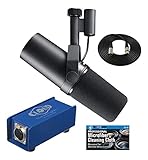


Our Top Picks
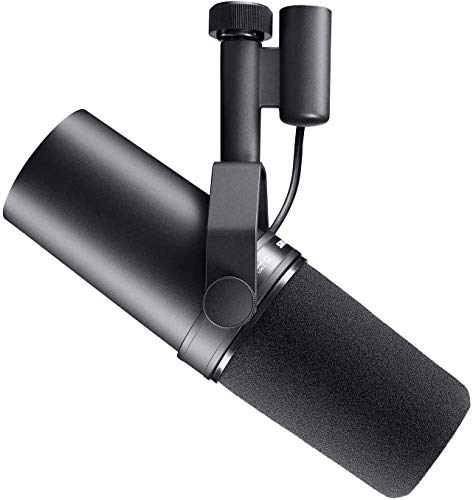 Shure SM7B Dynamic Vocal Microphone for Podcasting &13.5 x 7 x 4.5 inches13.5 x 7 x 4.5 inches2.7 poundsCheck on Amazon

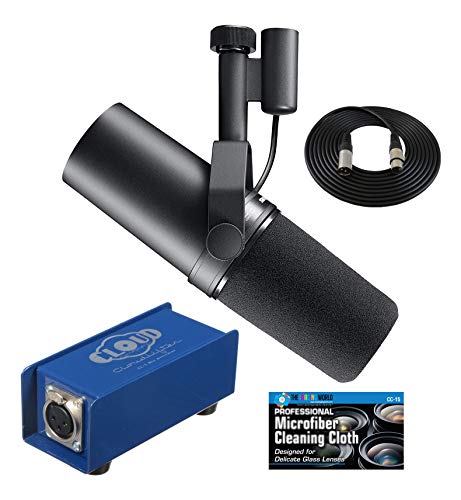

Top 3 picks at a glance
Why dynamic mics need so much gain
Dynamic microphones output a very low-level signal compared with condensers. A popular broadcast dynamic can need 60dB or more of clean gain to reach a healthy level. Many affordable interfaces offer only 50–56dB, and their preamps get noisy near maximum. The result is that hiss you hear when you turn the gain knob all the way up.
What an inline preamp does
An inline preamp sits between the mic and the interface, using the interface’s phantom power to add roughly 20–25dB of clean gain before the signal reaches the interface’s own preamp. That means you can run the interface at a lower, quieter gain setting and still get a strong signal, dramatically reducing hiss.
| Setup | Total clean gain | Typical noise | Cost added |
|---|---|---|---|
| Budget interface alone | 50–56dB | Audible hiss at max | $0 |
| Interface + inline preamp | 70–80dB | Very low | $120–200 |
| High-gain interface alone | 60–70dB | Low | $50–150 more |
The cheaper alternative: a better interface
An inline preamp only helps if your interface’s preamps are clean but simply lack gain. If instead you buy an interface designed with high-gain, low-noise preamps (often marketed around 70dB of gain), you may not need an inline preamp at all. In that case the money is better spent once, on the right interface, than on two boxes.
When the inline preamp still wins
If you already own a decent interface that just runs out of clean gain with your dynamic mic, adding an inline preamp is cheaper than replacing the interface. It also travels between setups, so it keeps working if you upgrade interfaces later.
Phantom power confusion
Inline preamps require 48V phantom power from your interface to operate, but they pass that phantom power to the preamp, not the mic. Dynamic mics do not need and are not harmed by phantom power in this chain. If your mic is a condenser, you do not need an inline preamp at all, because condensers are already high-output.
Diagnose before you spend
Run a simple test first. Set your mic at a normal speaking distance and raise the interface gain until your voice peaks around minus 12 to minus 18 dB. If you reach a healthy level with gain to spare and no hiss, you need nothing. If you are near maximum gain and hear hiss, that is the signature of a low-gain interface meeting a hungry dynamic mic, and an inline preamp will help. Do not buy one blindly; confirm the symptom.
Mic placement is free gain
Before adding hardware, move the mic closer. Dynamic mics are designed to be used a few inches from your mouth, and halving the distance dramatically raises the level while rejecting room noise. Many streamers who think they need more gain simply have the mic too far away. Get the placement right first, then decide whether an inline preamp or a higher-gain interface is truly necessary.
FAQ
Will an inline preamp fix a quiet USB microphone?
No. Inline preamps work only in an XLR chain with phantom power. A USB mic has its own built-in preamp and analog-to-digital conversion, so an external inline preamp cannot be inserted. If a USB mic is too quiet, adjust its software gain or mic placement instead.
Is a cheaper inline preamp just as good?
Budget inline preamps around $50–70 can work well and offer similar gain. The main differences are build quality and consistency. For streaming, an affordable one is usually fine; the expensive name matters more in professional recording than on a Twitch mic.
Bottom line
Reach for an inline preamp only if you own a low-gain-but-clean interface and a hungry dynamic mic that hisses at full gain. If you are buying fresh, a modern high-gain interface can skip the extra box entirely. Diagnose the real issue, lack of clean gain, before spending; the fix is either one better interface or one $50–150 inline preamp, not both.









