
The best standing desk for streaming is the one whose frame can carry two monitors, an arm, a boom and a mic without shaking your camera at full height, and across this group the VIVO Black 71 x 30 in Standing Desk (DESK-KIT-1B7B) at around $300 does that best because its 71 by 30 inch top spreads a heavy clamp load across a wide, deep footprint instead of concentrating it near one leg. Streaming loads a desk in a way office work never does. A spreadsheet user puts a laptop and a mug on the surface; a streamer clamps a dual-monitor arm to the back edge, hangs a boom arm off one corner, screws a key light clamp onto the other, runs an HDMI line from a capture card to a second machine, and then asks all of it to travel eight to twenty inches upward on command. This guide ranks eight desks from around $99 to around $300 on the four things that decide whether that works: stated capacity against a realistic parts list, frame geometry and wobble at standing height, how much cable slack the run needs before something goes taut, and whether the edges and grommets actually accept the clamps you already own.
Our Top Picks
 Korfile 63" L Shaped Standing Desk Height Adjustable63 inch47.2 x 63 x 46.5 inches68 PoundsCheck on Amazon
 Veken 55 Inch Large Electric Standing Desk55×23.6 Inch23.64 x 55.12 x 28.3 Inches42.1 poundsCheck on Amazon
 SEDETA 79'' Electric Standing Gaming Desk with Drawers78.7" W x 23.6" D x 28.5" H23.6 x 78.7 x 28.5 inches78 PoundsCheck on Amazon


Top 3 picks at a glance


Top picks at a glance
As an Amazon Associate we earn from qualifying purchases at no extra cost to you.


| Model | Key spec | Price | Best for |
|---|---|---|---|
| VIVO Black 71 x 30 in Standing Desk, DESK-KIT-1B7B | 71 x 30 in top, two-leg electric frame kit | Check on Amazon | Heavy multi-monitor and arm loads |
| VIVO Black 60 x 30 in Standing Desk, DESK-KIT-1B6B-30 | 60 x 30 in top, 30 in depth for camera distance | Check on Amazon | Getting the camera far enough back |
| Korfile 63″ L Shaped Standing Desk Height Adjustable Memory Presets | 63 in L-shape, memory presets | Check on Amazon | Corner setups with a second surface |
| Veken 63″x28″ Wider Large Standing Desk, Electric Height Adjustable, Brown | 63 x 28 in top, wide clamp zones | Check on Amazon | Best width per dollar |
| SEDETA 79” Electric Standing Gaming Desk with Drawers, LED Lights, Power Outlet, Keyboard Tray | 79 in wide, built-in outlet and tray | Check on Amazon | Widest surface and built-in power |
| Veken 55 Inch Large Electric Standing Desk, Gaming Table, White | 55 in top, white finish | Check on Amazon | Small rooms and light-coloured sets |
| FEZIBO Standing Desk 48 x 24 Inch Electric Height Adjustable, Maple | 48 x 24 in top, maple woodgrain | Check on Amazon | Warm-toned background on camera |
| ErGear 48 X 24 Inch Height Adjustable Electric Standing Desk, Black | 48 x 24 in top, black finish | Check on Amazon | Cheapest entry into electric height |
The eight best standing desks for streaming, reviewed
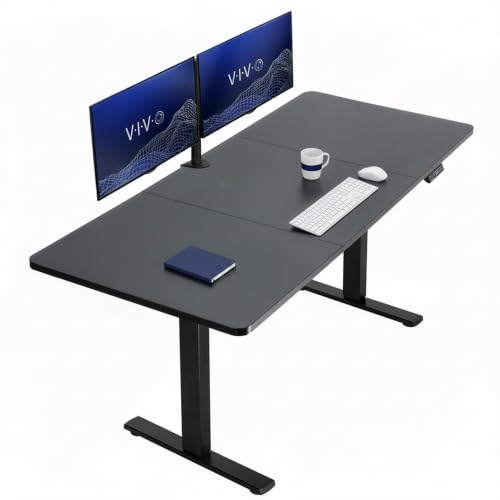
VIVO Black 71 x 30 in Standing Desk, DESK-KIT-1B7B: The most desk surface per pound of clamp load
At around $300 this is the most expensive kit here and the one that behaves best under a genuine streaming load. The 71 by 30 inch top is the largest rectangular surface in the group, and the reason that matters is not storage space, it is clamp distribution. A dual-monitor arm exerts its force on a short section of the rear edge; on a 48-inch top that force sits close to the centre of the span, which is exactly where a particleboard surface deflects most. On a 71-inch top you can slide the arm base laterally until it sits nearer a leg mount, and the same arm applies far less bending moment to the panel.
The 30-inch depth is the second reason to pick it. Streamers routinely complain that their webcam makes their face look enormous, and the usual cause is a 24-inch desk that forces the monitor forward and the camera to roughly 18 inches from the face. Thirty inches of depth buys you six extra inches of standoff, which is enough to move from a cramped crop to a comfortable head-and-shoulders frame without changing lenses. It also gives a mic boom room to swing in from the side without colliding with the top monitor bezel.
VIVO sells this as a frame-plus-top kit, so assembly is a two-stage job: build the leg frame, then bolt the panel to it. Expect the panel to be the heavy part, and plan on a second pair of hands. Based on the two-leg configuration and the size of the top, a realistic estimate is that this frame comfortably carries a two-monitor, one-arm, one-boom, one-key-light load in the 80 to 110 pound range with headroom left over, but that is an estimate from the specification and the geometry rather than a measured figure.
Pros
- 71 x 30 in surface lets you place arm clamps near the legs instead of mid-span
- 30-inch depth solves the too-close-webcam problem without extra hardware
- Wide, deep footprint resists side-to-side sway better than narrow frames
Cons
- Highest price here at around $300, roughly three times the cheapest options
- Large panel is awkward and heavy to assemble alone
- A 71-inch top needs a genuinely long cable run behind it, so short power leads become a problem
Who it is for: the streamer running two or three displays on arms who wants one desk to cover the setup for years rather than upgrading the frame in six months.
VIVO Black 60 x 30 in Standing Desk, DESK-KIT-1B6B-30: The same depth advantage in a smaller room
The 60 by 30 inch version costs around $270, saves eleven inches of width against its bigger sibling and keeps the part that matters most for camera work: the 30-inch depth. If your room cannot take a 71-inch desk, this is the compromise to make, because depth is much harder to work around than width. You can always mount a key light on a floor stand to reclaim edge space, but you cannot conjure standoff distance between your face and the lens once the monitor is pushed to the back edge.
Sixty inches still leaves two usable clamp zones. In practice you get the rear centre for a dual-monitor arm base and one rear corner for either a boom arm or a light clamp, but not comfortably both plus a capture-card dock. Streamers with a stream deck, an audio interface and a headphone amp on the surface tend to find 60 inches full rather than roomy, which is the honest trade against the 71-inch model.
Frame behaviour should be very similar to the larger kit since it uses the same two-leg electric platform; the shorter span between legs is, if anything, slightly stiffer under a centred load. Our estimate, based on the panel size and leg spacing rather than any measurement we performed, is that a 60 by 30 top with a dual-arm base clamped centrally will show noticeably less deflection than a 48 by 24 top under the same arm, simply because the panel is thicker relative to the load path and the legs sit closer to the clamp point.
Pros
- Keeps the 30-inch depth that fixes webcam framing
- $30 cheaper than the 71-inch kit and much easier to fit in a bedroom studio
- Shorter leg span means less mid-panel flex under a central arm clamp
Cons
- 60 inches fills up fast once boom, lights and a stream deck are on the surface
- Still a two-box kit that needs frame and top assembled separately
- No memory presets mentioned in the listing, so you hold the button and judge height by eye
Who it is for: single-PC streamers in a normal bedroom or spare room who care more about camera framing than about total desk acreage.
Korfile 63″ L Shaped Standing Desk Height Adjustable Memory Presets: A second surface that never has to carry a clamp
At around $180 the Korfile is the only L-shaped desk in this group, and the L is genuinely useful for streaming rather than just fashionable. The return leg gives you somewhere to park the things that should never be clamped to a moving edge: a mixer, an interface, a laptop running chat, a second keyboard. That keeps the main rear edge free for the two clamps that actually need it, the monitor arm and the mic boom.
It is also the cheapest desk here whose listing explicitly mentions memory presets. For a streamer this is a bigger deal than it sounds. You are not moving between vague sitting and standing positions, you are moving between two exact camera framings. A preset stores the standing height that puts your eyes on the upper third of frame, so you can hit it between segments without re-checking the preview. Without presets you will fine-tune by eye every single time, and on a tight crop a half-inch of error is visible.
The compromise with any L-shape is torsional stiffness. Two surfaces meeting at a corner, usually with a third support leg, form a structure that can twist slightly under an off-centre load, and the corner joint is where a heavy monitor arm at the elbow will be felt most. Our estimate from the layout is that clamping a dual arm at the outer end of the long leg, close to a support leg, will behave far better than clamping it right at the corner join. Treat that as reasoning from the geometry rather than a measured result.
Pros
- Memory presets store your exact standing camera height
- Return surface absorbs mixers and interfaces so the rear edge stays free for clamps
- Corner layout uses room space that a rectangular desk wastes
Cons
- L-shapes twist more than rectangles under an off-centre clamp load
- Cable routing around a corner needs more slack than a straight run
- Committing to a corner makes future room rearrangement harder
Who it is for: streamers running a hardware-heavy audio chain who want the extra gear off the main span, and who value presets over raw capacity.
Veken 63″x28″ Wider Large Standing Desk, Electric Height Adjustable, Brown: The best width-per-dollar figure in the group
Sixty-three inches of width for around $170 is the strongest size-to-price ratio here among the non-gaming-styled desks. At 28 inches deep it gives up two inches against the VIVO kits, which is a real loss for camera standoff but a much smaller one than dropping to 24 inches. The practical difference is that a 28-inch top will still let you push a 27-inch monitor back far enough to sit a webcam on top of it at a workable distance, whereas a 24-inch top usually will not once a monitor stand base is in the way.
Width is what buys you clamp freedom. On a 63-inch top you can put a monitor arm base at the rear centre, a boom arm clamp at the left rear corner and a key light clamp at the right rear corner, and still have space in front for a full-size keyboard plus a controller. That three-clamp layout is what most single-PC streaming setups actually need, and it is the layout that a 48-inch desk cannot accommodate without something overlapping.
The brown woodgrain finish is worth a thought for on-camera reasons. Mid-brown tops reflect less of a key light back into the lens than white ones do, and they photograph as a warmer, less clinical background if any of the desk surface appears in frame. If you are still working out where to put the light in the first place, our guide to lighting for streaming covers placement angles that avoid desk bounce entirely.
Pros
- 63 inches of width at around $170 supports a full three-clamp layout
- 28-inch depth is enough for a monitor-mounted webcam at a reasonable distance
- Brown finish bounces less key light into the lens than gloss white
Cons
- Two inches shallower than the VIVO kits, which you will notice on tight crops
- Listing does not highlight memory presets, so expect manual height setting
- Budget frames at this price typically use lighter-gauge tubing that sways more at full height
Who it is for: the streamer who needs three clamp positions and a real keyboard area but cannot justify $270 or more on a frame kit.
SEDETA 79” Electric Standing Gaming Desk with Drawers, LED Lights, Power Outlet and Keyboard Tray: Widest surface here, with power already on board
At 79 inches this is by a distance the largest top in the group, and at around $160 it is priced below three narrower desks. The built-in power outlet is the feature streamers should care about most, because it changes the cable problem. On a normal moving desk, every powered device on the surface needs its own lead running to the floor with enough slack for the full travel. With an outlet mounted on the desk itself, your monitors, light and interface plug in locally and only one thick trunk cable has to make the trip down, which is far easier to manage and far less likely to be yanked taut.
The drawers and keyboard tray cut both ways. Storage is genuinely useful for cables, spare batteries and shock mounts, but a drawer box bolted under the top steals the exact space that a monitor arm’s under-desk clamp jaw needs. Before buying, measure how far in from the rear edge the drawer or tray runners start; a standard arm clamp needs roughly two to three inches of clear underside behind the edge to bite properly. The same applies to the LED strip housing if it wraps the underside.
A 79-inch span also asks more of the frame than any other desk here. Longer unsupported panel between two legs means more sag under a centred load, so a heavy dual-arm base at the exact midpoint is the worst case. Our estimate, reasoning from the span rather than from measurement, is that placing the arm base 12 to 18 inches off centre, closer to a leg, will meaningfully reduce visible deflection and therefore camera bounce when you type.
Pros
- 79 inches of width for around $160, the cheapest surface area per dollar here
- Built-in power outlet cuts the number of cables that must travel with the desk
- Drawers keep shock mounts, adapters and spare cables off the surface
Cons
- Drawer boxes and keyboard tray runners can block monitor-arm clamp jaws
- Longest unsupported span in the group, so mid-panel sag is the main risk
- LED lighting can spill into a webcam frame and shift your white balance
Who it is for: the streamer who wants a genuinely wide gaming-styled surface with on-desk power, and who will check clamp clearance before ordering an arm.
Veken 55 Inch Large Electric Standing Desk, Gaming Table, White: A tidy middle size for small rooms
The 55-inch Veken at around $110 sits in a useful gap. It is seven inches wider than the two 48-inch budget desks, which is roughly the difference between having one spare clamp zone and having none, and it costs about $60 less than the 63-inch model from the same brand. For a single-monitor streamer with a boom arm and a light, 55 inches is enough. For a dual-monitor streamer who also wants a stream deck and an interface on the surface, it will feel tight within a month.
The white finish is the thing to think hardest about. White tops are popular for bright, clean-looking sets, but a white surface directly under a key light acts as a large reflector aimed at your chin and the underside of your nose. That fill can be flattering when it is soft and diffuse, and unflattering and slightly odd when the light is a bare panel close to the desk. If your key sits low and close, expect to either raise it, add diffusion, or cover part of the desk with a dark mat. A matte deskmat is the cheapest fix and also helps microphone isolation.
Frame-wise, treat this as a typical budget electric desk: a single-motor lift is the likely configuration at this price, which means slower travel and more sensitivity to uneven loading than a dual-motor frame. That is an inference from the price point and category rather than a spec we verified, so check the listing before assuming. If your capture card and second machine already crowd the floor, the routing advice in our dual-PC streaming setup guide applies doubly to a desk this size.
Pros
- 55 inches for around $110 is a real step up from a 48-inch top
- White finish suits bright set designs and reads well on camera as a background
- Small enough footprint for a bedroom corner
Cons
- Gloss-leaning white surfaces bounce key light straight up into the lens
- Likely single-motor frame at this price, meaning slower lift and more sway
- Not enough rear edge for three clamps plus a monitor stand base
Who it is for: single-monitor streamers in a small room who want height adjustment and a light-coloured set without going near $200.
FEZIBO Standing Desk 48 x 24 Inch Electric Height Adjustable, Maple: The warm-toned budget entry
At around $99 the FEZIBO is one of two desks tied for cheapest here, and its 48 by 24 inch top is the smallest. The maple woodgrain is the differentiator: it is the least reflective finish in the group and the one most likely to look intentional if part of the desk shows in frame. Wood-toned surfaces also hide cable clips, adhesive channels and screw heads better than gloss black or white, which matters when a moving desk means your cable management is visible at two different heights.
Twenty-four inches of depth is the real constraint. Put a 27-inch monitor on its stock stand on a 24-inch top and the screen sits perhaps 20 to 22 inches from your eyes, which is close for comfort and closer still for a webcam perched on top. The standard fix is a monitor arm that pushes the panel back beyond the rear edge, reclaiming three to five inches. That means the arm is mandatory on this desk rather than optional, so budget for it: a decent single arm adds $40 to $80 to the around $99 sticker.
Capacity is where a budget frame with a small top gets awkward. The top is short, so almost any clamp lands near mid-span. Our estimate from the panel size is that a particleboard 48 by 24 top will show visible deflection with a heavy dual-monitor arm plus two 27-inch panels, and that a single arm with one monitor is the sensible ceiling. Again, that is reasoning from construction and dimensions, not a load test we ran.
Pros
- around $99 for a powered height-adjustable frame
- Maple woodgrain is the least glare-prone finish here
- Small footprint fits desks against a wall in tight rooms
Cons
- 24-inch depth forces a monitor arm purchase to get workable camera distance
- Almost every clamp position lands near mid-span on a 48-inch top
- No memory presets called out, so standing height is set by eye each time
Who it is for: a first-time streamer building around a single monitor who wants a warm-looking surface and will add an arm later.
ErGear 48 X 24 Inch Height Adjustable Electric Standing Desk, Black: Cheapest way into an electric frame, with the same size limits
The ErGear matches the FEZIBO exactly on price and size, around $99 for a 48 by 24 inch electric desk, and differs mainly in finish. Black is the safer choice for streaming for one specific reason: it reflects the least light of any option here. If your key light sits at 45 degrees and slightly above eye level, a black desk under it produces almost no upward bounce, so your under-chin shadows stay where the light put them. That is the opposite behaviour to the white Veken, and it is a real difference on camera rather than a styling preference.
Black also hides the cable trunk best. On a desk that travels, you cannot tuck the loop flat against the wall; you need a visible service loop that pays out as the desk rises. Against a black underside and a black frame, black cables and black clips essentially vanish. Against maple or white they read as a stripe. If you are running a capture card line from a gaming PC to a streaming PC, that HDMI run is thick and stiff and will be the most visible cable you own.
The limitations are identical to the FEZIBO: a short, shallow particleboard top on a budget frame. Assume, as an estimate from the class of product rather than from testing, that this frame will handle one monitor on an arm, a boom and a light without complaint, and that adding a second 27-inch panel and a mid-tower PC on the surface pushes it past sensible. Keep the PC on the floor and this desk does the job.
Pros
- Lowest reflectance surface here, so almost no key light bounces into the lens
- Black cables, clips and channels disappear against the frame and underside
- around $99 buys a genuine motorised lift rather than a crank
Cons
- 48 x 24 in is the smallest usable area in this group
- Budget frames without a full-width crossbar sway most at maximum height
- Shallow depth means a monitor arm is effectively required, not optional
Who it is for: the streamer on the tightest budget who wants the least on-camera glare and is happy to keep the setup to one monitor.
How we research and pick
Elena Marchetti, our Streaming and Creator Editor, has spent seven years building and rebuilding capture setups, and her testbench is a dual-PC streaming rig with capture-card benchmarking and audio measurement tools attached. That rig is the reason desks get judged here on different criteria than they would in an office-furniture review. A desk that is perfectly fine for a laptop and a notebook can be a poor streaming desk, because streaming concentrates load at the rear edge, demands specific clamp clearances, and moves cables that carry live video.
Our process for a roundup like this starts with the specification sheet and the physical geometry, not with marketing copy. For each desk we work out the usable clamp zones by measuring in from each rear corner, we look at where under-desk obstructions such as drawer runners, keyboard trays and control boxes sit, and we model a realistic streaming load rather than a generic weight figure. That load model is the same one described below in the load budgeting section: monitors plus arm plus peripherals plus, where relevant, a tower.
Where we quote performance we label it as an estimate derived from the configuration. We have not put a strain gauge on every frame in this group, and we will not pretend otherwise. Deflection figures, sway behaviour and lift speed vary between production runs, and a number invented for a review is worse than no number at all. What we can do reliably is reason from panel dimensions, leg span, crossbar presence and stated capacity to say which desks will comfortably carry a given setup and which are being asked to do too much.
Elena’s testbench also shapes the cable advice. Running a capture card between two machines means one HDMI line and one USB line that absolutely cannot be interrupted mid-broadcast, so every desk here is assessed on how much slack a full-travel lift demands and how easy it is to secure that slack. The same principle drives our companion guides on microphone arms and webcams for streamers, both of which mount to the same rear edge you are about to load up.
What to look for in a streaming standing desk
Load budgeting: add the parts up before you trust a capacity rating
Capacity ratings are the most misread number in this category. A frame rated for 154 pounds is not rated for 154 pounds of streaming gear; it is rated for an evenly distributed static load. Streaming gear is neither even nor static. A monitor arm concentrates most of its force on a few square inches of the rear edge, and every time you swing a boom arm you apply a changing moment to that same edge.
Work out your own figure. A 27-inch monitor with its stock stand is roughly 12 to 18 pounds; two of them is 24 to 36. A dual-monitor arm is 12 to 20 pounds on its own. A microphone on a boom with a shock mount runs 4 to 8 pounds, a key light on a clamp another 3 to 6, a keyboard, mouse, headset stand and stream deck perhaps 6 to 10 combined, and an audio interface or small mixer 3 to 7. That is 52 to 87 pounds before you add a computer. A mid-tower gaming PC is 25 to 45 pounds, which is why almost every experienced streamer puts the tower on the floor.
Take your total and treat 60 percent of the frame’s stated rating as the comfortable working ceiling. On a 110-pound rating that leaves about 66 pounds of headroom, which a two-monitor setup will exceed. On a 154-pound rating you have roughly 92 pounds to play with, which covers a normal two-monitor streaming load with margin for the day you add a third screen.
Three-stage versus two-stage legs and how far the desk actually travels
A two-stage leg has one tube sliding inside another; a three-stage leg has two. The practical consequences are travel range, minimum height and stiffness. Three-stage legs collapse lower and extend higher, which matters if you are short, tall, or want the same desk to work for both a seated gaming position and a standing camera position. They also usually lift faster, because each stage moves simultaneously.
The stiffness relationship runs the other way. More telescoping sections means more joints, and every joint has a small tolerance gap that becomes measurable play at full extension. A well-built three-stage frame beats a cheap two-stage one, but between two frames at the same price and build quality, the two-stage will typically be the steadier of the two at the top of its range.
For streaming, the number that matters is not the maximum height but the height at which you actually stand, which is usually 40 to 48 inches for adults using a desk-mounted keyboard. Check that your standing height is comfortably inside the range rather than at its extreme, because a leg near full extension is where wobble and camera bounce show up first.
Crossbars, frame geometry and wobble at standing height
Wobble is not one thing. Front-to-back sway comes mostly from the depth of the feet and the leg joints; side-to-side sway comes from whether the two legs are tied together. A full-width crossbar between the legs turns two independent columns into a single frame and is the single biggest structural difference between a steady desk and a shaky one, which is why frames without one often feel fine seated and unpleasant standing.
Foot depth matters just as much. A desk with 24-inch-deep feet under a 30-inch-deep top resists a forward push far better than one with 20-inch feet under the same top, because the tipping triangle is wider. Any desk where the top overhangs the feet substantially at the front will rock when you lean on the near edge, and leaning on the near edge is exactly what people do while reading chat.
The consequence for streaming is camera shake. If the webcam is on top of a monitor that is on an arm that is clamped to the desk, then every keystroke travels desk to clamp to arm to monitor to camera. At standing height, with the legs extended and the effective lever longer, the same keystroke produces a visibly larger movement. The cheapest fix is not a stiffer desk: it is moving the camera onto an independent floor stand or a wall mount so the mechanical path is broken entirely.
Cable slack on a desk that moves, and the cables that must never go taut
This is the failure mode that catches new standing-desk owners, and for streamers it is the expensive one. When the desk rises, every cable running from the surface to the floor or wall must lengthen by the full travel distance, which is commonly 15 to 20 inches. If a power lead, an HDMI run from a capture card, or a USB cable to an interface is only just long enough at sitting height, it will go taut at standing height and either pull a plug out mid-stream, unseat a connector enough to drop signal, or in the worst case drag a device off the desk.
Build the run with deliberate slack. Take your longest travel distance, add six inches, and make sure every cable has at least that much spare, formed into a service loop that is anchored to the desk underside rather than left hanging. A cable spine or a chain-style carrier does this properly, but a strip of adhesive clips holding a lazy S-curve works well enough if the clips are rated for the cable weight.
Pay special attention to the video chain. A dropped HDMI between a gaming PC and a capture card takes your gameplay feed offline instantly, and a USB disconnection on an audio interface can crash the audio device in your streaming software rather than merely muting it. Route those two runs first, give them the most slack, and secure them independently of the power bundle so a tug on one cannot move the other. Our notes on dropped frames while streaming cover the software side, but a physically stressed capture cable produces symptoms that look identical to an encoder problem and will waste an hour of diagnosis.
Grommets, edge thickness and whether your clamps will actually fit
Monitor arms and boom arms attach in one of two ways: a C-clamp over the rear edge, or a grommet mount through a hole in the surface. Both have hard requirements that desk listings rarely state clearly. A C-clamp needs the top to be within its jaw range, typically around 0.4 to 2.5 inches thick, and it needs clear space underneath the edge, usually two to three inches deep, with nothing in the way. Drawer boxes, keyboard tray runners, control boxes and cable trays all live in exactly that zone.
Grommet mounts need a hole of the right diameter, commonly 1.5 to 3.1 inches, positioned where you actually want the arm. A grommet hole in the wrong place is worse than no hole, because you cannot move it. Check both the presence and the position before assuming an arm will work, and if the desk has no grommets, confirm that the underside is clear for a clamp instead.
Plan the whole rear edge as a layout problem before you buy anything. On a typical single-PC setup you need three clamp positions: a dual-monitor arm base near the centre, a mic boom at one rear corner, and a key light at the other. Each clamp occupies roughly four to six inches of edge, and they cannot overlap. That is the arithmetic that makes 48-inch desks frustrating and 60-inch-plus desks comfortable.
Surface finish, glare and what the desk does to your key light
The desktop is a large horizontal surface sitting directly below your key light and directly in front of your camera, which makes it an accidental reflector. A gloss white top under a bare LED panel throws a broad, hard fill upward onto your chin, jaw and the underside of your nose, and if the camera is low it can also put a visible bright band across the bottom of frame.
Matte finishes and mid-to-dark tones reduce this considerably. Among the desks here, the black ErGear reflects least, the maple FEZIBO and brown Veken sit in a comfortable middle, and the white Veken bounces most. None of this makes white unusable; it means that with a white top you should raise the key, add diffusion, or lay a large matte deskmat across the area under the light.
A dark matte deskmat is worth adding regardless of finish. Besides killing reflection it damps the surface acoustically, which reduces the keyboard and mouse noise that a cardioid microphone on a boom picks up off a hard laminate top. That is a small but real gain in audio quality for the price of a mat, and it stacks with the isolation you get from a properly tensioned boom arm.
Mistakes buyers make
Treating the capacity number as a streaming budget. Stated ratings assume an evenly spread static load, while a monitor arm concentrates force on a few inches of rear edge and a boom applies a changing moment. Build your own parts list, total it honestly, and stay near 60 percent of the rating so the frame is not working at its limit every time you stand.
Buying the desk before checking clamp clearance. Drawers, keyboard trays, cable trays and control boxes all live in the same two to three inches under the rear edge that a monitor-arm clamp needs. The SEDETA in particular offers useful storage that can collide with an arm jaw, so measure the clear underside depth before ordering hardware to go with it.
Leaving the tower on the desktop. A mid-tower adds 25 to 45 pounds that has to be lifted every cycle, sits in the worst possible position for panel sag if it is mid-span, and puts case fans within a couple of feet of a sensitive microphone. Floor placement fixes weight, sag and noise at once, and only costs you a little more dust.
Cutting cable slack to make the run look tidy. Tidy at sitting height means taut at standing height. Measure your travel, add six inches, and anchor a service loop under the desk. A capture-card HDMI that unseats at full extension produces a black gameplay scene that looks exactly like an encoder fault, and you will chase it in software for an hour.
Ignoring what the surface does to the light. A gloss white desk directly under a key panel is a reflector aimed at your face, and the resulting fill can look strange on camera. Either choose a darker matte finish, raise and diffuse the key, or cover the reflective area with a matte mat.
Assuming a bigger desk solves camera framing. Width buys clamp positions; depth buys standoff distance between your face and the lens. A 71-inch desk that is only 24 inches deep still forces the monitor and camera uncomfortably close. If your webcam makes your face look oversized, depth or a monitor arm is the fix, not width, and both cost less than replacing a desk you only bought a month ago.
Setting standing height once and never checking it on camera. The height that feels right for your wrists is not automatically the height that frames your head well, because raising the desk 16 inches also raises a desk-mounted or monitor-mounted camera by the same 16 inches. Set the desk for your elbows first, then adjust the camera tilt and mount height for the frame, and save that combination as a preset if the desk supports one. Checking the standing framing once, at the start, saves you from discovering mid-broadcast that the top of your head is cropped.
Verdict
The VIVO Black 71 x 30 in Standing Desk (DESK-KIT-1B7B) at around $300 is the pick for anyone running two or three displays on arms, because its 71 by 30 inch top lets you place clamps near the legs rather than mid-span and its 30-inch depth solves webcam framing without extra hardware. If the room cannot take it, the 60 by 30 inch VIVO kit at around $270 keeps the depth advantage in a smaller footprint.
For a budget pick, the ErGear 48 X 24 Inch desk at around $99 gets you a genuine motorised lift with the least reflective surface here, provided you keep the setup to one monitor on an arm and put the tower on the floor. The Veken 63″x28″ at around $170 is the best middle option, offering three usable clamp zones for well under $200.
If your priority is maximum surface and on-desk power, the SEDETA 79-inch gaming desk at around $160 is unmatched on width per dollar, as long as you verify that its drawers and keyboard tray leave room for your arm clamp. For corner setups with a hardware audio chain, the Korfile 63-inch L-shape at around $180 adds memory presets that repeatably return you to your standing camera height. Whichever you pick, decide your depth before your width, because depth is the dimension you cannot fix later with an accessory.
Frequently asked questions
How much weight does a streaming standing desk actually need to hold?
Add the parts up rather than guessing. Two 27-inch monitors run roughly 12 to 18 pounds each with stands, a dual-monitor arm adds 12 to 20 pounds, a mid-tower PC on the desk is 25 to 45 pounds, and a mic boom, interface, stream deck and keyboard add another 10 to 15 pounds. A realistic two-monitor streaming load lands between 70 and 110 pounds, so a frame rated for 154 pounds gives sensible headroom while a 110-pound rating leaves almost none.
Does a standing desk make a webcam shake?
It can, if the camera is mounted to the desk or to an arm clamped to it. Every desk sways more at full extension because the inner leg tube is extended and the effective lever arm is longer. A frame with a full-width crossbar, a thicker top and shorter leg travel resists that better than a slim crossbar-free frame. Mounting the webcam to a floor stand or wall mount removes the problem entirely, which is often cheaper than upgrading the desk.
Should a streaming PC sit on the desk or on the floor?
On the floor, if you can manage the dust. A mid-tower adds 25 to 45 pounds, and on a moving desk that weight has to travel every time you stand, which slows the lift, eats into the capacity rating and adds momentum that the frame must stop. Floor placement also keeps the case fans away from a microphone. If the PC has to be on the desk, put it over a leg rather than in the middle of the span, where particleboard tops sag first.
Do I need memory presets on a streaming desk?
They matter more for streamers than for office users because you switch between two very specific heights, seated gameplay and standing camera framing, several times per session. Without presets you hold the button and eyeball it, and a half-inch error changes your head position in frame noticeably on a tight webcam crop. Listings that mention memory presets, such as the Korfile L-shaped desk and the SEDETA gaming desk, usually store three or four heights on a small controller.
What size desktop works best for a single-PC streaming setup?
A 48 by 24 inch top is workable but tight once a dual-monitor arm base, a mic boom clamp and a key light clamp all compete for the back edge. Around 55 to 63 inches wide is the practical sweet spot, since it leaves clear clamp zones at both rear corners plus room for a keyboard and controller. At 30 inches deep you gain enough distance to push monitors back and place the camera at eye level without your face filling the frame.









