A small business does not need a flagship laptop, but it does need machines that boot quickly, run accounting software and video meetings at the same time, and survive three or four years of daily use. The owner of a five-person agency, a contractor who invoices from the truck, and a clinic receptionist all have different needs, yet they share one constraint: downtime costs more than the difference between a decent laptop and a marginal one. This guide treats the choice as a reliability decision first and a spec race second.
The six laptops below range from a large 17.3 inch desk machine to a compact renewed Latitude and a newer Dell Pro 16. They were chosen from the listed specs only, and the aim for 2026 is to help you shortlist by RAM, storage, operating system edition, and ports rather than by marketing labels. Always confirmrather than by marketing labels. Always confirm the warranty and return terms on the full listing, since business buyers care about support as much as speed. A sensible approach is to standardize on one or two models so spare chargers, docks, and troubleshooting steps carry across the whole team, which saves more time than any single spec bump.
Our Top Picks
Top 3 picks at a glance
Quick Picks
As an Amazon Associate we earn from qualifying purchases at no extra cost to you.




| Product | Best for | Key spec from the title |
|---|---|---|
| HP 17 Business Laptop (Ryzen 5) | Spreadsheets and desk-based work | 17.3″ FHD, 16GB RAM, 512GB SSD, numeric keypad |
| Lenovo Business 15.6″ FHD | Light office tasks | 8GB DDR5, 128GB storage, WiFi 6, USB-C |
| Lenovo V15 Gen 4 | Wired office networks | Core i5-13420H, HDMI, RJ45, Windows 11 Pro |
| HP 255 G10 | Standard staff laptop | 16GB RAM, 512GB SSD, W11 Pro, webcam shutter |
| Dell Latitude 5420 (Renewed) | Compact, economical fleet laptop | 14″ FHD, i5-1145G7, 16GB DDR4, Windows 11 Pro |
| Dell Pro 16 PC16250 | Longer-term business investment | Core 5 120U, 16GB DDR5, 512GB SSD, 16″ FHD+ |
How to Choose
Windows 11 Pro versus Home
Pro matters for a business. It adds BitLocker drive encryption, domain or Entra ID join, and Remote Desktop hosting, which Home lacks. If your laptop will hold customer data, encryption alone justifies Pro. Home edition machines can be upgraded, but plan for that extra step and its license cost. In practice, Pro also unlocks group policy controls and easier enrollment into device management tools, which become useful once a business grows past a handful of employees.
RAM and storage targets
Sixteen gigabytes of RAM is the practical target for accounting software, a browser with many tabs, and a video call running together. Eight gigabytes works for a single-task front-desk machine. For storage, 256GB is a floor and 512GB is comfortable; 128GB drives fill up with updates and local files quickly and are risky as a daily work laptop. Note that UFS and eMMC storage types, which sometimes appear in the cheapest titles, are slower than a standard SSD, and opening large spreadsheets or photo folders will feel it.
Ports and connectivity
Check for what your office actually uses. An RJ45 Ethernet port helps in buildings with unreliable Wi-Fi, HDMI connects to client screens, and USB-C simplifies docking. A numeric keypad speeds up bookkeeping, and a webcam shutter adds privacy during client meetings. Also consider a fingerprint reader or IR camera for quick, secure sign-in, which helps when staff share a desk or work in a public setting.
Where budget business models cut corners
Entry models trim storage, use plastic shells, and fit dim or low-resolution panels. Be careful with generic brands that promise “Office included” in the title, since license terms vary and may be time-limited. Renewed units save money, but battery condition and warranty length matter. Ignore comparisons to other chips in titles and look at the actual model number. Search the exact CPU model to learn its generation, core count, and power class, since a modern efficient chip often beats an older faster-sounding one for battery life.
The 6 Best Options
HP 17 Business Laptop (Ryzen 5)
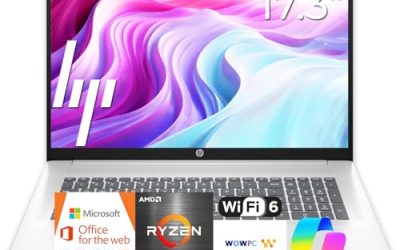
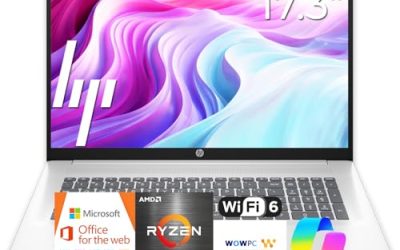
Built around a 17.3 inch FHD display, a Ryzen 5 processor, 16GB of RAM, and a 512GB SSD, this HP suits owners and bookkeepers who live in spreadsheets. The numeric keypad and big screen make data-heavy work more comfortable than on small models. Large screens also make side-by-side windows practical, so a bookkeeper can keep a ledger and a bank portal open at once.
- Strength: 16GB of RAM and 512GB of storage give a solid working base.
- Strength: the large display and numeric keypad speed up spreadsheet and invoicing tasks.
- Trade-off: a 17-inch laptop is bulky for frequent travel.
Skip it if staff carry their laptops between job sites each day. A better match is a stationary role such as a back-office desk, where the bigger display earns its footprint.
Lenovo Business 15.6″ FHD Laptop
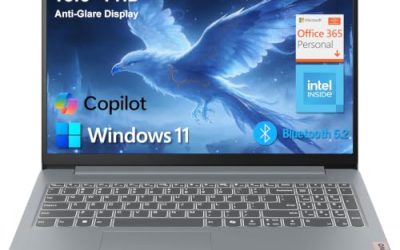
A lean 15.6 inch laptop with 8GB of DDR5, 128GB of storage, WiFi 6, USB-C, and an anti-glare screen. It targets very light office use, such as a shared counter laptop or a second device for email and document viewing. It is a reasonable second laptop for a receptionist, a seasonal employee, or a loaner kept in a drawer for meetings.
- Strength: the anti-glare FHD screen and USB-C port are useful features at this tier.
- Strength: DDR5 memory and WiFi 6 are modern touches.
- Trade-off: 128GB of storage is thin for a main business machine and fills quickly.
Skip it if you store client files locally or run accounting software. A better match is a shared reception or floor machine that mostly opens a browser and a few web tools.
Lenovo V15 Gen 4 Business Laptop
The V15 Gen 4 offers a 15.6 inch FHD display, a Core i5-13420H, HDMI, RJ45 Ethernet, a webcam, a numeric keypad, and Windows 11 Pro. It fits offices that rely on wired connections and external displays. The Core i5-13420H is a performance-class chip, which suggests it can handle heavier spreadsheets than entry processors.
- Strength: RJ45 plus HDMI means fewer adapters in a typical office.
- Strength: Windows 11 Pro supports encryption and remote management.
- Trade-off: the visible title does not state RAM or storage, so confirm both on the full listing.
Skip it if you need verified memory and drive size from the title alone. Buyers who want to order quickly without opening the full listing may prefer a model that states every key spec up front.
HP 255 G10 Business Laptop
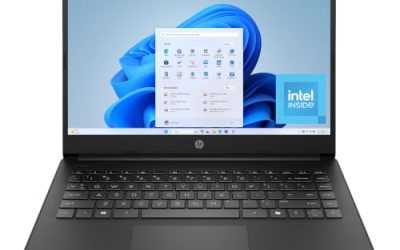
This HP pairs an AMD quad-core CPU with 16GB of RAM, a 512GB SSD, and Windows 11 Pro on a 15.6 inch Full HD display. A webcam shutter and numeric keypad round out a practical set for general staff use. The quad-core AMD processor is listed without a model number, so look up the exact chip if processor generation matters to you.
- Strength: 16GB of RAM and 512GB of storage match tougher workloads.
- Strength: the webcam shutter helps with privacy during meetings.
- Trade-off: the title does not highlight USB-C or Ethernet, so check the ports if you dock.
Skip it if you want the lightest possible laptop. Its size and keypad suggest a desk-first design, and travelers will find thinner designs easier to carry.
Dell Latitude 5420 (Renewed)
A renewed 14 inch Latitude with an Intel quad-core i5-1145G7, 16GB of DDR4, and a 256GB SSD, running Windows 11 Pro. It is aimed at cost-conscious owners who want a business-class design in a compact size. A 14 inch screen is easier to carry to client sites than a 15.6 inch laptop while still showing Full HD detail.
- Strength: Latitude hardware is built with business use in mind.
- Strength: 16GB of RAM and Windows 11 Pro cover multitasking and encryption.
- Trade-off: renewed status means condition and battery health vary, and 256GB is modest.
Skip it if you need a brand-new device with a full manufacturer warranty. Ask the seller exactly what the renewed grade means and how long returns are accepted before you add multiple units.
Dell Pro 16 PC16250
The Dell Pro 16 uses a Core 5 120U, 16GB of DDR5, and a 512GB SSD, with a 16 inch FHD+ anti-glare display and an IR camera noted in the title. It is the most forward-looking choice for firms planning a multi-year refresh. Its 16 inch FHD+ screen gives a little more vertical room than a standard widescreen, which helps with documents.
- Strength: DDR5 memory and a 16 inch FHD+ anti-glare screen suit long workdays.
- Strength: an IR camera supports facial sign-in, which helps with security.
- Trade-off: the title mixes in Latitude 5550 and Ultra 5 references, so verify the exact configuration.
Skip it if you are buying many seats and want a plain, well-documented configuration. Fleet buyers often prefer a configuration that is identical across every seat for easier support.
Which One Fits Your Situation
An accountant or bookkeeper
The HP 17 Business Laptop gives a large screen, a numeric keypad, and 16GB of RAM.keypad, and 16GB of RAM. For a smaller footprint, the HP 255 G10 offers similar memory in a standard 15.6 inch body. Either way, 512GB of storage leaves space for years of invoices and scanned records.
An office that uses wired networking and projectors
The Lenovo V15 Gen 4 includes HDMI and RJ45, which cut down on dongles in meeting rooms. Confirm the RAM before buying. Wired connections also tend to be faster and more reliable than Wi-Fi when you move large files to a network drive.
A tight startup budget
The renewed Dell Latitude 5420 offers business features and 16GB of RAM at the lower end of costs. Accept that battery wear and warranty terms need extra attention. Budget for a spare battery or a quick replacement if you plan to use it unplugged for long shifts.
A firm planning a three-year refresh
The Dell Pro 16 is the newest design here, with DDR5 and a modern display. Buy a sample unit first so your team can confirm the exact specs before ordering in bulk. Think about docking too, since a single USB-C or dock setup shared across desks saves money.
Common Mistakes
- Buying Windows 11 Home for machines that hold client data and need drive encryption.
- Choosing 128GB of storage for a primary work laptop, then fighting low disk space.
- Trusting titles that claim to beat another chip rather than reading the actual model.
- Skipping a port check and discovering later that HDMI or Ethernet is missing.
- Ignoring warranty and return terms on renewed or third-party-seller units.
Related guides
- When I Turn On Record Game In Background On Gamebar. Gamebar Crashes, What Do I Do?
- How To Reduce Background Noise On A Streaming Microphone
- Poly Computer Accessories Company Streaming Evaluation
Frequently Asked Questions
How much RAM does a small business laptop need?
Sixteen gigabytes is the safe target for accounting software, many browser tabs, and video calls. Eight gigabytes is acceptable for single-task roles such as a front-desk terminal. Anything lower is likely to slow down once updates and security software are installed.
Is a renewed laptop a good idea?
It can save money on business-class hardware, but condition varies. Look for a clear warranty and a return window, and ask about battery health before you commit. Reputable sellers describe the grade of the unit, the included charger, and what the guarantee covers.
Do I need Windows 11 Pro?
If the laptop stores customer or financial data, yes. Pro adds BitLocker encryption and remote management that Home does not include.
Is a 17-inch laptop practical?
It is excellent for spreadsheets at a desk, but it is heavier to carry. Choose a 14 or 15.6 inch model for staff who travel between sites. A lighter laptop with a smaller footprint reduces fatigue for people who carry it daily.