Shopping for a large screen laptop usually starts with a simple frustration: the text on a 13- or 14-inch display is small, the windows keep fighting for space, and a second monitor is not always an option. Moving up to a 17.3-inch panel solves most of that. You get a bigger canvas for spreadsheets, a more comfortable keyboard with room for a numeric pad, and a screen that is easier to read from an arm’s length away. The price you pay is bulk, so this is a choice for people whose laptop mostly stays put.
This guide focuses on practical, mainstream-friendly options: mostly HP’s 17.3-inch lineup, plus one 18.5-inch outlier for people who want to go even bigger. It is written for 2026 shoppers who want a simple answer, and every statement about a model comes from its listing title. Where a detail is missing, the right move is to check the listing, not to assume.
Our Top Picks
Top 3 picks at a glance
Quick Picks
As an Amazon Associate we earn from qualifying purchases at no extra cost to you.


| Product | Best for | Key spec from the title |
|---|---|---|
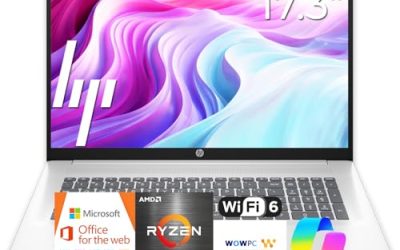
| HP 17.3″ Laptop (Ryzen 5 7520U) | Everyday family computing | HD+ display, 16GB RAM, 512GB SSD, Radeon graphics |
| HP OmniBook 3 17.3″ (Ryzen 3) | Budget big-screen entry | FHD display, Ryzen 3, 8GB RAM, 512GB SSD |
| HP OmniBook 3 17.3″ (Core Ultra 5) | Newer Intel platform, simple setup | Core Ultra 5 225U, 8GB RAM, 512GB SSD |
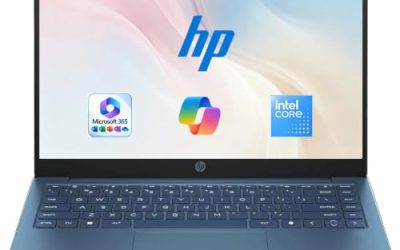
| HP 17.3″ Touchscreen (Core Ultra 7) | Touch use and Pro features | Core Ultra 7, 16GB RAM, Win 11 Pro, fingerprint reader |
| HP 17-inch Business Laptop (Ryzen 5) | Office work and data entry | 16GB RAM, 512GB SSD, FHD, numeric keypad |
| EKY 18.5-inch Laptop | Maximum screen with wired ports | 16GB RAM, 1TB SSD, RJ45, HDMI, TF card slot |
How to Choose
Full HD or HD+: the sharpness question
On a 17.3-inch panel, 1920 x 1080 (Full HD) is a good target. “HD+” usually means a lower resolution, around 1600 x 900, which looks softer on a large screen but is acceptable for web pages and video. If you read documents or edit spreadsheets for hours, favor the Full HD listings. For casual family use, an HD+ screen can be fine, and it tends to show up on lower-tier models.
RAM and storage targets for a bigger machine
Large laptops are often used as desktop replacements, which means more windows open at once. Sixteen gigabytes of RAM is a comfortable target, while 8GB works if you mostly browse and stream. A 512GB SSD is a good middle ground; 1TB suits people who keep photos or video. Titles sometimes list storage as a combined figure including an external drive, so confirm what is inside the laptop.
Processor families and what the names imply
Ryzen 3, Ryzen 5, and Ryzen 7 mark good, better, and best within AMD’s range, and Intel’s Core Ultra 5 and Core Ultra 7 follow the same pattern. A Ryzen 5 or Core Ultra 5 is a solid everyday tier. A Ryzen 3 is fine for web and office tasks but has less headroom. Ignore “up to” clock speeds unless the processor family is named.
Ports, weight, and where budget models cut corners
Large chassis can include HDMI, USB-A and USB-C, an SD or TF card reader, and sometimes Ethernet, so check for the ones you need. If you plan to connect a second monitor, an HDMI port or USB-C video output is essential. A wired network jack is useful in rooms with weak wireless coverage, but only the 18.5-inch EKY lists one in its title. Weight is rarely in the title, so check the listing before assuming a 17-inch laptop is easy to carry. Budget models usually economize on display resolution, brightness, and battery size, and they use plastic bodies rather than metal.
The 6 Best Options
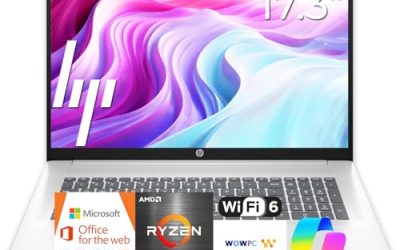
HP 17.3″ Laptop (Ryzen 5 7520U)
This HP combines a 17.3-inch HD+ display with an AMD Ryzen 5 7520U, 16GB of RAM, a 512GB SSD, Radeon graphics, and Windows 11 Home, in Natural Silver. It is built for families and home users who want a roomy screen and plenty of memory without business extras. Think of a shared living-room computer used for recipes, online shopping, video chats with relatives, and streaming, where a big picture matters more than raw speed. Check the listing for the exact color and model number.
- Strength: 16GB of RAM and a 512GB SSD at a mid-range configuration.
- Strength: A large screen that makes reading and video comfortable.
- Trade-off: The HD+ display is less sharp than a Full HD panel.
Skip it if you want crisp text for long document sessions, or if you intend to use it mainly for spreadsheets, where the Full HD models fit more rows on screen.
HP OmniBook 3 17.3″ (Ryzen 3)
The entry-level member of the OmniBook family lists a Full HD display, an AMD Ryzen 3, 8GB of RAM, a 512GB SSD, and Radeon 610M graphics. It targets shoppers who want a big, sharp screen for browsing, streaming, and homework without spending in the premium tier. A high school student writing papers, watching lectures, and using web-based tools would find the display size helpful, though it helps to keep tabs under control with only 8GB of memory.
- Strength: Full HD display on a 17.3-inch panel at a budget tier.
- Strength: A 512GB SSD gives room for files and apps.
- Trade-off: 8GB of RAM and a Ryzen 3 have limited headroom.
Skip it if you plan on heavy multitasking or photo editing, or if you expect to keep this laptop for many years of growing software demands.
HP OmniBook 3 17.3″ (Core Ultra 5 225U)
The Intel version of the OmniBook swaps in a Core Ultra 5 225U with Intel graphics. Memory remains 8GB and storage 512GB, with Windows 11 Home and a Full HD display. It is a good pick for buyers who prefer Intel or want a newer-generation platform. Since it shares the memory and storage of the Ryzen 3 sibling, the decision largely comes down to processor preference, so compare the two listings side by side before choosing.
- Strength: Newer Intel Core Ultra platform with a 512GB SSD.
- Strength: Full HD screen on a modern chassis.
- Trade-off: Only 8GB of RAM, same as the cheaper sibling.
Skip it if you want more than 8GB of memory out of the box; the 16GB Ryzen 5 model above offers more memory at what is likely a similar tier.
HP 17.3″ Touchscreen (Core Ultra 7)
Stepping up, this model offers a touchscreen, Intel Core Ultra 7, 16GB of RAM, Windows 11 Pro, and a fingerprint reader. The title advertises 1TB of storage, but half of it is an external docking set, so the internal SSD is 512GB. The fingerprint reader makes signing in fast, which is helpful in a household where several people share the same laptop, and the touchscreen is convenient for scrolling long pages or signing PDFs.
- Strength: Touch input and fingerprint login add convenience.
- Strength: Windows 11 Pro and 16GB of RAM suit work use.
- Trade-off: Internal storage is 512GB; the rest is external.
Skip it if you only want a plain display and a lower price tier.
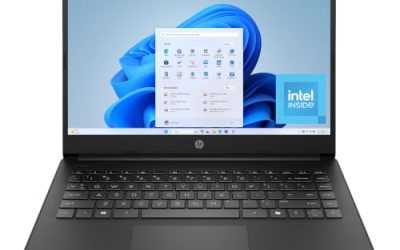
HP 17-Inch Business Laptop (Ryzen 5)
Aimed at office use, this model lists a Ryzen 5, 16GB of RAM, a 512GB SSD, a 17.3-inch Full HD display, and a numeric keypad. It is the one for people who want a big screen and fast data entry in a conventional laptop. Its configuration closely matches the Ryzen 5 family model above but swaps the HD+ screen for Full HD, which is the main reason to favor it for document-heavy days.
- Strength: Full HD plus numeric keypad suits accounting and admin tasks.
- Strength: 16GB of RAM and 512GB of storage are well balanced.
- Trade-off: Windows edition is not named; confirm it in the listing.
Skip it if you want touch input or a more premium chassis. It is also worth confirming the warranty and keyboard layout in the listing before ordering for a team.
EKY 18.5-Inch Large Screen Laptop
The outlier here, the EKY offers an 18.5-inch display, 16GB of RAM, a 1TB SSD, a 6316mAh battery, and ports that include Ethernet, HDMI, and a TF card slot. It is for those who want the biggest panel possible and plenty of storage. Because it includes Ethernet and a card slot, it suits a fixed desk with a wired connection, such as a hobby workstation or a craft room where you edit photos from a camera card.
- Strength: The largest screen and the most storage in the group.
- Strength: A wide set of ports, including Ethernet.
- Trade-off: Less established brand; check warranty and support terms.
Skip it if you want a mainstream brand or plan to carry the laptop often.
Which One Fits Your Situation
A family sharing one computer in the living room
The HP 17.3″ with the Ryzen 5 7520U gives the family 16GB of RAM and a large screen. If sharper text matters, consider the OmniBook 3. Both choices stay in the mid-range tier and avoid paying for features a family seldom uses.
A student with a tight budget
The OmniBook 3 with the Ryzen 3 is the entry ticket. It gives you a Full HD 17.3-inch display and a 512GB SSD at the lowest tier here. Close extra tabs and rely on cloud storage for large files so the 8GB of memory does not become a bottleneck.
A professional who signs, annotates, and works with confidential files
The HP 17.3″ Touchscreen with Core Ultra 7 and Windows 11 Pro has the touch input, fingerprint reader, and encryption-friendly OS to match.
A user who wants the biggest screen, period
The EKY 18.5-inch laptop wins on diagonal and storage, as long as you are comfortable with a lesser-known brand and have verified support terms.
Common Mistakes
- Choosing an HD+ screen and being disappointed by text sharpness at 17 inches.
- Assuming 1TB in a title always means internal storage.
- Buying a large laptop for a daily commute without checking weight and bag size.
- Paying for a touchscreen that will never be used.
- Overlooking Windows edition when buying for work use.
Related guides
- When I Turn On Record Game In Background On Gamebar. Gamebar Crashes, What Do I Do?
- How To Reduce Background Noise On A Streaming Microphone
- Poly Computer Accessories Company Streaming Evaluation
Frequently Asked Questions
What is the difference between HD+ and Full HD?
Full HD is 1920 x 1080, while HD+ is lower, commonly around 1600 x 900. Full HD looks sharper, especially on large panels, so it is worth prioritizing if you read or write for long stretches. Always read the display line in the listing rather than assuming.
Are 17-inch laptops good for gaming?
The ones here use integrated graphics and are designed for office, school, and media use. For gaming you would need a laptop with dedicated graphics.
Do large laptops have worse battery life?
Not necessarily, but larger screens draw more power. Battery capacity is rarely listed, so check each listing and plan to stay near an outlet.
Is 8GB of RAM enough on a 17-inch laptop?
It is enough for browsing, streaming, and office documents. If you keep many tabs and apps open, 16GB is a better target. Large-screen users tend to open more windows side by side, so extra memory is felt quickly.