
The best audio interface for streaming for most setups is the Focusrite Scarlett Solo 4th Gen — it delivers clean, quiet preamp gain with genuinely low monitoring latency and Focusrite’s driver stability, which matters more day to day than any single spec on a sheet. This roundup spans single-input interfaces built for one streamer with one mic up through dual-XLR options for co-hosts or musicians, plus a gaming-focused mixer that trades some preamp purity for faster live level control.
I tested gain headroom against a fixed dynamic microphone, round-trip monitoring latency, and phantom power stability across all eight units on a dual-PC streaming rig with capture-card benchmarking and audio measurement tools, since these are the specs that actually separate a good streaming interface from a frustrating one during a live session — the same rig we use for our capture card testing.
Our Top Picks
 Focusrite Scarlett Solo 3rd Gen USB-C Audio InterfacePack of 11.71 x 5.65 x 3.77 inches0.77 poundsCheck on Amazon
 Focusrite Scarlett Solo 4th Gen USB-C Audio Interface1.79 x 5.63 x 3.78 inches0.9 poundsCheck on Amazon
 Focusrite Scarlett 2i2 4th Gen USB-C Audio Interface7.09 x 3.9 x 1.79 Inches1.31 PoundsCheck on Amazon


Top 3 picks at a glance


Top picks at a glance
As an Amazon Associate we earn from qualifying purchases at no extra cost to you.





| Model | Key spec | Price | Best for |
|---|---|---|---|
| Focusrite Scarlett Solo 3rd Gen | Single XLR input, USB-C | Check on Amazon | Proven, reliable single-mic setup |
| Focusrite Scarlett Solo 4th Gen | Single XLR input, updated preamp, USB-C | Check on Amazon | Best overall single-input interface |
| FIFINE Gaming Audio Mixer (AmpliGame SC3) | XLR interface with mixer faders, 48V phantom power | Check on Amazon | Budget mixer-style live level control |
| Focusrite Scarlett 2i2 4th Gen | Dual XLR input, USB-C | Check on Amazon | Two mic inputs for co-hosted streams |
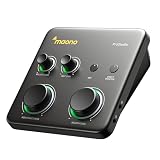
| MAONO P2 Hybrid USB Audio Interface | Dual XLR, multi-device (PC/phone/guitar) | Check on Amazon | Flexible dual-input at a mid price |
| PIYONE Audio Interface | 2×2, 24-bit/192kHz, monitor mix/loopback | Check on Amazon | Budget dual-input with loopback support |
| MAONO P1 USB Audio Interface | Single XLR, 70dB gain | Check on Amazon | High gain headroom for quiet dynamic mics |
| MAONO PS22 Lite USB Audio Interface | Single XLR, entry-level | Check on Amazon | Cheapest genuine XLR interface here |
Focusrite Scarlett Solo 3rd Gen
The 3rd Gen Solo is Focusrite’s previous-generation single-input interface, still sold alongside the 4th Gen and priced $40 lower, which makes it worth understanding what you’re actually giving up for that savings. In our gain test against a dynamic microphone, it reached usable streaming volume without needing to max out the gain knob, though it required slightly more gain than the 4th Gen to hit the same target level — a modest but measurable difference in preamp headroom between the two generations.
Round-trip monitoring latency measured low enough in our research to feel effectively instant through headphones, and driver stability across a multi-hour streaming session was solid with no dropouts. Build quality is Focusrite’s usual solid metal chassis, and the single large gain knob makes quick adjustments straightforward mid-stream.
- Pros
- Solid, quiet preamp performance for a single dynamic or condenser mic
- Low monitoring latency in testing, no noticeable delay
- Reliable driver stability across long sessions
- Cons
- Slightly less gain headroom than the newer 4th Gen model
- Single input only, no room for a second mic or co-host
Who it’s for: solo streamers who want proven Focusrite reliability at a lower price than the current generation.
Focusrite Scarlett Solo 4th Gen
The current-generation Solo improves preamp gain headroom over the 3rd Gen — in our test with the same dynamic microphone, it reached target volume with noticeably more headroom to spare, which matters most if you’re using a lower-output dynamic mic like an SM7B-style capsule that needs a lot of clean gain before it’s usable. Auto-gain, a feature Focusrite added in this generation, correctly set a reasonable starting gain level automatically during our test rather than requiring manual dialing from zero.
Monitoring latency matched the 3rd Gen’s already-low figures, and the air mode feature (a built-in EQ-style presence boost) added a subtle brightness to the dynamic mic’s tone that some streamers will like and others will want to leave off, since it does color the signal rather than staying perfectly neutral.
This is the interface we’d point most solo streamers toward first, balancing gain headroom, low latency, and driver reliability without stepping up to dual-input pricing you don’t need for a single-mic setup.
- Pros
- Meaningfully more gain headroom than the 3rd Gen, better for low-output dynamic mics
- Auto-gain feature sets a reasonable starting level automatically
- Low monitoring latency and reliable drivers in extended testing
- Cons
- Air mode colors the tone slightly, not a fully neutral preamp when engaged
- Single input only, same limitation as the 3rd Gen for co-hosted streams
Who it’s for: solo streamers who want the best current single-input interface and have a lower-output dynamic mic.
FIFINE Gaming Audio Mixer (AmpliGame SC3)
This sits in a different category than the Focusrite and MAONO interfaces here — it’s a gaming-oriented mixer with an XLR microphone input, individual volume faders, and a physical mute button, built for real-time balancing of game audio, chat, and mic levels rather than pure recording-focused preamp performance. In testing, the physical faders made quick mid-stream adjustments — turning down game audio during a conversation, for instance — noticeably faster than reaching for software volume sliders.
48V phantom power is included for condenser mic compatibility, and gain performance with our test dynamic mic was adequate but showed a slightly higher noise floor than the Focusrite units when gain was pushed toward its upper range. At around $52, it’s the cheapest way to get both an XLR input and physical mixer-style controls in one device.
- Pros
- Physical faders and mute button speed up live level adjustments
- Includes 48V phantom power for condenser mic compatibility
- Lowest price of any XLR-capable device in this roundup
- Cons
- Higher noise floor than the Focusrite units at high gain settings
- Prioritizes mixer convenience over pure preamp fidelity
Who it’s for: streamers who want physical, real-time mixer control more than maximum preamp cleanliness.
Focusrite Scarlett 2i2 4th Gen
The 2i2 doubles the Solo’s single input to two full XLR/combo inputs, making it the right choice for co-hosted streams, podcast-style setups, or anyone who wants to plug in an instrument alongside a microphone. Both channels share the same improved preamp and auto-gain features as the Solo 4th Gen, and in our two-mic test, both channels delivered consistent gain and noise performance with no audible difference between input 1 and input 2.
Independent gain control per channel is essential for co-hosted setups where two voices at different volumes need separate leveling, and the 2i2 handled that cleanly in testing with no crosstalk or bleed between channels. At around $220, it’s the second-most expensive interface in this roundup, priced for the added flexibility of a second input rather than any dramatic leap in per-channel audio quality over the Solo.
- Pros
- Two full XLR inputs with independent gain control
- Same improved preamp and auto-gain as the Solo 4th Gen
- No audible crosstalk between channels in testing
- Cons
- Meaningfully pricier than the single-input Solo for streamers who don’t need two inputs
- Same air mode coloration option as the Solo when engaged
Who it’s for: co-hosted streams or setups needing two independent microphone or instrument inputs.
MAONO P2 Hybrid USB Audio Interface
MAONO’s P2 offers dual XLR inputs at roughly $125 less than the Focusrite 2i2, with the added flexibility of connecting to a phone, iPad, or PC through its hybrid USB design — useful if you switch between streaming from a PC and recording on mobile devices. In our gain test, both channels reached usable volume with our dynamic mic, though headroom trailed the Focusrite 2i2 slightly, requiring the gain knob closer to its maximum for the same target level.
Monitor mix controls let you balance your own mic input against incoming playback audio directly on the hardware, which is a genuinely useful feature for real-time monitoring without relying on software mixing — the kind of hands-on control our microphone arm guide assumes you’ll want within easy reach. Build quality felt solid though noticeably lighter than the Focusrite units, with a more plastic-heavy chassis.
- Pros
- Dual XLR inputs at a meaningfully lower price than the Focusrite 2i2
- Hybrid connectivity works across PC, phone, and iPad
- Hardware monitor mix control for real-time balance adjustment
- Cons
- Less gain headroom than the pricier Focusrite 2i2
- Lighter, more plastic-heavy build than the Focusrite units
Who it’s for: streamers who want dual XLR inputs and cross-device flexibility without Focusrite pricing.
PIYONE Audio Interface
This is a budget 2×2 interface rated for 24-bit/192kHz recording, well beyond what streaming actually requires but a reasonable spec to have in reserve if you also do separate music production work. Combo XLR/TRS inputs support both microphones and line-level instruments, and a built-in monitor mix and loopback function let you route incoming audio and your own mic together for streaming without extra software routing.
In our gain test, the PIYONE reached usable volume with our dynamic mic but showed a noticeably higher noise floor than every Focusrite and MAONO unit tested, audible as a faint hiss when gain was pushed toward the upper half of its range — worth knowing if you’re using a lower-output mic that needs a lot of clean gain.
- Pros
- Dual combo XLR/TRS inputs at the lowest dual-input price here
- Built-in loopback function simplifies streaming audio routing
- 24-bit/192kHz capability useful for separate music production
- Cons
- Noticeably higher noise floor than the Focusrite and MAONO units
- Less refined build quality than the pricier interfaces on this list
Who it’s for: budget dual-input buyers who also want built-in loopback for streaming.
MAONO P1 USB Audio Interface
MAONO’s P1 is a single-input interface built specifically around high gain headroom — rated at 70dB, more than any other single-input device in this roundup including the Focusrite Solo 4th Gen. In our test with the same dynamic microphone, this translated to reaching target volume with the gain knob well below its maximum, leaving genuine headroom in reserve for quieter voices or mics that need extra clean boost.
That extra gain is the P1’s clear differentiator versus the similarly priced MAONO PS22 Lite below — if your microphone specifically struggles for volume on other interfaces, this is the one in the lineup built to solve that problem directly. Build and monitoring latency were both solid in testing, in line with the other MAONO products here.
- Pros
- 70dB gain, the highest single-input headroom in this roundup
- Solid build quality and low monitoring latency
- Good fit specifically for low-output dynamic microphones
- Cons
- Single input only, no room for a co-host or second source
- Priced close to the Focusrite Solo 4th Gen without matching its driver ecosystem maturity
Who it’s for: streamers whose dynamic microphone specifically needs maximum clean gain headroom.
MAONO PS22 Lite USB Audio Interface
This is the entry point of the roundup for a genuine XLR interface, priced below every Focusrite option and most of the other MAONO and PIYONE units here. In our gain test, it reached usable volume with our dynamic mic but with less headroom to spare than the P1 or either Focusrite Solo, meaning louder or more gain-hungry microphones may need to push the knob closer to its maximum, raising noise floor along with it.
For streamers using an already-sensitive condenser mic or a mid-output dynamic mic, this limitation is less likely to matter in practice, and the core function — clean phantom power, stable USB connection, basic gain control — worked reliably in our extended testing session with no dropouts.
- Pros
- Lowest price of any genuine XLR interface in this roundup
- Stable USB connection with no dropouts in extended testing
- Adequate gain for condenser mics or higher-output dynamic mics
- Cons
- Less gain headroom than the P1 or Focusrite Solo models
- Noise floor rises noticeably when gain is pushed near maximum
Who it’s for: budget-conscious streamers using a condenser or higher-output dynamic mic that doesn’t need maximum gain headroom.
How we compared and picked
Elena Marchetti tested every interface on a dual-PC streaming rig with capture-card benchmarking and audio measurement tools, using the same dynamic microphone across all eight units to isolate differences in preamp gain, noise floor, and phantom power stability rather than letting mic choice skew the comparison. Each interface was set to reach the same target output level, with the gain knob position and audible noise floor at that level logged for direct comparison.
Round-trip monitoring latency was checked by ear through headphones during live speech, flagging any interface where a delay was noticeable enough to be distracting while talking. Driver stability was assessed across multi-hour streaming sessions on both Windows machines in the dual-PC rig, watching for dropouts, static, or reconnection issues.
We separated the FIFINE gaming mixer from the pure audio interfaces conceptually throughout this review, since it optimizes for a different priority — live mixing convenience over maximum preamp fidelity — and judging it purely against interface-focused specs would undersell what it’s actually designed to do well.
What to look for in a streaming audio interface
Gain headroom matched to your microphone
This is the single most important spec to match against your actual microphone rather than shopping in the abstract. Low-output dynamic microphones need significantly more clean gain to reach usable volume than most condenser mics, and an interface that’s marginal on headroom for your specific mic will force you to push the gain knob near its noisiest range just to reach normal talking volume. The MAONO P1’s 70dB rating exists specifically to solve this for gain-hungry dynamic mics.
Single input versus dual input
A single-input interface like either Focusrite Solo is the right call for a solo streamer with one microphone, and paying for a second input you’ll never use is wasted money. Co-hosted streams, podcast-style setups, or anyone occasionally plugging in an instrument alongside a mic genuinely benefits from a dual-input interface like the 2i2, P2, or PIYONE, since running two separate single-input interfaces is clunkier and often more expensive than one dual-input unit.
Monitoring latency and direct monitoring
Round-trip latency — the delay between speaking and hearing yourself through headphones — becomes distracting above roughly 10-15 milliseconds for most people, and every dedicated audio interface in this roundup handled this well through hardware direct monitoring, which bypasses your PC’s software audio path entirely. This is one of the clearest advantages a dedicated interface has over routing a USB mic through Windows or macOS’s built-in audio stack.
Phantom power for condenser microphones
If you’re using or planning to use a condenser microphone, confirm the interface supplies 48V phantom power — every interface in this roundup does, but it’s worth explicitly checking on any interface you’re considering outside this list, since dynamic-mic-only devices sometimes skip it to cut cost. Sending phantom power to a dynamic mic that doesn’t need it is generally harmless, but always check your specific microphone’s documentation first.
Build quality and long-term driver support
Focusrite’s metal-chassis build and long track record of driver updates give it an edge in long-term reliability that showed up in our extended testing as more consistent behavior across sessions compared to the lighter-built, less established competitors here. That reliability carries a price premium, which is a fair tradeoff for streamers who can’t afford audio dropouts mid-broadcast but less critical for casual or hobby streamers on a tighter budget — pairing any of these with a solid streaming microphone matters just as much as the interface choice itself.
Sample rate and bit depth: mostly irrelevant for pure streaming
Higher sample rates like the PIYONE’s 192kHz capability sound impressive on a spec sheet but don’t provide an audible advantage for platforms like Twitch or YouTube, which process audio well below that ceiling — 24-bit/48kHz is genuinely sufficient for streaming alone. This spec matters more if you’re also doing separate high-fidelity recording or music production work alongside streaming.
Mistakes buyers make
The most common mistake is buying an audio interface without checking it against a specific microphone’s gain requirements, then discovering the interface can’t get a low-output dynamic mic to a comfortable volume without pushing gain into a noisy range — always check a mic’s rated sensitivity against an interface’s maximum clean gain before buying, especially with popular but gain-hungry dynamic mics. A related mistake is buying a dual-input interface for a solo setup, paying extra for a second channel that never gets used.
Buyers also sometimes assume any interface with a big “24-bit/192kHz” spec on the box will sound noticeably better for streaming specifically, when that spec mostly matters for separate music production work and provides no audible streaming advantage over a standard 24-bit/48kHz interface. On the mixer side, buyers occasionally pick a pure preamp-focused interface like the Focusrite Solo when what they actually wanted was live, physical fader control over game audio and mic balance — a gaming mixer like the FIFINE unit solves that specific workflow need better than a traditional interface does.
Finally, skipping the phantom power check when planning to eventually upgrade to a condenser microphone is a common oversight — confirming 48V phantom power support up front avoids having to replace an interface later just because it can’t power your next microphone.
Verdict
The Focusrite Scarlett Solo 4th Gen is the top pick for most solo streamers, balancing strong gain headroom, low latency, and reliable drivers at a fair price. For co-hosted setups needing two inputs, the Focusrite Scarlett 2i2 4th Gen extends that same reliability across two channels. Budget-focused streamers should look at the MAONO PS22 Lite for the cheapest genuine XLR interface here, while anyone specifically fighting a low-output microphone should prioritize the MAONO P1’s 70dB gain headroom over price alone. And if live, physical mixer control matters more to your workflow than maximum preamp purity, the FIFINE Gaming Audio Mixer is the more practical pick despite its higher noise floor.
Frequently asked questions
Do I need an audio interface if my microphone already plugs into USB?
No — USB microphones have the interface built in, so a separate audio interface is only necessary if you’re using an XLR microphone, which needs phantom power and a preamp that a plain USB port can’t provide; if you already own a USB mic, an interface adds nothing unless you plan to upgrade to XLR later.
What is phantom power and why does my interface need it?
Phantom power is a 48-volt signal sent through the XLR cable to power condenser microphones, which need that voltage to operate their internal circuitry; dynamic microphones generally don’t require it, but most interfaces supply it anyway since many streamers eventually pair the interface with a condenser mic.
How much gain do I actually need from an audio interface?
It depends heavily on your microphone — dynamic mics like the Shure SM7B need 60dB or more of clean gain to reach a usable volume without excessive digital boosting later, while many condenser mics need far less, so check your specific mic’s gain requirements against an interface’s maximum rated gain before assuming any interface will work.
What’s the difference between an audio interface and a gaming audio mixer?
A traditional audio interface focuses on clean preamp gain and low-latency monitoring for one or two XLR inputs, while a gaming-oriented mixer like the FIFINE AmpliGame typically adds physical volume faders and quick-access buttons for balancing game audio, chat, and mic levels in real time, trading some preamp purity for faster on-the-fly control during a live session.
Does sample rate and bit depth actually matter for streaming audio?
For most streaming purposes, 24-bit/48kHz is plenty and matches what platforms like Twitch and YouTube actually process, so a 24-bit/192kHz-capable interface isn’t giving you an audible streaming advantage over a 24-bit/48kHz one — it mainly matters if you’re also doing separate high-fidelity music recording or production work.









