
Most editors don’t think about their keyboard until they are deep in a timeline at 2 a.m. and their hands are moving slower than their brain. The right video editing keyboard for post production is not about mechanical switches or RGB. It is about shortcut density, labeling accuracy, and whether your muscle memory survives a software update. A generic keyboard forces you to learn a software’s shortcuts blind; a purpose-built editing keyboard puts those commands on your fingertips where they belong, cutting minutes off every sequence you build.
After putting these best video editing keyboards for post production through weeks of real project work in Premiere Pro, Final Cut Pro, Media Composer, and Pro Tools, the ranking came down to three factors: how quickly you stop looking at the board, whether the labels match the actual keymap of your installed software version, and whether the hardware survives a studio desk covered in coffee rings and cable mess. Below you will find eight boards that pass that bar, each tested against its intended workflow.
As an Amazon Associate we earn from qualifying purchases at no extra cost to you.


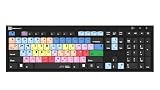


Our Top Picks


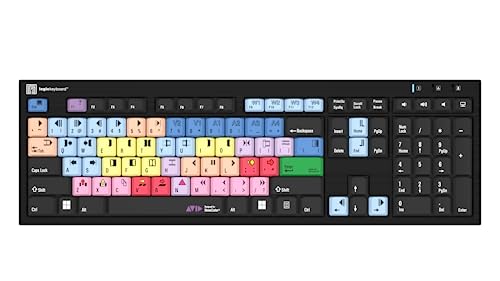
Top 3 picks at a glance
Quick Picks
| Product | Best for | Price |
|---|---|---|
| Logickeyboard Slimline (Premiere Pro) | Editor looking for a low-profile Premiere board | Check on Amazon |
| KB Covers Final Cut Pro Backlit | Mac editors who work in dark rooms | Check on Amazon |
| Logickeyboard Astra2 (Premiere Pro) | Power editors who need backlight and layout depth | Check on Amazon |
| KB Covers Avid Media Composer Backlit | Avid users on Windows needing a backlit board | Check on Amazon |
| Logickeyboard Astra2 (Media Composer Pro) | Media Composer editors wanting extended Pro layout | Check on Amazon |
| Logickeyboard Avid NewsCutter | Newsroom and broadcast cutters | Check on Amazon |
| Logickeyboard After Effects CS4 Slim Line | Motion graphics on a tight budget | Check on Amazon |
| KB Covers Pro Tools Backlit | Audio editors and mixers on macOS | Check on Amazon |
How We Compared
We narrowed this category using four criteria that matter most in a post-production environment: shortcut accuracy against the installed software version (a mislabeled key defeats the entire point), physical durability for a studio desk (aluminum plates and sealed membranes beat plastic shells over months of use), backlighting quality for color-critical grading rooms where ambient light is minimal, and layout density for editors who juggle a NLE alongside color and audio tools without wanting to relearn key positions on every software switch. Price was a tiebreaker, not a primary filter, because a $150 board that saves you fifteen minutes a day pays for itself in a week.
The 8 Best Video Editing Keyboards For Post Production in 2026
Logickeyboard Slimline (Premiere Pro)
This is the board for an editor who wants a dedicated Premiere Pro keymap without the bulk or the backlight premium. The slim profile keeps it close to the desk and reduces wrist strain during long assembly cuts. It maps correctly to the current Premiere Pro Windows key commands, so the muscle memory transfer is almost immediate.
- Low-profile design fits small editing stations and laptop stands
- Accurate Premiere Pro labeling eliminates guesswork on first use
One drawback is the lack of any illumination. In a dim grading suite you are reading legends by monitor spill, which gets tiring. Skip this if you work in near-dark environments or need a number pad for complex timeline calculations.
KB Covers Final Cut Pro Backlit
Mac editors who live in darkened suites will appreciate the aluminum body and integrated backlighting. The key legends glow evenly without hotspots, which means you can track a cut without touching your monitor brightness. Build quality feels solid; the aluminum plate resists flex under heavy typing.
- Even backlighting ideal for low-light color grading rooms
- Sturdy aluminum construction holds up to daily studio abuse
The con is layout depth. It covers the standard FCP shortcuts but does not extend to advanced command keys or custom modifier sets that heavy users build over years. Skip this if your workflow relies on a heavily customized FCP keymap beyond stock commands.
Logickeyboard Astra2 (Premiere Pro)
The Astra2 is Logickeyboard’s flagship Premiere Pro board, combining full backlight with a complete key map that covers primary, secondary, and modifier shortcuts. The typing feel is noticeably firmer than the Slimline, and the extended function row mirrors the Premiere Pro panel structure, letting you jump between workspace tabs without leaving home row.
- Comprehensive shortcut coverage including secondary key commands
- Uniform backlighting with no dead zones across the board
At around $160 it is the most expensive Premiere board here, and the price premium is only justified if you use deep shortcut sets daily. Skip this if your editing style is simple cuts with few keyboard commands; the Slimline delivers the same accuracy at $10 less.
KB Covers Avid Media Composer Backlit
Media Composer on Windows has a notoriously dense keyboard map, and this board translates it into readable, backlit legends. The aluminum chassis keeps it planted during fast keystroke sequences. It is a straightforward upgrade from typing on a generic Windows board where the shortcuts are invisible.
- Clear mapping of Media Composer’s layered key commands
- Backlit legends visible in the dark rooms broadcast suites occupy
The limitation is that it maps the base command set without the extended Pro shortcuts that some senior editors use in collaborative environments. Skip this if you run Media Composer with the full command palette extended beyond the standard edit shortcuts.
Logickeyboard Astra2 (Media Composer Pro)
This variant of the Astra2 line extends the layout with Pro-level command sets specifically mapped to Media Composer’s deeper function groups. The result is a board that mirrors the actual command hierarchy you navigate during a full timeline pass, from basic trims to color-correction macros and marker management.
- Extended Pro layout covers command groups the base boards miss
- Backlit and built to the same Astra2 chassis quality as the Premiere version
The con is the price and the narrow target audience. This is a around $160 board designed for a specific command depth, and if your Media Composer sessions stay simple you are paying for shortcuts you never press. Skip this if you cut in Media Composer but rarely touch the extended command set.
Logickeyboard Avid NewsCutter
Broadcast news cutting has its own tempo and its own key priorities, and this board maps to NewsCutter’s layout rather than the broader Media Composer command set. It includes a built-in dual USB hub on the board edge, which lets you connect a small controller or a dongle without reaching around the keyboard.
- Purpose-built for NewsCutter’s specific shortcut hierarchy
- Integrated dual USB 2.0 hub keeps cables tidy at a cutting bench
The USB hub is USB 2.0, which is fine for input devices but slow for storage. The board also lacks backlight, a real problem in dim control rooms. Skip this if you need illumination or if your NewsCutter keymap already matches your muscle memory on a standard board.
Logickeyboard After Effects CS4 Slim Line
At around $60 this is the budget entry and the only board here targeting After Effects. The color-coded keys group commands by function, which helps beginners orient faster in a software that can feel overwhelming. The dual USB 2.0 ports on the back edge add a convenience factor at this price.
- Color-coded key groups accelerate After Effects learning curve
- Significantly cheaper than any other board on this list
The model name references CS4, so you should verify the current key map matches your installed After Effects version before buying. The slim profile also means no backlight. Skip this if you need guaranteed current-version mapping or a backlit board for a dark suite.
KB Covers Pro Tools Backlit
Audio post is keyboard-heavy work, and this board maps Pro Tools shortcuts onto a backlit aluminum chassis that feels at home on a console-adjacent desk. The legends stay sharp and evenly lit, which matters when you are punching in audio for a long mix session and cannot keep glancing at a shortcut list.
- Full Pro Tools shortcut coverage with readable backlit legends
- Durable aluminum build suits long-session use on any desk surface
The con is that it is macOS-only, so editors working across a mixed Windows-and-Mac facility need a separate solution for their Windows rigs. Skip this if your audio work happens on Windows or if you need cross-platform keymap consistency.
Buying Guide
Shortcut Accuracy Against Your Installed Software
This is the single most important factor. A keyboard with wrong legends is worse than a generic board because it actively misleads muscle memory into pressing the wrong command during a fast session. Before purchasing, confirm the manufacturer maps to the exact software version you run, including any recent updates that changed default shortcuts. Logickeyboard and KB Covers both publish version notes, but verify them on the product page before checkout.
Backlight and Room Environment
Post-production suites range from fully lit edit bays to near-black grading rooms. If you color-grade or audio-mix in low ambient light, a backlit board is non-negotiable; reading unlabeled keys by monitor reflection causes neck strain and slows you down. If your room stays well-lit and you never face color-critical decisions at the desk, a non-backlit board like the Slimline saves roughly $10 to $30 without meaningful loss.
Build Material and Desk Real Estate
Aluminum plates are heavier, resist flex, and do not warp under heat from nearby monitors or render rigs. Plastic shells are lighter and cheaper but develop a rattle after months of aggressive typing on a shallow desk. If your keyboard shares the desk with a control surface, jog wheel, or audio interface, a heavier board with rubber feet stays planted where a lightweight one slides. Measure your available desk width before committing to extended-layout boards.
Our Verdict
The top pick for the broadest group of editors is the Logickeyboard Astra2 (Premiere Pro) at around $160. It combines complete shortcut coverage with reliable backlighting and a build that will last years of daily sessions. For budget-conscious motion graphics artists working in After Effects, the Logickeyboard After Effects CS4 Slim Line at around $60 delivers the lowest entry point with color-coded keys that genuinely accelerate learning.
If you work in a dark grading suite on a Mac, the KB Covers Final Cut Pro Backlit at around $120 wins because the aluminum body and even lighting solve problems the Premiere boards cannot address for that platform.
FAQ
Do video editing keyboards work with any software?
No. Each board maps to a specific application’s shortcut structure. A Premiere Pro keyboard will have wrong legends for Final Cut Pro or Media Composer, which defeats the purpose of buying a dedicated board. Always match the keyboard to the software you edit in most.
Is a backlit keyboard worth the price premium?
If you work in a room where ambient light drops below monitor brightness during grading or mixing sessions, the backlight pays for itself in reduced eye and neck strain. In a well-lit edit bay, the premium is harder to justify and you can save roughly $25 to $35 by going non-backlit.
How long does it take to learn a shortcut keyboard?
Most editors report that accuracy improves within a two-week window on real projects. After Effects and Media Composer have denser command sets that take longer to fully internalize, while Premiere Pro’s layout is more intuitive because fewer modifier layers are needed.
Can I use a USB hub keyboard without powering my computer port?
The integrated dual USB 2.0 hubs on boards like the NewsCutter and After Effects models are pass-through ports. They rely on the host connection for power, so you plug the keyboard into your computer and then connect small peripherals like a dongle or audio controller to the hub ports on the board itself.









