
Our Top Picks

The Short Answer
For most people asking how much RAM for streaming and recording gameplay, 32GB is the practical sweet spot. It gives a gaming PC enough memory to run a current game, OBS or similar streaming software, a browser with chat and alerts, Discord, and background utilities without constant memory pressure.
Use 16GB only for a budget 1080p setup with modest expectations: lighter games, one display, few browser tabs, and hardware encoding through a modern graphics card. Choose 64GB if you play demanding simulation, open-world, or heavily modded games; stream at high settings; record locally while streaming; edit the resulting footage; or keep many applications open. For most single-PC setups, more than 64GB is unnecessary strictly for gameplay streaming and recording.
As an Amazon Associate we earn from qualifying purchases at no extra cost to you.


Capacity matters more than physical size, but fit still matters when buying memory. Standard desktop RAM modules are long DIMMs, while laptops and compact mini PCs generally use shorter SO-DIMMs. Before ordering, verify whether your system supports DDR4 or DDR5, how many memory slots it has, its maximum supported capacity, and whether tall heat spreaders will interfere with a large CPU air cooler.
In 2026, a balanced streaming build commonly pairs 32GB of DDR5 memory with a dedicated GPU encoder and fast solid-state storage. RAM cannot replace a capable processor, graphics card, or adequate drive space, but too little RAM can cause stutters, dropped frames, slow scene changes, and game instability when several programs compete for memory.
Standard Sizes
RAM capacity is measured in gigabytes (GB), while the module itself is measured in physical dimensions. Most gaming desktops use full-size DIMMs. Laptops, small-form-factor systems, and some compact desktop boards use SO-DIMMs. The dimensions below are standard module envelope measurements; decorative heat spreaders can make a desktop module considerably taller.
| Memory type and typical capacity | Module dimensions (inches) | Module dimensions (cm) | Best streaming and recording use | Typical kit price range |
|---|---|---|---|---|
| Desktop DIMM, 16GB total (2 x 8GB) | 5.25 L x 1.18 H x 0.14 D | 13.34 L x 3.00 H x 0.36 D | Entry-level 1080p streaming, lighter games, basic recording | $35–$70 |
| Desktop DIMM, 32GB total (2 x 16GB) | 5.25 L x 1.18 H x 0.14 D | 13.34 L x 3.00 H x 0.36 D | Recommended all-around choice for gaming, streaming, and local recording | $70–$150 |
| Desktop DIMM, 64GB total (2 x 32GB) | 5.25 L x 1.18 H x 0.14 D | 13.34 L x 3.00 H x 0.36 D | Demanding games, mods, multicamera capture, editing, and heavy multitasking | $140–$300 |
| Low-profile desktop DIMM | 5.25 L x 1.18 H x 0.14 D maximum standard height | 13.34 L x 3.00 H x 0.36 D maximum standard height | Desktops with large air coolers or tighter side-panel clearance | $70–$170 for common 32GB kits |
| Laptop SO-DIMM, 16GB or 32GB module | 2.74 L x 1.18 H x 0.14 D | 6.96 L x 3.00 H x 0.36 D | Upgradeable laptops and compact PCs; confirm socketed memory first | $35–$130 per module |
A standard DIMM’s circuit board is only about 1.18 inches (3.00 cm) tall, but RGB lighting and oversized heat spreaders often raise total height to 1.55–2.20 inches (3.94–5.59 cm). That difference is important in a compact tower. If your CPU cooler overhangs the memory slots, choose low-profile modules or measure the cooler’s published RAM clearance before buying.
For capacity, buy matched pairs whenever possible. A 2 x 16GB kit is generally preferable to one 32GB stick because two populated channels can improve memory bandwidth on compatible systems. Leave open slots only if your motherboard has four slots and you expect to upgrade later.
How to Measure Your Space
- Identify your device type. Remove the desktop side panel or check the laptop service manual. Full desktops nearly always use DIMMs; laptops usually use SO-DIMMs. Some thin laptops have soldered memory that cannot be upgraded.
- Count the memory slots. Look beside the CPU socket for two or four long desktop slots. A laptop may have one or two short slots, or none if its memory is soldered.
- Measure module height clearance. With the PC powered down and unplugged, measure from the motherboard surface at the memory slot to the nearest part of the CPU cooler or side panel. Allow at least 0.12 inch (0.3 cm) beyond the module’s actual height so installation is not cramped.
- Check cooler overhang. Measure the horizontal distance from the nearest edge of the memory slot to the cooler fan or heat sink. A front-mounted fan may sit directly above the first RAM slot, even when the case itself is wide enough.
- Confirm the memory generation. Match the existing memory or motherboard specification exactly: DDR4 and DDR5 modules have different notch positions and are not interchangeable.
- Check supported capacity. Consult the motherboard or laptop specifications for maximum total RAM and maximum capacity per slot. A board with four slots may physically accept four modules but still have a stated limit.
- Plan for recording storage, too. RAM is not a substitute for drive capacity. Reserve at least 100GB of free SSD space for regular recordings; longer, higher-quality sessions can require substantially more.
By Room or Use Case
Bedroom or Small Desk Setup
For a compact bedroom setup, 16GB can work if you stream casual or esports titles at 1080p and use GPU encoding. Keep the workspace simple: game, streaming app, chat application, and a limited number of browser tabs. A 32GB kit is still the better purchase if the budget allows, because it provides breathing room without increasing the module footprint.
Physical clearance often matters more in small prebuilt towers. Measure for low-profile DIMMs if the PC uses a large air cooler. Avoid buying tall RGB memory solely for appearance if it is 1.8 inches (4.6 cm) tall and your cooler clearance is close to that measurement.
Living Room Console Capture Setup
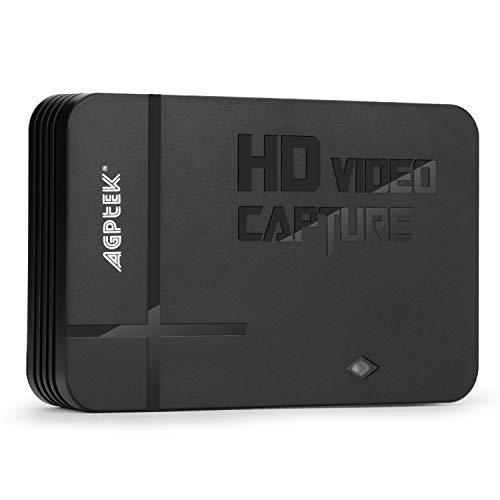
If you record console gameplay on a separate PC, 16GB is usually adequate for basic 1080p capture. The recording computer is not also rendering the game, so its memory load is lower. A capture device such as a 1080p unit in the roughly $60–$90 range can be enough for casual capture, while 4K 60fps passthrough hardware commonly falls around $130–$180.
Choose 32GB when the capture PC also runs overlays, multiple cameras, browser sources, audio routing software, or local recording at a higher bitrate. Keep the capture PC close enough to the console for practical HDMI cable routing, but leave ventilation space around both devices. Capture hardware itself is small, while the PC’s RAM selection remains an internal fit and compatibility decision.
Dedicated Streaming Room
A dedicated room supports the most demanding single-PC arrangement: game play, live streaming, local recording, alerts, voice chat, music, and camera feeds all running at once. Start with 32GB. Move to 64GB if you use extensive game mods, virtual cameras, several browser-based overlays, high-resolution textures, or editing software during or immediately after a session.
Do not assume 64GB automatically improves stream quality. If the system is using only 18GB to 24GB under load, upgrading memory will not meaningfully change the result. Instead, assess CPU load, GPU encoder settings, network upload speed, and SSD write capacity.
Creator Studio With Editing Workflows
For creators who record gameplay and edit long videos, 64GB is a sensible target. Editing software, large source files, thumbnails, and a game can make 32GB feel crowded, particularly when working with 4K footage. A 64GB kit also reduces the need to close applications between recording and post-production tasks.
Pair it with a fast NVMe SSD rather than putting all your budget into RAM. A recording drive with 1TB to 2TB of capacity is practical for regular use. RAM helps active programs stay responsive; the drive determines where recordings live and how comfortably the system can write large video files.
Common Sizing Mistakes
- Buying capacity without checking generation. DDR4 and DDR5 are physically incompatible. Verify the motherboard or laptop specification before comparing speeds or prices.
- Using one stick when a matched kit fits the budget. Two matched modules, such as 2 x 16GB, are the standard choice for a 32GB gaming build.
- Ignoring RAM height. Tall heat spreaders can collide with a CPU cooler even though the module fits the motherboard slot.
- Confusing storage with memory. Adding a 2TB drive does not provide more working memory. Recording demands both enough RAM and enough free drive space.
- Overbuying for a two-PC setup. A dedicated capture PC may not need 64GB if it only receives console footage and records it.
- Filling every slot too early. On a four-slot board, a 2 x 16GB kit provides 32GB while leaving room for a later upgrade, assuming the board supports the planned configuration.
FAQ
Is 16GB RAM enough for streaming and recording gameplay?
It can be enough for 1080p streaming of lighter games, especially when using a graphics-card encoder. However, 32GB is more comfortable for modern games plus OBS, browser sources, Discord, and local recording at the same time.
Is 32GB RAM overkill for gaming and streaming?
No. For a new single-PC streaming build, 32GB is the most balanced capacity. It is not required for every game, but it gives useful headroom and is commonly available as a matched 2 x 16GB kit.
Should I get 64GB RAM for recording in 4K?
64GB is worthwhile if 4K recording is combined with demanding gameplay, editing, large projects, mods, or many active programs. For straightforward capture using hardware encoding, 32GB can still be sufficient. Storage speed and available SSD capacity are also essential for 4K workflows.
Does faster RAM matter more than having more RAM?
First buy enough compatible capacity: 32GB before prioritizing premium speed tiers for most streaming PCs. Once capacity is adequate, select a stable, motherboard-supported kit with reasonable speed and latency. Avoid sacrificing capacity merely to buy a faster but smaller kit.









