
Our Top Picks



Top 3 picks at a glance

The Short Answer
If you are streaming, how much SSD storage you need depends on what you are doing with the files, not just watching. For pure streaming consumption on Netflix, YouTube, or Twitch, you need very little local storage — 256GB to 512GB is enough for the operating system, apps, and cache. If you are live streaming gameplay, recording local copies, editing video, or archiving VODs, aim higher: 1TB is the practical minimum in 2026 for most creators, and 2TB is the comfort zone for anyone recording in 1080p or 4K regularly.
Here is a quick benchmark to estimate based on real file sizes:
As an Amazon Associate we earn from qualifying purchases at no extra cost to you.


- Streaming only (no recording): 512GB SSD is sufficient. Your cache and apps will use 100GB to 150GB, leaving plenty of headroom.
- Casual streamer (1080p recording, OBS at 6,000–8,000 kbps, occasional edits): 1TB SSD. One hour of 1080p60 recording at high bitrate is roughly 11GB to 14GB. A 1TB drive gives you 800GB+ of usable space for 50 to 70 hours of raw footage before offloading.
- Serious creator (1440p or 4K recording, DaVinci Resolve / Premiere Pro edits): 2TB SSD or larger. One hour of 4K60 footage can be 30GB to 45GB at 80–100 Mbps, and project files with proxies can double that.
- Dual-PC or console streaming with local backup: 1TB internal NVMe for OS and active projects + 1TB to 2TB external SSD for archive and transfer.
Speed matters as much as capacity for streaming. For internal drives, look for NVMe PCIe 3.0 or 4.0 with sustained read speeds of 3,000MB/s to 7,350MB/s and write speeds above 2,000MB/s to avoid dropped frames when recording and gaming simultaneously. For external drives used to move large video files, USB 3.2 Gen 2 (10Gbps, up to 1,050MB/s) is the current value standard, while USB 3.2 Gen 2×2 (20Gbps, up to 2,000MB/s) is ideal if your PC supports it.
Standard Sizes
SSD storage capacity and physical size are two different measurements. Capacity tells you how much you can store, while physical dimensions determine what fits in your device, desk, or media console. Use this table to match both to your streaming setup.
| Form Factor / Example Model | Typical Capacity Options | Physical Dimensions (inches) | Physical Dimensions (cm) | Weight | Interface & Speed | Typical Price Range |
|---|---|---|---|---|---|---|
| 2.5-inch SATA SSD (internal) | 500GB, 1TB, 2TB, 4TB | 3.94 x 2.75 x 0.28 | 10.0 x 7.0 x 0.7 | 1.6 – 2.5 oz (45 – 70 g) | SATA III, up to 550MB/s | $45 – $180 |
| M.2 2280 NVMe SSD (internal, e.g., Bestoss 2TB with Heatsink) | 1TB, 2TB, 4TB | 3.15 x 0.87 x 0.15 – 0.43 with heatsink | 8.0 x 2.2 x 0.38 – 1.1 with heatsink | 0.25 – 1.1 oz (7 – 32 g) | PCIe 4.0 NVMe, up to 7,350MB/s | $85 – $335 |
| M.2 2242 NVMe SSD (compact internal) | 512GB, 1TB, 2TB | 1.65 x 0.87 x 0.09 | 4.2 x 2.2 x 0.23 | 0.18 – 0.25 oz (5 – 7 g) | PCIe 3.0 / 4.0 NVMe, up to 3,500MB/s | $55 – $150 |
| Portable SSD (e.g., Samsung T7 1TB) | 500GB, 1TB, 2TB | 3.35 x 2.26 x 0.31 | 8.5 x 5.7 x 0.8 | 2.0 oz (58 g) | USB 3.2 Gen 2, up to 1,050MB/s | $90 – $230 |
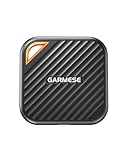
| High-Speed Portable SSD (e.g., GARMESE 1TB) | 1TB, 2TB | 4.13 x 1.97 x 0.47 | 10.5 x 5.0 x 1.2 | 2.8 oz (80 g) | USB 3.2 Gen 2×2, up to 2,000MB/s | $110 – $160 |
| Stick-Style External SSD (e.g., BUFFALO SSD-PUT 1TB) | 500GB, 1TB, 2TB | 3.94 x 1.06 x 0.39 | 10.0 x 2.7 x 1.0 | 1.06 oz (30 g) | USB 3.2 Gen 2, up to 600MB/s | $85 – $150 |
Power draw is low, but worth noting for console and laptop streaming carts: 2.5-inch SATA drives use 2 to 4 watts under load, M.2 NVMe drives use 3.5 to 7 watts, and bus-powered portable SSDs use 2.5 to 4.5 watts directly from USB with no separate adapter.
How to Measure Your Space
Even though SSDs are small, the right fit prevents thermal throttling and cable clutter — two common causes of stutter during a stream. Measure before you buy, especially for internal M.2 drives and external drives that live on a media console.
- Identify your slot or port. For desktops and PS5, open the M.2 bay and confirm you have a 2280 slot (80mm long). Many laptops and mini PCs only fit 2242 or 2230. For external drives, check whether you have USB-C 10Gbps, USB-C 20Gbps, or USB-A 5Gbps on your streaming PC or console.
- Measure length, width, and clearance. Use a tape measure or ruler. For internal M.2, measure the standoff length from the connector to the mounting screw. It should be 3.15 inches (80mm) for 2280. Measure vertical clearance above the slot — you need at least 0.45 inches (1.14 cm) if you plan to use a heatsink, which is required for PS5 and recommended for sustained 7,000MB/s+ writes.
- Measure your external footprint. If the SSD will sit on a desk, cart, or behind a TV, measure the available flat area. A Samsung T7-style drive needs only 3.5 x 2.5 inches (8.9 x 6.4 cm) of desk space, but leave 2 inches (5 cm) of cable slack and 1 inch (2.5 cm) of airflow on all sides. Stick-style drives need no desk space but add 4 inches (10 cm) of protrusion from the USB port — confirm it will not block other ports.
- Check cable length and routing. Most portable SSDs include a 12 to 18-inch (30 to 45 cm) USB-C to USB-C and USB-C to USB-A cable. Measure from your PC or console USB port to where the drive will rest. Add 6 inches (15 cm) for gentle bends; tight bends reduce performance and can disconnect mid-stream.
- Verify airflow and temperature. NVMe drives throttle above 158 degrees F (70 degrees C). Ensure your case or console has ventilation. In enclosed TV cabinets, measure interior cabinet height — keep at least 3 inches (7.6 cm) of open space above a console and avoid placing a portable SSD directly on top of a heat vent.
- Weigh your portability needs. If you carry footage between home and studio, weight matters. A 2.0 to 2.8 oz (58 to 80 g) portable SSD is negligible in a bag. If it stays put, a heavier 2.5-inch drive in an enclosure is fine and often cheaper per terabyte.
By Room or Use Case
Home Office Streaming Desk (Single PC Gaming + OBS)
This is the most common setup. You game, encode, and record on one machine. You need fast internal storage to keep gameplay and recording from competing for bandwidth.
Recommended: 1TB to 2TB NVMe M.2 2280 as your primary drive. Install Windows, OBS, your main games, and keep 20 to 25 percent free — SSDs slow down when more than 85 percent full. Add a 1TB portable SSD for weekly offloads. Physical size is not an issue in a mid-tower; you have room for any 2280 with heatsink (up to 0.43 inches / 1.1 cm tall).
Why this works: A PCIe 4.0 drive at 5,000MB/s to 7,350MB/s can handle simultaneous game reads and high-bitrate recording writes without frame drops. A 2TB internal drive holds roughly 100 hours of 1080p60 or 40 hours of 4K30 before you need to archive.
Living Room Console Streaming (PS5 / Xbox + Capture)
Consoles have fixed internal storage and strict physical limits. PS5 requires an M.2 2280 NVMe that meets Sony’s size and speed specs, including a heatsink that fits within 4.37 x 0.98 x 0.45 inches (11.1 x 2.49 x 1.14 cm) total.
Recommended: 1TB to 2TB NVMe 2280 with integrated heatsink for PS5 expansion, such as a 2TB model rated at 7,350MB/s. For Xbox Series X/S, use the proprietary expansion card or a portable SSD for cold storage of captures. For streaming via capture card, add a 1TB stick-style external SSD (up to 600MB/s) to your media console — it is small enough to velcro-mount behind the TV and draws under 4 watts.
Space tip: Media consoles often have closed backs. Measure the console depth and leave the SSD on top or side-ventilated shelf, not stacked under the console where heat builds.
Dedicated Editing Bay or Dual-PC Stream Setup
If you record clean ISO feeds and edit highlights for YouTube or TikTok, storage needs scale quickly. You will want separate drives for OS, active projects, and archive.
Recommended: 2TB NVMe for active projects and scratch disk + 2TB to 4TB secondary SSD (internal 2.5-inch or second M.2) for completed exports + 1TB to 2TB high-speed portable SSD (up to 2,000MB/s) for transferring between capture PC and editing PC. If you edit 4K multicam, consider 4TB total across two drives to avoid constant shuffling.
Dimensions to plan: Allow space for two M.2 slots with heatsinks plus one 2.5-inch bay (3.94 x 2.75 inches). In small form factor cases, you may only have one M.2 2280 slot — in that case, prioritize a single 2TB high-endurance drive (600 to 1,200 TBW rating) over two smaller ones.
Portable and Minimalist Setup (Laptop, Dorm, or Small Apartment)
When your streaming station is a laptop on a compact desk or a rolling cart, physical portability and low cable clutter beat raw capacity.
Recommended: 512GB to 1TB internal laptop SSD + 1TB portable SSD. Choose a compact, rugged portable model at 3.35 x 2.26 inches (8.5 x 5.7 cm) and 2.0 oz that runs on bus power. This gives you 1.5TB to 2TB total without opening the laptop.
Space tip: On a 42-inch (106.7 cm) desk with monitor, laptop, mic arm, and light, a palm-sized SSD can sit under the monitor riser or be mounted with a 1-inch (2.5 cm) adhesive clip. Keep the cable run under 18 inches (45 cm) to avoid snags when moving the cart.
Common Sizing Mistakes
1. Buying only for right now. Many new streamers buy a 512GB drive because it is cheaper, then fill it in three weeks with Call of Duty, OBS recordings, and VODs. Games alone now run 80GB to 150GB each. Always add 500GB of buffer beyond your current calculation. It is far cheaper to buy 1TB now (typically $75 to $130 for SATA, $85 to $150 for entry NVMe) than to replace a 512GB drive six months later.
2. Confusing capacity with speed. A 2TB SATA SSD at 550MB/s is not the same as a 2TB NVMe at 7,350MB/s. If you record while gaming at high bitrates, SATA can bottleneck and cause encoding lag. For active recording, prioritize NVMe for internal use and reserve SATA or 600MB/s stick drives for archive.
3. Ignoring physical fit and heatsink height. The most returned sizing issue is an M.2 2280 with a tall heatsink that does not fit in a PS5 or slim laptop. Always compare your measured clearance to the drive’s height with heatsink. For PS5, the total height with heatsink must be under 0.45 inches (11.25mm). Bare drives without a heatsink will thermally throttle and drop write speed by 30 to 50 percent during long streams.
4. Running the drive too full. SSDs need free space for wear leveling and caching. Performance degrades noticeably above 85 to 90 percent full. A 1TB drive actually provides about 931GB usable. If you calculate you need 850GB, you need a 2TB drive, not 1TB.
5. Underestimating external speed needs. Buying a 600MB/s stick-style drive to actively record 4K via USB will create bottlenecks. Use 1,050MB/s or 2,000MB/s portable SSDs for active file work, and use 600MB/s sticks only for playback, backup, or moving finished videos to another device.
6. Forgetting about cable and port compatibility. A USB 3.2 Gen 2×2 drive that can do 2,000MB/s will only run at 1,050MB/s on a Gen 2 port and 600MB/s on a Gen 1 port. Check your PC’s motherboard or laptop spec sheet for the exact USB version before paying extra for top speed you cannot use.
FAQ
How many hours of streaming video can a 1TB SSD hold?
It depends on bitrate and resolution. At 1080p60 with OBS set to 8 Mbps, one hour is about 3.6GB streamed, but the locally recorded file at high quality (around 20 Mbps) is about 9GB per hour — a 1TB SSD holds roughly 100 hours of those recordings with space left for system files. At 4K30 (80 Mbps recording), one hour is about 36GB, so 1TB holds about 25 hours. Always keep 15 to 20 percent free, so subtract about 150GB to 200GB from the advertised capacity for realistic totals.
Is 512GB enough if I only live stream and do not save recordings?
Yes, for streaming-only consumption and live encoding without local archiving, 512GB is workable if your game library is small. Windows 11 plus OBS, browser, and chat tools use 40GB to 60GB. Two large modern games can add 200GB to 300GB, leaving 150GB to 200GB free. If you have more than three large games installed or you clip highlights locally, step up to 1TB.
Do I need an external SSD if I already have an internal NVMe for streaming?
Not strictly, but it is highly recommended for creators. An internal 1TB to 2TB NVMe handles your live workload fastest, while a 1TB to 2TB portable SSD gives you a dedicated space for backups, VOD archives, and moving files to another PC without interrupting your stream. The portable option also protects you from downtime — if your internal drive fails, your archive is safe. Look for 1,050MB/s to 2,000MB/s models that weigh 2 to 3 oz and fit in a pocket.
What SSD size is best for PS5 streaming and recording?
For PS5, start at 1TB for your expansion drive. The console’s built-in 825GB (667GB usable) fills quickly — one PS5 game is 50GB to 100GB, and 4K capture at 60 fps uses about 30GB per hour. A 1TB NVMe 2280 with heatsink effectively doubles your usable space, while 2TB is ideal if you stream multiple titles and create clips directly on the console. Confirm the drive meets PS5 sequential read requirements of at least 5,500MB/s and that the dimensions with heatsink are within Sony’s 3.15-inch (80mm) length and 0.45-inch (11.25mm) height limit.









