
Our Top Picks

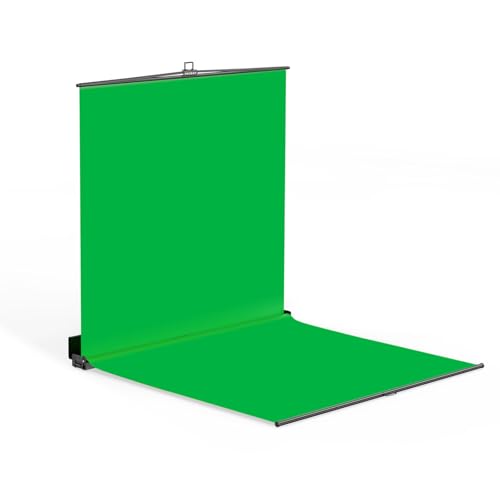


Top 3 picks at a glance
The Short Answer
For standing full body streaming, you want a green screen that is at least 6 feet (72 inches / 183 cm) tall and 5 feet (60 inches / 152 cm) wide. That covers a standing presenter from head to toe with a little breathing room for framing and movement. The most comfortable fit for most streamers, though, is 7 to 8 feet tall by 7 to 8 feet wide, which gives you space to shift your weight, gesture, or take a half step without your feet or hands sliding off the green.
If your budget allows only one number to anchor on, remember this: 82 inches (208 cm) wide by 78 inches (198 cm) tall is the sweet spot for standing full body work in a typical spare room or bedroom setup. Collapsible panels in that range — like the RAUBAY 78.7 x 82.7 inch large collapsible backdrop, priced around $200 to $230 — are popular precisely because they clear head-to-toe framing for someone up to about 6’2″ without hogging the whole wall.
As an Amazon Associate we earn from qualifying purchases at no extra cost to you.


Standard Sizes
Green screens for streaming come in four common size classes. Here’s how they compare for standing full body shots:
| Size Class | Dimensions (inches) | Dimensions (cm) | Standing Full Body? | Typical Price |
|---|---|---|---|---|
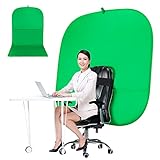
| Chair-style / desktop | 59 x 70 | 150 x 178 | No — torso only | $50 to $70 |
| Mid-size with stand | 96 x 86 (8 x 7.2 ft) | 244 x 219 | Yes — most standing streamers | $40 to $80 |
| Large collapsible panel | 78.7 x 82.7 | 200 x 210 | Yes — tight but workable | $180 to $240 |
| Full walk-in cube | 84 x 84 x 84 (7 ft cube) | 213 x 213 x 213 | Yes — free movement | $380 to $450 |
A note on those numbers: the 59-inch chair-style screen (like the around $59 portable double-sided models) is built for seated webcam framing, not standing. The 8 x 7.2 ft Surprizo-style fabric-and-stand kits at around $39 to around $79 are the budget favorite because fabric gives you more coverage per dollar than collapsible panels. The 7 x 7 x 7 ft FloorFlex-style cubes at around $420 are the premium option — you literally step inside, and the floor piece extends your key below your feet.
How to Measure Your Space
- Measure your height plus clearance. Add 8 to 12 inches to your height. If you’re 5’10” (70 inches), you want at least 80 inches of vertical green coverage so your head and feet stay inside the frame at typical camera distances.
- Measure your camera’s field of view. At 6 to 8 feet from the camera, most webcams and mid-range streaming cameras capture a 6 to 8 foot wide swath. Your green screen should be at least as wide as that swath.
- Check the depth behind you. You need 3 to 4 feet between yourself and the screen to reduce green spill on your hair and shoulders, plus 6 to 10 feet from camera to you. Total room depth: about 12 to 14 feet minimum.
- Measure wall width. Freestanding stands typically have leg spans of 8 to 10 feet. An 8 x 7.2 ft backdrop needs a wall run of at least 9 feet to sit safely.
- Confirm ceiling height. A 7.2 ft (86 inch) tall backdrop plus a stand crossbar usually tops out around 7.5 feet. Ceilings under 8 feet will not fit most full-height stand kits.
- Account for storage. Collapsible panels fold to roughly 40 inches in diameter and weigh 20 to 30 pounds. Fabric backdrops pack down smaller — often 15 x 10 x 5 inches and 5 to 8 pounds.
By Room or Use Case
Dedicated streaming room
If the room is yours full time, go big. A fabric backdrop on a stand — 8 x 7.2 ft at around $39 to around $79 — mounted permanently against a wall is the best value. If you move around on camera (dance, fitness, virtual production-style movement), the 7 x 7 x 7 ft collapsible cube at around $420 wraps green around three sides and the floor, which eliminates the edge-of-frame problem entirely.
Bedroom or shared space
Here you want fast setup and takedown. A large collapsible panel like the 78.7 x 82.7 inch RAUBAY (~$220) pulls open like a pop-up and leans against the wall; it stores behind a door or under a bed when folded. Weights run 22 to 28 pounds, so check that you can handle it one-handed.
Apartment with a small corner
If your ceiling is low or your corner is narrow, an 8 ft wide backdrop may not fit. A 59-inch chair-style screen (around $59 range) works only for seated streaming. For standing in tight quarters, consider a 6.5 x 6.5 ft fabric backdrop — the smallest size that still clears full body for someone up to about 6 feet tall.
Seated streamers who occasionally stand
The honest answer: buy for the standing shot. A 59-inch chair screen will clip your head the moment you stand up. A mid-size 8 x 7.2 ft kit costs roughly the same $40 to $80 and handles both positions, so skip the smaller size unless desk space is truly constrained.
Twitch/VTuber-style fixed cam, minimal movement
If you stand in one spot and frame tightly (mid-thigh up), you can get away with 5 x 7 ft (60 x 84 inches). Just remember that tighter framing means your audience sees less of you — most full body streamers in 2026 are framing head to toe, so plan for the larger screen.
Common Sizing Mistakes
- Buying for seated framing, then standing up. This is the number one regret. The 59-inch chair-style screens cannot cover a standing adult; feet and head will both fall outside the green.
- Ignoring width for movement. A screen that exactly matches your shoulder width means every hand gesture exits the key. Add at least 18 inches of width beyond your reach envelope.
- Forgetting lighting depth. Standing directly against the screen causes green spill on skin and hair. Budget 3+ feet of depth between you and the fabric — which means your room needs more floor space than the screen’s footprint suggests.
- Skimping on height for tall streamers. If you’re over 6’2″, check the listed height carefully. A 78.7 inch (6’6.7″) panel fits a 6-foot person comfortably but gets tight for anyone taller, especially with the camera tilted up.
- Overlooking stand leg span. An 8-foot wide backdrop often has tripod legs extending 9 to 10 feet at the base. Measure the floor, not just the wall.
- Assuming bigger always means better keying. Wrinkled budget fabric in a giant size keys worse than a taut, well-lit smaller panel. A steamer and two clamp lights (LED panels in the 30 to 60 watt range work fine) matter as much as square footage.
FAQ
Is a 6×6 green screen big enough for standing full body?
For streamers under about 5’8″ who stand still, yes — 72 x 72 inches covers head to toe with modest clearance. For anyone taller, or anyone who moves or gestures, 6×6 feels cramped fast. Most standing streamers are happier at 7×7 feet or larger.
Can I use a 59-inch portable green screen for standing shots?
No. At 59 inches (150 cm) tall, these chair-style screens top out around seated chest height for most adults. They’re designed for webcam framing in video calls. For standing work, look at 72 inches of height minimum.
How far should I stand from my green screen?
Three to four feet minimum, ideally. This distance lets you light the screen separately from yourself, which dramatically reduces green spill and edge artifacts. Combined with 6 to 8 feet of camera distance, plan on a 12 to 14 foot deep space for comfortable full body streaming.
Are collapsible pop-up panels or fabric backdrops better for full body?
Fabric on a stand wins on coverage per dollar — an 8 x 7.2 ft kit runs around $39 to around $79 versus $180 to $240 for a comparable collapsible panel. Collapsible panels win on setup speed and wrinkle resistance, and cube-style panels ($380 to $450) add floor coverage that fabric kits can’t match. Choose fabric for a permanent setup, collapsible if you set up and tear down often.









