This review analyzes published product information. We have not performed detailed research of this unit.
As an Amazon Associate, we earn from qualifying purchases.
A focused capture device, not a whole streaming studio
The AVerMedia Live Gamer Mini GC311 is aimed at creators who want to bring an HDMI game source into a computer-based streaming workflow. Its listed combination of 1080p60 capture, Full HD HDMI passthrough and an H.264 hardware encoder makes it worth considering for a deliberately Full HD setup. The important buying question is whether that resolution fits both your stream and the display path you want to preserve.
This review is based on the supplied retailer specifications and feature claims, not detailed research. Those details establish a useful outline of the GC311, but they do not establish measured latency, image quality or computer resource usage. The strongest case for this exact configuration is its straightforward connection scheme; the weakest is the limited information about capabilities beyond that scheme.
The specifications that shape the workflow
| Item | Supplied specification |
|---|---|
| Model | AVerMedia Live Gamer Mini GC311 |
| Capture format | 1080p at 60 frames per second |
| HDMI passthrough | Full HD 1080p60; seller claims zero latency |
| Hardware encoding | Built-in H.264 encoder |
| Computer connection | UVC support; listed for USB 2.0 or USB 3.0 ports |
| Computer platforms | Windows and Mac; listing title names Windows 11 and macOS 12 |
| Listed software | RECentral 4, OBS Studio and Streamlabs OBS |
| Listed console families | Nintendo Switch, PS4/PS5, Xbox 360, Xbox One and Xbox Series X/S |
| Dimensions | 3.93 × 2.24 × 0.74 inches |
Plan the HDMI path before choosing the capture software
The intended arrangement is an HDMI source feeding the GC311, an HDMI passthrough connection feeding your gaming display, and USB connecting the capture device to your computer. That separates the display you play on from the software receiving the captured picture. For a streaming desk, this is more useful guidance than treating the capture preview as the center of the setup.
The listing describes the passthrough as having no latency. That is a seller claim, not a measurement available here, and it should not be extended to the computer preview or the live stream. The sensible workflow is to use the passthrough display for play and the capture application for framing, scene composition and monitoring the outgoing production.
Both capture and passthrough are specified at 1080p60. No supplied specification establishes higher-resolution passthrough, high-refresh operation, HDR or variable refresh rate support. If maintaining any of those display features is central to your setup, verify them before buying rather than assuming that a Full HD recording mode tells the whole story. A console appearing in the compatibility list does not establish support for every output mode that console might offer.
USB compatibility is helpful, but software support needs a second look
AVerMedia’s listing describes UVC-based automatic detection without a driver installation and permits connection to either USB 2.0 or USB 3.0 ports. That gives the GC311 an appealing starting point for a desk where a capture device needs to join an existing computer without an elaborate installation process. It does not, however, eliminate the need to configure the capture source inside your chosen application.
OBS Studio, Streamlabs OBS and RECentral 4 are named, alongside streaming to Twitch and YouTube. Windows and Mac support is also advertised, with Windows 11 and macOS 12 appearing in the title. The evidence does not provide an operating-system-by-application compatibility matrix. Check the exact software and OS combination you intend to use, particularly if your decision depends on a specific application rather than basic device detection.
The physical USB connector, included cables and cable lengths are not specified in the supplied facts. Those are practical omissions for desk planning: confirm the package contents and your computer’s available connections before deciding where the capture unit will sit.
What the H.264 encoder does—and does not promise
The built-in H.264 hardware encoder is a defining feature of this GC311 configuration. The seller says the device processes video and audio in hardware without loading the computer’s CPU. That supports viewing onboard encoding as a potential resource-management benefit, but it is not evidence that an entire streaming session becomes CPU-free.
Your buying decision should distinguish capture processing from the rest of the production workflow. The published listing information does not quantify computer usage, describe how every named application accesses the encoder, or establish what happens when additional production tasks are introduced. Treat the encoder as a specified feature, not a guarantee that a constrained computer will handle every desired stream layout.
Audio deserves similar caution. Although the listing mentions audio processing, it does not document a separate microphone input, headset-chat connection or routing controls. Creators who need commentary and multiplayer chat should confirm those signal paths independently. This evidence supports an HDMI capture role, not an assumption that the GC311 replaces a dedicated audio interface or mixer.
Desk fit and sensible upgrade priorities
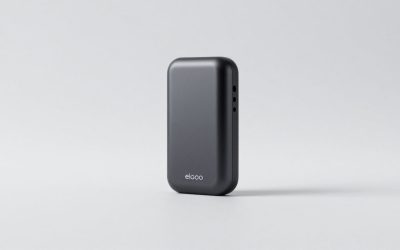
At a listed 3.93 × 2.24 × 0.74 inches, the GC311’s enclosure should be easy to accommodate relative to larger desk equipment. Cable routing still matters: allow space for the HDMI source, display connection and USB run rather than judging placement from enclosure dimensions alone.
For a creator committed to 1080p60, the priority is confirming source compatibility, software support and audio routing before chasing unspecified extras. If your display requirements extend beyond the documented passthrough format, compare connection capabilities first. Our capture card guide provides a broader starting point for that comparison.
Frequently asked questions
Which consoles are listed as compatible with the GC311?
The listing names Nintendo Switch, PS4/PS5, Xbox 360, Xbox One and Xbox Series X/S as compatible console families. That list does not establish support for every output mode those consoles may offer. Buyers should confirm that their console’s intended signal matches the documented 1080p60 capture and Full HD 1080p60 passthrough capabilities before choosing the device.
Can I play through the computer preview without worrying about delay?
The listing describes the HDMI passthrough as having no latency, but that claim does not establish equivalent behavior for the computer preview or live stream. The intended workflow is to play on the display connected through passthrough while using the capture application for framing, scene composition and monitoring the outgoing production.
Will the GC311 work with either USB 2.0 or USB 3.0?
Yes, the published listing information lists UVC support and connection to either USB 2.0 or USB 3.0 ports. Automatic detection without driver installation is also advertised. You still need to configure the capture source inside the chosen application, and the supplied facts do not specify the physical USB connector, included cables or cable lengths.
Does the GC311 support HDR, high refresh rates or variable refresh rate?
The published listing information does not establish HDR, high-refresh operation or variable refresh rate support. Capture and passthrough are specified at 1080p60, with passthrough described as Full HD 1080p60. If preserving any of those display features matters to your setup, verify them before buying rather than assuming the documented recording mode includes them.
Verdict: best approached as a defined Full HD link
The Live Gamer Mini GC311 has a coherent specification-based appeal: 1080p60 capture and passthrough, UVC connectivity and onboard H.264 encoding in a small enclosure. It is a reasonable candidate for an HDMI-to-computer streaming setup built around those requirements. Buyers needing advanced display passthrough, documented chat integration or guaranteed software-specific encoding behavior should resolve those unknowns first.
Sources: Supplied AVerMedia Live Gamer Mini GC311 retailer listing.
Check the exact product and current offer on Amazon