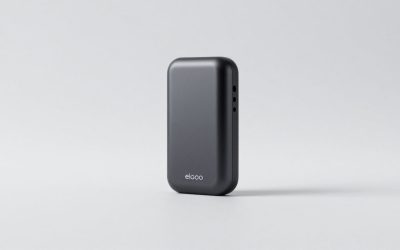
This review analyzes published product information. We have not performed detailed research of this unit.
As an Amazon Associate, we earn from qualifying purchases.
The XIIXMASK USB 3.0 HDMI Capture Card is aimed at creators who want an HDMI source on a local display while sending video to recording or streaming software. Its main attraction is that split workflow: the listing advertises 4K HDMI input and pass-through alongside lower-resolution USB capture. A separate 3.5mm commentary input adds another potential convenience, but its stated inability to record party chat is an important boundary.
This is a specification-based assessment of the aluminum-alloy, USB 3.0 configuration with 4K pass-through and microphone input, not a hands-on test. The supplied listing does not identify a manufacturer model number. Its broad compatibility and stability statements should be treated as seller claims rather than proof that every named device and software combination will work without adjustment.
What the listed hardware establishes
| Item | Supplied specification or claim |
|---|---|
| Video connection | HDMI input and HDMI loop-out |
| Display-side capability | Up to 4K input and 4K pass-through |
| USB capture modes | 1080p and a seller-described 2K mode |
| Host connection | USB 3.0; supplied cable offers USB-A/USB-C connectivity |
| Video format | YUY2 support claimed |
| External audio | 3.5mm headset or microphone input; party-chat recording excluded |
| Construction | Aluminum-alloy housing |
| Included items | Capture card, English manual and USB 3.0 cable |
Keep the display path separate from the capture path
The useful way to understand this card is as two related signal routes. HDMI brings the source into the card, and HDMI loop-out sends it onward to a display. USB carries the capture feed to the host computer. On the supplied specifications, a 4K display-side signal does not mean a 4K recording: the advertised USB capture options are 1080p and 2K.
That distinction matters for a streaming desk where the local screen and the published video have different requirements. The configuration could suit someone who wants to retain a 4K display connection while producing a lower-resolution stream. It is not evidence of a complete 4K capture workflow. Buyers intending to preserve their source resolution in recordings should resolve that requirement before treating pass-through as a substitute.
The listing also leaves several display questions unanswered. It does not establish HDR handling, variable-refresh support, protected-content behavior or detailed HDMI mode compatibility. Its 2K label lacks explicit pixel dimensions. If any of those details is central to your setup, the headline resolution alone is insufficient to confirm a match.
Commentary input is not a complete chat solution
The seller describes a 3.5mm connection for a headset or microphone, intended to add spoken commentary or other external audio. For a straightforward solo presentation, that could reduce the need to plan a separate commentary route. However, the published listing information does not describe independent audio tracks, hardware monitoring or the controls available for balancing external audio against HDMI sound.
More decisively, the listing explicitly excludes party-chat recording. A creator whose videos depend on teammates’ voices should therefore plan the audio workflow separately rather than assume the microphone socket solves everything. Headset wiring compatibility and microphone power requirements are also unspecified, so a physical 3.5mm plug is not enough evidence to guarantee support for a particular microphone.
There is one concrete software instruction worth noting: the seller says OBS Studio must be restarted after audio setup to obtain sound output. That makes audio configuration a distinct commissioning step. Before relying on the card for a live session, a short recording that checks the intended picture and audio sources would be a sensible workflow precaution, not evidence that the device has been tested here.
USB connectivity and the desk around it
The included USB cable provides USB-A/USB-C connectivity, which is helpful when planning around different host connector shapes. Nevertheless, connector fit should not be confused with a verified capture mode. The listing specifies USB 3.0 but does not supply host bandwidth requirements, cable length or a detailed mode-by-mode compatibility chart.
The package list names the card, manual and USB cable, but no HDMI cable. Account for the HDMI connections to both source and display rather than assuming the box supplies the entire signal chain. The seller describes five ports without fully documenting their individual layout, so the evidence cannot establish how neatly cables will route across a particular desk.
Aluminum-alloy construction is documented, while improved cooling, stability and low latency are promotional claims. There are no supplied measurements that establish preview delay or sustained recording behavior. For interactive use, planning around the HDMI loop-out display rather than assuming the software preview will feel equivalent is the more cautious choice.
Check compatibility before choosing upgrades
The listing names Windows, Mac OS, Linux and Android, along with OBS Studio, VLC and Zoom. It also lists consoles and cameras among possible sources. This breadth suggests the intended audience, but it is not a detailed support matrix: current operating-system versions, driver requirements and application-specific capture options are not established.
Start with the complete chain you actually need: source output, local display mode, host connection, capture application and audio routing. If the priority is solo commentary with lower-resolution recording and 4K pass-through, the advertised configuration is relevant. If the priority is party chat, confirmed advanced display features or documented capture compatibility, those unresolved requirements should guide the next purchase decision. Our capture card guide provides a broader starting point for considering that workflow.
Frequently asked questions
Does the capture card record in 4K?
No, the article says the card advertises up to 4K input and 4K HDMI pass-through, while its USB capture options are 1080p and a seller-described 2K mode. Therefore, a 4K display-side signal does not establish 4K recording. The listing also does not define the pixel dimensions of its 2K label.
What comes in the package?
The package includes the capture card, an English manual, and a USB 3.0 cable offering USB-A/USB-C connectivity. The article says no HDMI cable is listed, so the source-to-card and card-to-display HDMI connections must be accounted for separately. The listing identifies the housing as aluminum alloy.
Can it record party chat through the microphone input?
No, the supplied listing explicitly excludes party-chat recording. The 3.5mm connection is described for a headset or microphone and may support spoken commentary or other external audio, but the article says it does not establish independent audio tracks, hardware monitoring, or controls for balancing external audio against HDMI sound.
What audio setup step does the seller specify for OBS Studio?
The seller says OBS Studio must be restarted after audio setup to obtain sound output. The article presents this as a configuration instruction, not as evidence of testing. It recommends making a short recording before a live session to check the intended picture and audio sources, while noting that microphone power requirements and headset wiring compatibility are unspecified.
Which advanced display features are not documented?
The listing does not establish HDR handling, variable-refresh support, protected-content behavior, or detailed HDMI mode compatibility. It also does not provide a detailed mode-by-mode compatibility chart for operating systems and applications. Buyers who depend on those features should not treat the advertised 4K input and pass-through alone as confirmation that the card matches their setup.
Verdict
The XIIXMASK offers a plausible specification match for a simple HDMI-to-USB creator desk with a separate display and commentary input. Its strongest appeal is the split display/capture path. Its clearest limitation is the exclusion of party-chat recording, followed by incomplete documentation of advanced video and audio compatibility. Choose on those workflow boundaries, not on the listing’s unverified latency or stability promises.
Sources: Supplied XIIXMASK retailer listing.
Check the exact product and current offer on Amazon