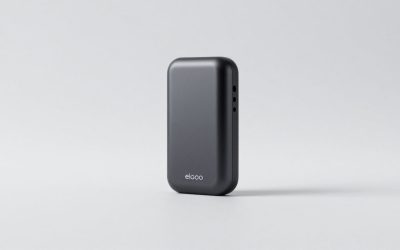
This review analyzes published product information. We have not performed detailed research of this unit.
As an Amazon Associate, we earn from qualifying purchases.
A capture adapter, not a confirmed monitor hub
The VIXLW HDMI capture card makes the most sense as a simple bridge between an HDMI source and recording or meeting software. This review covers the silver, USB-C-listed configuration supplied with a USB 3.0-to-USB-C adapter. No manufacturer model number is provided, so its advertised connection and recording capabilities identify the configuration here.
This is specification-based analysis of the retailer listing, not a hands-on assessment. The central distinction is between accepting a signal and recording it: VIXLW advertises up to 4K at 30Hz on the HDMI input, but recording tops out at its stated 2K at 30Hz or 1080p at 60Hz. Buyers seeking a straightforward 1080p60 recording path have a clearer fit than those expecting 4K capture or a fully documented gaming-display connection.
The advertised signal path and specifications
| Item | Supplied specification or limitation |
|---|---|
| Brand and configuration | VIXLW; silver finish; USB-C listing option |
| HDMI input | Up to 4K at 30Hz, according to the listing |
| Recording modes | 2K at 30Hz or 1080p at 60Hz; exact 2K pixel dimensions unspecified |
| Host connection | Advertised USB 3.0 interface; USB 3.0-to-USB-C adapter included |
| Power and setup | Advertised as requiring no external power or driver installation |
| Audio | Dual-channel audio capture claimed |
| Enclosure | Aluminum alloy |
| Listed operating systems | Windows 7, 8, 10 and 11; macOS; Linux; Android |
| Named software | OBS, Zoom, VLC and Twitch Studio |
| Listed package contents | Capture card, USB 3.0-to-USB-C adapter and user manual |
| HDMI passthrough | Not established by the supplied evidence |
Choose the recording mode before planning the stream
For gameplay, the advertised 1080p60 mode is the more relevant starting point when motion cadence matters more than the higher-resolution option. The stated 2K30 mode instead suggests a tradeoff toward resolution and away from frame rate. However, the listing does not define “2K” in pixels. Do not assume a particular editing-canvas size from that label alone.
The 4K input claim should not be read as 4K recording support. Nor does it establish acceptance of every output mode a console or camera might offer. Input support above 4K30, HDR handling and variable-refresh-rate compatibility are not specified. If those features are part of your existing setup, confirming the exact signal you intend to feed this adapter is more useful than relying on the broad console compatibility list.
VIXLW also claims very low latency and uninterrupted capture. The evidence provides no measurements or test conditions to substantiate those assurances. More importantly for desk planning, it does not establish a separate HDMI passthrough output. Treat this as a capture connection rather than assuming it can sit between a console and monitor while preserving your usual play experience. Software preview responsiveness remains unverified.
USB-C helps the connection, but does not settle compatibility
The included adapter is useful for a creator moving between host connection types. Nevertheless, the USB-C option describes a connection arrangement, not a guarantee that every USB-C-equipped computer or tablet will support the intended workflow. The listing emphasizes USB 3.0, but supplies no recording-mode matrix for different host ports. Verify the host connection rather than treating connector shape as the complete compatibility check.
Windows, macOS, Linux and Android appear in the feature list, alongside OBS, Zoom and VLC. Those are seller compatibility claims, not evidence of testing across every operating-system and application version. The no-driver and no-external-power claims are particularly appealing for a desk where avoiding another power supply or installation step matters, although they do not document every platform-specific setup procedure.
Tablet buyers need extra caution. The title mentions iPad, while the detailed operating-system list does not explain iPadOS support, compatible apps or device requirements. The listing also advises enabling a tablet’s OTG function. That instruction is not a substitute for platform-specific confirmation. An iPad-first recording setup therefore has more unresolved questions than the advertised Windows or macOS connection path.
Audio, cabling and the practical upgrade order
Dual-channel audio capture is advertised, but sample rates, audio formats and independent microphone connections are not documented. For a creator combining gameplay with commentary, the sensible planning assumption is to confirm the separate commentary path rather than expecting this device to supply a mixer or microphone input. The evidence supports an audio-capture claim, not a complete streaming-audio feature set.
The stated package includes the capture card, adapter and manual; it does not list an HDMI cable. Check your existing cabling before organizing the desk. VIXLW recommends first testing the HDMI device with a monitor to confirm video and audio output, then connecting the capture card. That is a useful staged setup approach because it separates the source-output check from capture configuration.
For upgrade priorities, resolve signal compatibility and monitoring needs before focusing on the aluminum enclosure. VIXLW attributes heat-dissipation benefits to that construction, but supplies no thermal results. If your requirements extend to verified passthrough or more thoroughly documented recording formats, compare those capabilities explicitly using our capture card guide.
Frequently asked questions
Can this capture card record in 4K?
No, the advertised 4K at 30Hz specification applies to the HDMI input, not recording. The stated recording modes are 2K at 30Hz or 1080p at 60Hz. The listing does not establish 4K recording support, and it also does not specify whether the adapter accepts every output mode from a console or camera.
Does the adapter provide HDMI passthrough to a monitor?
HDMI passthrough is not established by the supplied evidence. The article therefore recommends treating the unit as a capture connection rather than assuming it can sit between a console and monitor while preserving the usual play experience. Buyers who need verified passthrough should confirm that capability before making the adapter central to the desk connection.
What does the listing mean by 2K recording?
The listing states 2K at 30Hz, but it does not define the exact 2K pixel dimensions. You should not assume a particular editing-canvas size from that label alone. Compared with the advertised 1080p at 60Hz mode, the 2K option suggests a tradeoff toward resolution and away from frame rate.
Is an HDMI cable included in the package?
No HDMI cable is listed among the package contents. The stated package includes the capture card, a USB 3.0-to-USB-C adapter and a user manual. Check existing cabling before organizing the desk. VIXLW recommends first testing the HDMI device with a monitor to confirm video and audio output, then connecting the capture card.
Can it handle separate microphone commentary?
The article does not establish that the device provides a separate microphone connection or mixer. It advertises dual-channel audio capture, but sample rates, audio formats and independent microphone connections are not documented. For gameplay with commentary, plan to confirm a separate commentary path rather than expecting this capture adapter to supply a complete streaming-audio feature set.
Verdict: a conditional fit for straightforward capture
This VIXLW configuration offers an appealing advertised combination of 1080p60 recording, USB-C adaptation and operation without external power. It is a plausible choice for a simple HDMI-to-software workflow. Its weaker point is documentation: passthrough, exact 2K dimensions, latency and tablet-specific support remain unresolved. Confirm those requirements before making it the central connection in a gaming or creator desk.
Sources: VIXLW retailer listing and supplied product specifications.
Check the exact product and current offer on Amazon