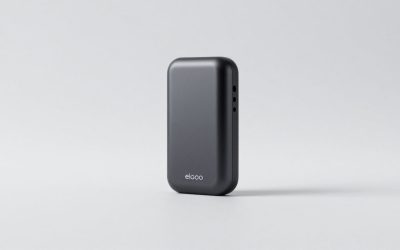
The best Black Friday Elgato deal depends on which side of the capture chain you sit on: console players who want to keep 4K HDR on their TV should target the HD60 X, dual-PC creators chasing uncompressed 4K60 HDR recordings should target the 4K60 Pro MK.2, and anyone streaming from a single PC gets more day-to-day value from a discounted Stream Deck than from any capture card. Those three land in different price brackets — roughly $100–$130, $170–$210 and $100–$130 respectively — and they rarely all bottom out in the same sale window.
As an Amazon Associate we earn from qualifying purchases at no extra cost to you.


Our Top Picks


Quick comparison: the three Elgato picks worth waiting for
| Pick | Best for | Key specs (per Elgato’s published spec sheets) | Typical price range |
|---|---|---|---|
| Elgato HD60 X | Console capture on a TV | USB 3.0 bus-powered; 1080p60 HDR10 capture; 4K60 HDR10 / 1440p120 / 1080p240 passthrough with VRR; HDMI 2.0 in and out; 3.5 mm chat in/out | Usually $130–$170; sale often $100–$130 |
| Elgato 4K60 Pro MK.2 | High-bitrate 4K60 capture, dual-PC | PCIe x4 card; 4K60 HDR10 capture and passthrough; HDMI 2.0; no USB compression on the capture path | Usually $200–$260; sale often $170–$210 |
| Elgato Stream Deck MK.2 | Stream control on any setup | 15 customisable LCD keys; USB bus-powered, no wall adapter; hot-swappable faceplate; works with OBS, Twitch, YouTube and Discord | Usually $130–$160; sale often $100–$130 |
Prices move every year and vary by region, so treat the ranges above as brackets to shop inside rather than fixed figures. Bundles are where Black Friday usually beats the individual discount — a card plus a Stream Deck bought together often lands below the sum of two separate sales.
Elgato HD60 X — best for console capture
The HD60 X is the pick for anyone playing on a PS5 or Xbox Series X against a 4K TV. Its passthrough handles 4K60 HDR10, 1440p120 and 1080p240 with variable refresh rate support, so the console sees the TV, not the capture card, and your gameplay looks untouched. Capture tops out at 1080p60 HDR10, which is exactly what Twitch and YouTube ingest anyway at typical streaming bitrates.
Who it suits: console-first players, laptop streamers, and anyone who wants a card that travels between rooms. It is bus-powered over USB 3.0, so there is no power brick in the chain.
The trade-off: no 4K recording. If you want 4K60 files for YouTube uploads rather than live streams, this is the wrong card — step up to the 4K60 Pro MK.2 or an HDMI 2.1 USB model. Also check that your console’s 120 Hz mode is not being passed at a resolution your card can’t carry; the passthrough list is the spec line to read before checkout.
Elgato 4K60 Pro MK.2 — best for high-bitrate 4K and dual-PC rigs
This is a PCIe x4 card, not a USB device, and that single difference is why it exists. It captures 4K60 HDR10 natively inside your machine with no compression applied to the capture path, which means cleaner source files for editing and a lower-latency feed for a second streaming PC. Passthrough is 4K60 HDR10 over HDMI 2.0.
Who it suits: creators recording 4K for post-production, dual-PC streamers, and anyone whose capture files get re-encoded or clipped into highlight reels. It also suits a console setup where the capture PC sits next to the TV permanently.
The trade-off: it needs an open PCIe x4 slot, a desktop chassis and a machine you are willing to open. No laptops, no consoles-only households, no portability. If you need 4K120 or 4K144 passthrough for a current-gen console running at high refresh, the newer Elgato 4K Pro class card with HDMI 2.1 is the one to compare against — the 4K60 Pro MK.2 is an HDMI 2.0 part.
Elgato Stream Deck — best for streamers on a single PC
Here is the counter-intuitive part of Black Friday Elgato shopping: if you game and stream from one machine, a capture card adds almost nothing and costs you performance, because the same GPU is already rendering the game. A Stream Deck changes the stream more per dollar — scene switching, muting, replay buffer clipping, chat commands and audio routing mapped to physical keys instead of alt-tabbing out of a match.
Who it suits: single-PC streamers, podcasters, and anyone running OBS or the Elgato Stream Deck software. The MK.2 is the 15-key default; the Stream Deck + adds four dials for audio and camera control, the Neo offers a smaller 8-key layout with a touch strip, and the XL carries 32 keys for people running complex multi-scene productions. The Pedal covers hands-free push-to-talk and clip saving.
The trade-off: it captures nothing. If your goal is to record console gameplay, a Stream Deck on its own is a control surface with no video path.
The bandwidth math that decides your capture card
Capture card shopping goes wrong when people compare resolutions without comparing the pipe underneath. An uncompressed signal’s data rate is horizontal pixels × vertical pixels × refresh rate × bits per pixel, and that number is what determines whether your card can actually carry what your console outputs.
Work it through for 4K60 at 8-bit colour: 3840 × 2160 × 60 × 24 bits ≈ 11.94 Gbps. Step up to 10-bit colour for HDR and it becomes 3840 × 2160 × 60 × 30 ≈ 14.93 Gbps. HDMI 2.0 carries 18 Gbps raw but only about 14.4 Gbps of usable payload after 8b/10b encoding — which is why a console feeding 4K60 HDR through an HDMI 2.0 capture card drops to 4:2:2 or 4:2:0 chroma subsampling to fit. That is a spec-sheet fact, not a fault of the card.
| Signal (uncompressed) | Approx. payload rate | Fits HDMI 2.0 (~14.4 Gbps payload)? | Fits USB 3.0 (5 Gbps raw)? |
|---|---|---|---|
| 1080p60, 8-bit, 4:4:4 | ~2.99 Gbps | Yes | Yes |
| 1080p60, 8-bit, 4:2:2 | ~1.99 Gbps | Yes | Yes |
| 1440p60, 8-bit, 4:4:4 | ~5.31 Gbps | Yes | No |
| 4K60, 8-bit, 4:4:4 | ~11.94 Gbps | Yes | No |
| 4K60, 10-bit, 4:4:4 | ~14.93 Gbps | No — needs 4:2:2/4:2:0 or HDMI 2.1 | No |
Read the last column twice. A USB 3.0 link tops out at 5 Gbps raw, so a USB capture card physically cannot ship an uncompressed 4K60 frame down the cable — it compresses before the signal reaches your PC. PCIe cards like the 4K60 Pro MK.2 don’t have that ceiling, which is the real reason to pay more for one. It also explains why a USB card that advertises 4K60 capture and a PCIe card that advertises 4K60 capture are not the same product.
How much storage your Black Friday purchase commits you to
Bitrate is a budget you set at capture time, and it converts to disk space at a flat 1 Mbps ≈ 0.45 GB per hour. The numbers below assume a four-hour session, which is a realistic single evening of console play.
| Recording target | Bitrate | Per hour | 4-hour session |
|---|---|---|---|
| 1080p60, streaming-quality archive | 12 Mbps | ~5.4 GB | ~21.6 GB |
| 1440p60, good quality | 20 Mbps | ~9 GB | ~36 GB |
| 4K60, standard quality | 45 Mbps | ~20.3 GB | ~81 GB |
| 4K60, high quality | 80 Mbps | ~36 GB | ~144 GB |
A 1 TB drive holds roughly 12 high-quality 4K60 sessions before it fills. In practice a SATA SSD or even a mechanical drive sustains well over 120 MB/s — about 960 Mbps — so storage bandwidth is almost never the bottleneck. The bottleneck is your encoder, which is why capturing at 4K60 on the same PC you’re gaming on is often the worst of both worlds.
Which setup should you actually buy?
| Your situation | Buy this first | Why |
|---|---|---|
| PS5/Xbox on a 4K TV, streaming from a laptop | HD60 X | Passthrough keeps 4K60 HDR on the TV; 1080p60 capture matches live streaming bitrates |
| Same console, but you want 4K YouTube uploads | 4K60 Pro MK.2 (desktop) or an HDMI 2.1 USB card | You need a 4K capture path, not just 4K passthrough |
| Dual-PC setup with a dedicated streaming machine | 4K60 Pro MK.2 | PCIe avoids USB compression and keeps latency low |
| Single PC, gaming and streaming together | Stream Deck MK.2 | A capture card would compete with the game for GPU time; a control surface doesn’t |
| Console at 4K120 or 144 Hz on a modern TV | HDMI 2.1 card class (Elgato 4K Pro / 4K X) | HDMI 2.0 cards pass 1440p120 or 1080p120 instead of 4K120 |
| Camera or handheld as a webcam source | Cam Link 4K class adapter | Cheaper than a full capture card for a single HDMI camera feed |
How to choose in the checkout queue
- Check the passthrough column, not the capture column. Passthrough is what you see while playing; capture is what your viewers get. A card that captures 1080p60 but passes 4K60 HDR is a better console buy than one that captures 4K30 and passes 4K30.
- Match the capture resolution to your stream output. Streaming at 6000 kbps to a live platform means your encoded output is roughly 6 Mbps. Capturing at 4K60 and 80 Mbps on a single PC to feed a 6 Mbps stream is wasted encoding work.
- Count your slots before the sale. A PCIe x4 capture card is useless in a laptop, an ITX build with a full-length GPU, or a console-only household. USB cards trade image fidelity for flexibility.
- Budget the bundle. A discounted Stream Deck plus an HD60 X usually totals somewhere in the $200–$260 range, which is less than a 4K60 Pro MK.2 plus a Stream Deck — and for a single-PC streamer, that cheaper pair does more.
- Buy the control surface first if you’re undecided. It helps every stream, every session, on every platform. A capture card only helps the specific sources it can accept.
Frequently Asked Questions
Is the Elgato HD60 X or the 4K60 Pro MK.2 better for a PS5 or Xbox Series X?
For a console connected to a 4K TV, the HD60 X is usually the better fit because its passthrough preserves 4K60 HDR on the television while capturing at 1080p60 — which is the resolution live platforms stream at anyway. The 4K60 Pro MK.2 wins only if you need 4K60 files for editing and you have a desktop with a free PCIe x4 slot. The MK.2 cannot be used with a laptop or a console-only setup.
Do Elgato capture cards and Stream Decks actually get discounted on Black Friday?
Yes — Elgato hardware is a regular Black Friday category, and the discounts typically land on the mid-range models rather than brand-new releases. Historically the HD60 X and Stream Deck MK.2 see the deepest percentage cuts, while PCIe cards and newer HDMI 2.1 models see smaller reductions. Expect the sale price to sit at the low end of each product’s normal range rather than far below it.
Do I need a capture card at all if I only stream PC games?
No. When the game and the stream run on the same machine, the GPU is already producing the frames your streaming software encodes — a capture card would only add a loop and compete for resources. Spend that money on a Stream Deck or on a second machine first. Capture cards earn their place when the video source is external: a console, a camera, or a second PC.
Which Stream Deck should I buy on sale — MK.2, +, Neo, or XL?
The MK.2 with 15 keys is the safe default for most streamers and is the model that discounts most often. Choose the Stream Deck + if you want physical dials for audio levels and camera zoom, the Neo if desk space is tight and eight keys plus a touch strip is enough, and the XL if you run multi-scene productions and regularly need more than 15 actions visible at once. All of them are USB bus-powered, so none requires a separate power supply.
Will a USB capture card work with a laptop, and what do I give up?
Yes — USB cards like the HD60 X work with any machine that has a USB 3.0 port, which is their main advantage over PCIe. What you give up is uncompressed 4K capture: a USB 3.0 link carries about 5 Gbps raw, well under the roughly 11.94 Gbps an uncompressed 4K60 8-bit 4:4:4 signal needs, so USB cards compress the video before it reaches your PC. For 1080p60 streaming that trade-off is invisible; for 4K archival recording it is not.
Does the 4K60 Pro MK.2 need a specific PCIe slot?
It requires a PCIe x4 slot, and it is a full-height card, so it needs a desktop chassis with room for it. Check your motherboard manual for which slots are electrically x4 or wider before buying — a physical x16 slot that is only wired for x1 will not work. If you are on a laptop, a small-form-factor build with no free slot, or a console-only household, a USB capture card is the only option.
Related guides
- 6 Best Capture Cards for PS5 Streaming (October 2026) Expert Picks
- 6 Best Cam Link Devices for Dslr Streaming (October 2026) Complete Guide
- Blackmagic Design DeckLink Duo 2 Review: Four SDI Connections for a Desktop Production Workflow
- DigitPro Cam Link 4K USB Capture Card Review: HDMI Workflow and Capture Limits