
A mirrorless camera can make a home office, craft room, studio corner, or dining-table teaching setup look dramatically better than a built-in webcam. The catch is that most cameras need a capture card to send their HDMI output into a laptop or desktop for Zoom, OBS, Twitch, recording software, or a virtual event. The best capture cards for mirrorless cameras keep that connection straightforward, with enough bandwidth for smooth 1080p video and a practical fit for the ports already on your computer.
For 2026, the smart choice depends less on the camera body alone and more on the workflow: whether you need USB-C convenience, 1080p at 60 frames per second, a low-cost backup for a dedicated desk, or a premium option from a recognized capture-card brand. Below, we ranked eight options by their stated connectivity, supported video claims, compatibility language, and price—not by invented performance measurements or unstated specifications.
As an Amazon Associate we earn from qualifying purchases at no extra cost to you.






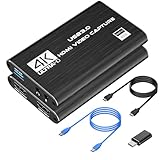

Our Top Picks
 AVerMedia CamStream 4K BU113G2 HDMI Capture Card for3.18 x 1.61 x 0.57 inches0.1 PoundsCheck on Amazon





Top 3 picks at a glance
Quick Picks
| Product | Best for | Price |
|---|---|---|
| Elgato Cam Link 4K | Creators who want a dedicated USB-A capture solution | Check on Amazon |
| Guermok Video Capture Card | Budget USB-C and USB 3.0 setups | Check on Amazon |
| 4K HDMI Video Capture Card for Streaming | Affordable 1080p60 camera and console use | Check on Amazon |
| AVerMedia CamStream 4K BU113G2 | Premium streaming and video-conference workflows | Check on Amazon |
| UGREEN 2K@30Hz / 1080P 60FPS Video Capture Card | Simple USB 3.0 desk setups | Check on Amazon |
| Video Capture Card, 4K USB3.0 HDMI to USB C | Lowest-cost USB-C-ready option | Check on Amazon |
| 4K HDMI Capture Card for Streaming, Full HD 1080P 60FPS | Basic streaming with camera or gaming hardware | Check on Amazon |
| Audio Express AXHDCAP | Very low-cost video conferencing and teaching | Check on Amazon |
How We Compared
We prioritized the details that matter when connecting a mirrorless camera to a computer: HDMI-to-USB capture, stated output or capture resolution, frame-rate claims, computer compatibility, and connector type. USB 3.0 models received extra consideration for users who want 1080p at 60 fps, while USB-C-capable choices stand out for newer laptops, tablets, and compact workstation setups.
Price also mattered. This list ranges from around $9 to around $99, a around $90 spread that makes it especially important to match the card to the job. A low-cost card may be enough for occasional meetings, while regular streaming, classes, and recorded presentations can justify a more specialized option. Before buying, confirm that your mirrorless camera has clean HDMI output and that its HDMI cable and port type match your setup.
The 8 Best Picks
1. Elgato Cam Link 4K Capture Card
The Elgato Cam Link 4K is the best fit for creators building a dedicated mirrorless-camera workstation around a Windows 10 or Windows 11 PC or a Mac. It uses a USB-A connector with a USB 3.0 hardware interface, making it especially practical for desktop computers and laptops that still have full-size USB ports. At around $85, it costs more than the generic alternatives here, but it is positioned as a camera-focused option for DSLR, camcorder, and action-camera use. Skip it if your computer only has USB-C ports and you do not want to use an adapter.
- Pro: Designed specifically for DSLR, camcorder, and action-camera workflows.
- Pro: Lists support for Windows 10/11 and macOS.
- Con: Its USB-A connector may be less convenient on USB-C-only laptops.
2. Guermok Video Capture Card, 4K USB3.0 HDMI to USB C
The Guermok Video Capture Card is a strong value choice for a home office or small content station that needs HDMI capture with USB-C convenience. Priced at around $18, it claims 4K HDMI input, 1080p at 60 fps, and 2K at 30 fps. That makes it a sensible match for a mirrorless camera set to a 1080p output mode, especially when smoother motion is more useful than chasing higher resolution. Its USB 3.0 and USB-C positioning is appealing for current laptops. Skip it if you need a card with clearly listed operating-system compatibility from the product name.
- Pro: States 1080p capture at 60 fps.
- Pro: Combines USB 3.0 with USB-C connectivity language.
- Con: The listed compatibility details are less specific than some competitors.
3. 4K HDMI Video Capture Card, 1080P 60FPS Video Capture Device
This around $25 4K HDMI Video Capture Card is for buyers who want one inexpensive device for both a mirrorless camera and entertainment hardware. Its listing names camera, Xbox, PS4, PS5, PC, and OBS use, and it specifies HDMI to USB 3.0 capture with 1080p at 60 fps. That broad use case makes it a practical option for a multipurpose family desk, gaming room, or hybrid creator setup. It is not the least expensive choice, so skip it if you only need occasional 1080p video calls and would rather spend under $20.
- Pro: States 1080p at 60 fps over USB 3.0.
- Pro: Lists camera, PC, OBS, and multiple console use cases.
- Con: Costs more than several similarly positioned budget cards.
4. AVerMedia CamStream 4K BU113G2
The AVerMedia CamStream 4K BU113G2 is the premium pick for a polished work-from-home studio, regular live-streaming space, or dedicated teaching setup. At around $99, it is the most expensive card in this roundup, but its listing specifically calls out DSLR, camcorder, and action-camera compatibility, along with low latency for live streaming and video conferencing. It also names OBS, Zoom, Twitch, Windows 11, Mac, and iPad compatibility. That breadth is particularly helpful for households switching among computers and tablets. Skip it if price is the deciding factor and your workflow only requires straightforward 1080p capture.
- Pro: Specifically lists low-latency live-streaming and video-conferencing use.
- Pro: Names Windows 11, Mac, and iPad compatibility.
- Con: At around $99, it is the priciest option on this list.
5. UGREEN 2K@30Hz 1080P 60FPS Video Capture Card
UGREEN’s capture card is a sensible middle-ground budget pick for a clean, uncomplicated mirrorless-camera desk setup. It costs around $19 and lists 4K HDMI input, USB 3.0 output, 2K at 30 Hz, and 1080p at 60 fps. Those stated modes give buyers a clear starting point when choosing a camera output setting for meetings, livestreams, or recorded tutorials. It is best for users who already know they want a USB 3.0 connection and do not need a product listing that emphasizes consoles or tablet support. Skip it if USB-C connection is essential for your computer.
- Pro: Lists 1080p at 60 fps for smooth Full HD video.
- Pro: Supports a stated 4K HDMI input.
- Con: The product name specifies USB 3.0 rather than USB-C.
6. Video Capture Card, 4K USB3.0 HDMI to USB C, Silver
At around $15, this silver HDMI-to-USB-C capture card is the lowest-cost choice for buyers who want a model that explicitly names a wide range of modern devices. The listing includes 4K USB 3.0 HDMI to USB-C, 1080p at 60 fps, and compatibility with iPad, Mac OS, Windows, OBS, Zoom, cameras, and major game consoles. That makes it especially useful for flexible home setups where a mirrorless camera may be used with more than one host device. Skip it if you prefer a product with a more detailed manufacturer-specific model identity or need a USB-A-only arrangement.
- Pro: Explicitly lists USB-C, iPad, Mac OS, and Windows use.
- Pro: Claims 1080p capture at 60 fps for around $15.
- Con: The listing provides fewer model-specific details than branded alternatives.
7. 4K HDMI Capture Card for Streaming, Full HD 1080P 60FPS
This around $21 black capture card is a straightforward option for shoppers who want a compact-sounding HDMI-to-USB 3.0 device for a mirrorless camera, console, or PC. It lists Full HD 1080p at 60 fps and names camera, Switch, Xbox, PS4, PS5, PC, and OBS compatibility. For a creator who wants to move between a camera-based streaming session and a gaming session without buying separate hardware, that flexibility is its main appeal. Skip it if USB-C is nonnegotiable or if you need listed support for video-conferencing platforms such as Zoom.
- Pro: Lists Full HD 1080p at 60 fps.
- Pro: Covers camera, PC, OBS, and several console platforms.
- Con: USB-C and named video-conference app compatibility are not specified.
8. Audio Express AXHDCAP 4K HDMI Video Capture Card
The Audio Express AXHDCAP is the budget-first choice for basic mirrorless-camera capture, online instruction, video conferences, and live broadcasting. At only around $9, it is the least expensive product in the roundup and lists 4K HDMI input with HDMI-to-USB 2.0 connectivity. Its stated uses include streaming, live broadcasting, video conference, teaching, and gaming, making it an appealing spare card for a secondary workspace or occasional presentation setup. Because it uses USB 2.0, skip it if your priority is a listed 1080p-at-60-fps workflow; several USB 3.0 options here state that capability.
- Pro: The lowest-priced option at around $9.
- Pro: Lists teaching, video conferencing, streaming, and live broadcasting uses.
- Con: Uses USB 2.0 rather than USB 3.0.
Buying Guide
Confirm Your Camera’s HDMI Output
First, verify that your mirrorless camera can output video through HDMI and determine whether it uses full-size HDMI, micro HDMI, or mini HDMI. The capture cards in this guide are described as HDMI input devices, but the cable between camera and card may require a camera-specific connector on one end. Also check your camera menu for clean HDMI output, which removes unwanted icons and camera overlays from the video feed.
Match the USB Connection to Your Computer
USB 3.0 options are the better match when the product specifically claims 1080p at 60 fps. If your laptop has USB-C ports, look closely at whether the card itself has USB-C connectivity or whether you will need an adapter. The Elgato Cam Link 4K uses USB-A, while the Guermok and the silver USB-C capture card specifically mention USB-C. Do not assume a port shape alone determines video capability.
Buy for the Actual Use Case
For regular Zoom meetings, teaching, and simple presentations, the around $9 to around $21 options may be sufficient if their connection type suits your computer. For 1080p60 streaming, focus on the models that explicitly state 1080p at 60 fps, including the Guermok, UGREEN, and several generic USB 3.0 cards. If you routinely use OBS, Zoom, Twitch, a Mac, Windows 11, or iPad, the AVerMedia listing provides the most clearly named platform support.
Our Verdict
The Elgato Cam Link 4K is the best overall choice for a dedicated mirrorless-camera setup with USB-A and Windows 10/11 or macOS support. The AVerMedia CamStream 4K BU113G2 is the best premium alternative for users who value stated compatibility across OBS, Zoom, Twitch, Windows 11, Mac, and iPad. For value, the Guermok Video Capture Card offers a compelling around $18 price with stated 1080p60, 2K30, USB 3.0, and USB-C features. For the absolute lowest upfront cost, the Audio Express AXHDCAP is the around $9 basic-use pick.
FAQ
Can I use a capture card with any mirrorless camera?
You can use one with a mirrorless camera that provides HDMI video output, provided you have the correct cable. Check whether your camera uses full-size HDMI, micro HDMI, or mini HDMI, and look for a clean HDMI setting if you do not want camera menus visible in your feed.
Do I need USB 3.0 for a mirrorless camera capture card?
USB 3.0 is a good choice when you want a product that specifically lists 1080p at 60 fps. Several cards in this roundup make that claim over USB 3.0. The Audio Express AXHDCAP uses USB 2.0 and is better suited to buyers prioritizing the lowest price and basic capture tasks.
Is 4K input the same as 4K capture?
No. A product can list 4K HDMI input while stating a different capture mode, such as 1080p at 60 fps or 2K at 30 fps. Read both the input language and the stated capture-resolution language before choosing settings on your camera.
Which capture card is best for Zoom or OBS?
For the clearest named compatibility, the AVerMedia CamStream 4K BU113G2 lists both OBS and Zoom. The around $25 generic 4K HDMI Video Capture Card and the around $21 Full HD model list OBS, while the around $15 silver USB-C card lists both OBS and Zoom.









