
As an Amazon Associate we earn from qualifying purchases at no extra cost to you.


Our Top Picks
 Amazon Basics 2-Pack XLR Male to Female Microphone10 Feet120 x 0.75 x 0.75 inches0.84 poundsCheck on Amazon
- Amazon Basics XLR Male to Female Microphone Cable6 Feet73.2 x 0.87 x 0.75 inches0.3 PoundsCheck on Amazon
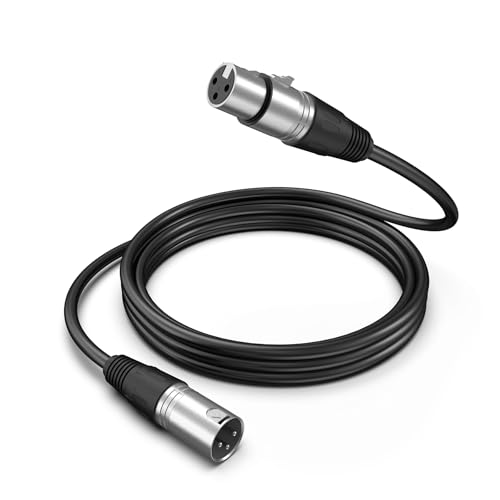

Top 3 picks at a glance
The Short Answer
For most streaming desk setups, a 6-foot XLR cable is the right choice if your microphone arm or boom is mounted on the desk itself. If you use a floor stand, route cable around a doorway, or connect to an interface sitting on a shelf behind you, step up to a 10-foot cable. Podcasters running multiple mics to a mixer or interface on a different piece of furniture should look at 15-foot runs, though budget an extra $5–$10 for the longer length.
The core principle: measure the actual path the cable travels — not the straight-line distance between mic and interface. Boom arms, under-desk routing, and slack loops easily double the distance you think you need. When in doubt, going one size up costs about $3–$5 more and saves you from a cable stretched taut across your floor.
Standard Sizes
XLR cables come in a handful of standard lengths, and knowing the real measurements helps you match a cable to your desk before it arrives.
| Length | In Inches | In Centimeters | Typical Use at a Streaming Desk | Typical Price |
|---|---|---|---|---|
| 3 ft | 36 in | 91 cm | Mic mounted directly beside the interface; tight desktop rigs | $8–$12 |
| 6 ft | 72 in | 183 cm | Desk-mounted boom arm with interface on the same desk — the most common streaming setup | $10–$20 |
| 10 ft | 120 in | 254 cm | Floor stand mics, interfaces on a shelf or under the desk, dual-monitor wide setups | $13–$22 |
| 15 ft | 180 in | 457 cm | Two-person streams, mixer on a separate stand, routing around a room corner | $15–$28 |
| 25 ft | 300 in | 762 cm | Room-length runs, shared studio spaces, connecting across a basement streaming room | $20–$40 |
Most desk streamers land on 6 or 10 feet. A 3-foot cable rarely reaches comfortably once you account for a boom arm’s swing radius, and anything over 25 feet is overkill for a single-desk setup — you’ll just coiled up excess cable behind your furniture, which can invite hum in unbalanced environments even though XLR is balanced.
How to Measure Your Space
Getting the length right takes about ten minutes with a tape measure. Follow these steps:
- Mark your mic’s final position. Extend your boom arm to the position you’ll actually use on stream — usually 6 to 12 inches from your mouth, which typically puts the mic 18 to 30 inches from the arm’s mounting point.
- Locate your interface or mixer. Note whether it sits on the desk (a foot or two from the mic), under the desk, or on a separate shelf or table.
- Measure the full cable path. Run your tape measure from the mic’s XLR connector, along the boom arm to its base, down the desk leg or behind the desktop, and over to your interface. Follow the route the cable will actually take, including any dips under the desk for cable management trays.
- Add slack. Add 2 feet for a service loop at the mic end (so you can reposition the arm without unplugging) and 1 foot at the interface end. If your boom arm is 30+ inches long, add another foot to account for the arm itself.
- Round up to the nearest standard size. If your total comes to 7.5 feet, buy the 10-foot cable, not a stretched 6-footer.
- Check your desk height. A standard desk is 29 to 30 inches tall. Cables routed from a desk-mounted arm down to the floor and back up (for under-desk interfaces) need roughly 5 feet of cable just for the vertical runs.
By Room or Use Case
Single-Person Streaming Desk
The classic setup: one mic on a desk-mounted boom arm, audio interface on the desk within arm’s reach. A 6-foot XLR cable covers this comfortably in nearly every case. The Amazon Basics 6-foot XLR Male to Female cable (around $11) is a straightforward pick here — its 6mm PVC jacket holds up to being repositioned along the arm, and all-copper conductors keep noise low at this short run. Expect to spend $10–$14 total.
Streaming With a Floor Mic Stand
If your mic lives on a floor stand beside or behind the desk — common for standing streamers or those wanting the boom out of the webcam frame — the distance from mic to interface grows quickly. A floor stand positions the mic 40 to 60 inches off the ground, and your cable runs down the stand (add the stand’s height), across 3 to 6 feet of floor, and up to the desk. A 10-foot cable is the standard choice; the Amazon Basics 2-pack of 10-foot cables (around $16, or about $8 per cable) is worth considering if you plan to add a second mic later.
Dual-Mic Podcast/Stream Setup
Two hosts mean two cables converging on one interface or mixer. If the mixer sits between you, 6-foot cables work. If it sits off to one side or on a shelf, give each mic a 10-foot run so neither host’s cable crosses the other’s leg space. The FIFINE L9C Balanced 3-Pin XLR cable (around $18) and the FIFINE L9CP Male to Female version (around $19) both suit this kind of paired arrangement, and the balanced 3-pin construction keeps crosstalk down when two long runs sit near each other.
Interface Under the Desk or on a Shelf
Cable-management setups that hide an interface in an under-desk tray or on a shelf behind the monitor quietly add 4 to 6 feet to your run. A 6-foot cable that would work with a desktop interface becomes borderline; go with 10 feet and route the excess with velcro ties in your cable tray. This is the most common reason streamers return “too short” cables.
Streaming Nook in a Multi-Use Room
If your desk sits in a corner of a living room or bedroom and your interface connects to powered speakers or a computer on another wall, measure the perimeter path. Runs of 12 to 18 feet are common here, making a 15-foot cable the practical middle ground. Budget $15–$28.
Common Sizing Mistakes
- Measuring straight-line distance. The gap between mic and interface might be 3 feet, but the cable travels up the boom arm, around the base, and down the desk — figure 1.5 to 2 times the straight-line distance.
- Forgetting the boom arm’s length. Most streaming boom arms extend 25 to 35 inches. That’s cable length you must cover even before the cable leaves the desk.
- Buying too long “to be safe.” A 25-foot cable on a 6-foot run leaves 19 feet of coiled cable under your desk. Coil it loosely or it becomes a trip hazard and a dust collector.
- Ignoring connector orientation. Female XLR ends connect to the mic; male ends connect to the interface. All standard mic cables are male-to-female, so a single cable suffices — don’t buy two “same-sex” adapters by accident.
- Skipping slack at the moving end. A cable pulled tight at the boom arm’s hinge will tug on your mic every time you adjust it, transmitting handling noise into your audio.
- Routing near power bricks. Whatever length you buy, keep the XLR run a few inches away from wall warts and power strips where possible; balanced XLR resists interference well, but there’s no reason to test it.
FAQ
Does XLR cable length affect audio quality for streaming?
For desk-length runs — anything under 25 feet — no, not in any way you’d hear. XLR is a balanced connection designed to reject noise over long distances, and professional studios routinely run 100-foot cables without audible degradation. Buy the length that fits your desk; quality comes down to build and shielding, not length.
Is a 6-foot XLR cable long enough for a boom arm?
Yes, in most desk-mounted setups. A typical boom arm extends about 30 inches from its clamp, and with the interface on the same desk, the full cable path runs 4 to 5.5 feet. The 6-foot size leaves healthy slack. If your interface sits under the desk or on a shelf, move up to 10 feet.
Should I buy a 2-pack of XLR cables?
It depends on your plans. If you know you’re adding a second mic for podcasts or interviews, a 2-pack like the Amazon Basics 10-foot pair at around $16 costs less than two singles. If you’re a single-mic streamer, one well-chosen cable is all you need — and you can always add a second later.
Can I connect two XLR cables together to reach a longer distance?
Technically yes, with a female-to-female barrel connector, but avoid it for a permanent setup. Each junction adds a potential point of noise, intermittent dropouts, and strain. If you need more than 15 feet, buy a single cable in the right length — 25-foot options run $20–$40 and are more reliable than a spliced pair.









