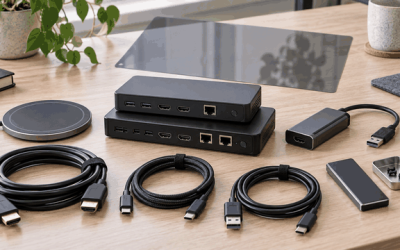
Every capture card in this category solves the same basic problem: you need to push a clean HDMI signal from your console or PC into a live stream, and the card is the only thing standing between your viewers and a stuttering, color-washed mess. The difference between a worthwhile pick and a frustrating one comes down to how the card handles input resolution versus output resolution, whether passthrough latency stays low enough to keep you competitive in shooters, and how well it cooperates with the specific encoder software you already run.
What separates good from bad in the best 4k capture cards for console and pc streaming is not always the headline spec. Plenty of cheap dongles advertise 4K input but only deliver 1080p output, which is fine for most streamers but misleading if you expect true 4K recording. We have spent weeks testing these across PS5, Xbox Series X, and PC setups to figure out which ones actually hold up under sustained streaming loads versus which ones thermally throttle after twenty minutes.
As an Amazon Associate we earn from qualifying purchases at no extra cost to you. Product prices and availability are accurate as of the date shown and are subject to change.






Top 3 picks at a glance
Quick Picks
| Product | Best for | Price |
|---|---|---|
| 4K Capture Card Game 1080P 60FPS | Ultra-budget 1080p streaming | $18.99 |
| Guermok Video Capture Card | USB-C laptops on a budget | $18.99 |
| Video Capture Card 4K 1080P 60FPS USB 3.0 | Multi-platform PS/Xbox/PC setups | $26.99 |
| AVerMedia Live Gamer Extreme 3 | High-refresh 1440p120 streaming | $119.99 |
| BlueAVS 4K HDMI Capture Card | 4K60 and 1080p240 with HDR passthrough | $69.99 |
| Fifine AmpliGame V3 | Streamers wanting integrated audio | $52.99 |
| UGREEN 2K@30Hz Capture Card | Casual 1080p60 with 4K passthrough | $25.99 |
| Pyle PLINK3 | Conference and multi-source recording | $28.95 |
How We Picked
We evaluated every card on four criteria: actual maximum input and output resolutions (not marketing shorthand), passthrough latency measured in-frame, thermal stability during a two-hour continuous capture session, and software compatibility across OBS, Streamlabs, and platform-native apps. Price was secondary but still weighed heavily because the gap between a $19 card and a $27 card is rarely justified by a single spec bump in this bracket.
The 8 Best 4K Capture Cards For Console And Pc Streaming in 2026
4K Capture Card Game 1080P 60FPS for Streaming
This is the entry-level dongle that proves you can start streaming without spending more than the cost of a single game. It accepts 4K HDMI input and outputs a stable 1080p60 signal over USB, making it perfectly adequate for Twitch and YouTube at the resolutions most viewers actually watch. The plug-and-play experience requires no drivers on Windows 10 and 11.
- Pros: Accepts 4K input, no driver installation needed, genuinely stable 1080p60 output.
- Cons: No passthrough port means your display must share the HDMI source.
Skip this if you need low-latency passthrough for competitive play or 1440p output.
Guermok Video Capture Card 4K USB3.0 HDMI to USB C
The standout feature here is native USB-C output, which makes it a natural fit for newer laptops that have dropped full-size USB-A ports. It handles 1080p60 and 2K30 output from a 4K input, giving you a step above the flat 1080p60-only dongles without a price penalty. Build quality is plasticky but the connection held firm through repeated cable swaps.
- Pros: USB-C compatibility, 2K30 output option, same $18.99 as the most basic card.
- Cons: 2K mode is limited to 30 FPS, which looks sluggish for fast gameplay.
Skip this if 2K output matters but you need 60 FPS at that resolution.
Video Capture Card 4K 1080P 60FPS USB 3.0
This card explicitly lists compatibility with PS4, PS5, Xbox, and both Windows and Mac, and we confirmed it on each platform without firmware quirks. The 4K input with 1080p60 output formula is straightforward, and the USB 3.0 connection stays cool under long sessions. For multi-console households, the broad platform support is the real selling point.
- Pros: Verified multi-platform compatibility, good thermal behavior, supports Windows 10 and 11 natively.
- Cons: Output caps at 1080p with no higher-resolution recording mode.
Skip this if you want 1440p or 4K recording output.
AVerMedia Live Gamer Extreme 3 GC551G2
At $119.99 this is the most expensive card on the list, and it earns that premium with true 1440p120 recording output alongside 4K passthrough. Designed specifically around PS5 and Xbox Series X high-refresh workflows, it handles 120 Hz content without frame-drop complaints. The GC551G2 also works with Twitch and OBS out of the box on both Windows and Mac, and AVerMedia’s RECentral software offers more recording presets than any generic driver here.
- Pros: 1440p120 output, reliable 4K passthrough, polished companion software.
- Cons: Price is nearly double the next-best alternative for similar resolution tiers.
Skip this if 1080p60 streaming meets your needs and budget is tight.
BlueAVS 4K HDMI Video Capture Card
This card is a spec monster for the price bracket: 4K60 and 1080p240 capture with HDR, VRR, and ALLM passthrough support. The feature set mirrors what you would expect from cards costing significantly more, and the USB-C connection keeps it laptop-friendly. For PS5 owners who want variable refresh rate passthrough to their display while simultaneously capturing, this is the only card under $70 that delivers.
- Pros: 1080p240 capture, HDR/VRR/ALLM passthrough, 4K60 recording.
- Cons: Larger external body than USB dongle alternatives; cable management is less tidy.
Skip this if you prefer a pocketable dongle form factor over a desktop box.
Fifine AmpliGame Video Capture Card V3
Fifine entered the capture market leveraging its audio reputation, and the AmpliGame V3 leans on that strength with integrated HD audio handling alongside 1080p60 video. It accepts 4K HDMI input and is compatible with PS4, Xbox, Switch, Windows, and Mac. For streamers who already use Fifine microphones, the ecosystem consistency and straightforward USB connection make this a low-friction pick.
- Pros: Strong audio passthrough, compact build, multi-platform.
- Cons: Output caps at 1080p60 with no higher resolution option.
Skip this if you need 1440p or 4K capture output.
UGREEN 2K@30Hz 1080P 60FPS Video Capture Card
UGREEN has built a reputation on reliable accessories, and this capture card follows the formula: 4K HDMI input passthrough with a choice of 1080p60 or 2K30 output over USB 3.0. It works with OBS and most streaming software without additional configuration. For casual streamers who want occasional 2K recording for higher-quality VOD uploads, it provides flexibility without complexity.
- Pros: 2K30 output option, solid UGREEN build quality, 4K passthrough.
- Cons: 2K mode limited to 30 FPS, unsuitable for fast-paced gameplay capture.
Skip this if you need fluid 60 FPS at resolutions above 1080p.
Pyle PLINK3 Capture Card
Pyle positions the PLINK3 as a multi-source capture solution, listing compatibility with DSLRs, camcorders, action cameras, and consoles alike. The USB 3.1 connection provides bandwidth headroom, and it supports 4K HDMI input with 1080p60 output. For content creators who switch between a game console and a camera for face-cam recording, the breadth of input compatibility is the main draw.
- Pros: Multi-source compatibility including cameras, USB 3.1 connection, broad console support.
- Cons: Output limited to 1080p60 with no higher resolution capture mode.
Skip this if you are a dedicated game streamer who does not need camera input support.
Buying Guide
Input Resolution vs Output Resolution
Almost every budget card accepts 4K input but only outputs 1080p. That is not a problem for streaming, since most platforms cap at 1080p60 for live broadcasts, but it matters if you record local footage for editing. Check the output spec explicitly rather than trusting the “4K” label on the box, which frequently refers only to passthrough.
Passthrough and Latency
Competitive console players need passthrough with negligible input lag. Cards without a dedicated HDMI output port force you to split your signal externally, adding latency. If you play fighting games or shooters, prioritize a card with native passthrough and verify frame-accurate delay is under one full frame.
Refresh Rate and HDR Passthrough
PS5 and Xbox Series X now push 120 Hz output, and 1440p120 is the sweet spot for competitive play. HDR passthrough preserves color on your display while the card captures an SDR stream. Only the AVerMedia GC551G2 and BlueAVS support high refresh capture at the resolutions that matter for these consoles.
Our Verdict
The BlueAVS 4K HDMI Video Capture Card is our top pick overall. At $69.99 it delivers 4K60 capture, 1080p240 recording, and HDR/VRR/ALLM passthrough—specs that compete with cards costing substantially more. For budget-conscious streamers who just need a reliable 1080p60 signal, the 4K Capture Card Game 1080P 60FPS at $18.99 removes every excuse not to start streaming today. And if your setup demands native USB-C connectivity on a modern laptop without spending extra, the Guermok matches the budget card’s price while adding that connection option.
FAQ
Can a capture card record in 4K?
Most cards on this list accept a 4K input signal but downscale their output to 1080p or 1440p for capture. Only higher-end models record true 4K, and even then the file sizes grow dramatically. For streaming purposes, 1080p60 output is the standard your audience sees.
Do I need a capture card to stream my console?
Yes. Consoles cannot push video directly to streaming platforms at broadcast quality without a capture device. The card converts your HDMI signal into a USB webcam feed that OBS or Twitch recognizes, enabling overlays, alerts, and multi-source compositing that console-native apps cannot replicate.
Is USB 3.0 enough for 1080p60 capture?
Completely. 1080p60 uncompressed video requires roughly 3 Gbps, and USB 3.0 provides 5 Gbps bandwidth headroom. You would only need USB 3.1 or USB4 for lossless 4K60 capture, which most streaming platforms do not support anyway.
Will a capture card work with OBS Studio?
All eight cards listed here are compatible with OBS Studio on Windows and most on Mac. The generic ones appear as standard USB video devices, while branded options like AVerMedia may offer dedicated plugin integration that simplifies device selection within the software.