A good streaming headset is one whose microphone you can hear clearly in a recording, that plugs into your PC without an adapter, and that you can wear for a three-hour session without a headache. Of these ten listings, the Logitech G733 Lightspeed is the only wireless headset from a major gaming line, the HyperX Cloud III and Logitech G432 are the wired picks that accept USB, and the Ozeino, BENGOO and NUBWO titles are low-cost options with more caveats. Two entries are not like the rest: the MAONO is a USB microphone kit with headphones, and the Logitech H390 is a basic office headset. Both are labeled as such below.
Our Top Picks
Top 3 picks at a glance
Quick picks by streaming situation
As an Amazon Associate we earn from qualifying purchases at no extra cost to you.








- Logitech G733 Lightspeed – wireless, cable-free desk
- HyperX Cloud III – wired with USB-C, USB-A and 3.5mm
- Logitech G432 – wired, flip-to-mute mic
- FIFINE H9 – USB control box, detachable boom
- Ozeino Wireless (40H battery) – cheap 2.4GHz wireless try-out
- Ozeino 7.1 with LED – budget LED set, confirm the plug
- BENGOO G9000 – lowest outlay, PC plus console
- NUBWO HG04L – light 250g set, needs the right jack
- Logitech H390 – plain USB headset for calls
- MAONO AU-A04H kit – studio-style mic, not a headset
The ten listings side by side
| Model | Type | Key specs as stated in the title | Best for |
|---|---|---|---|
| Logitech G733 Lightspeed | Wireless headset | Suspension band, Blue VO!CE mic | Cable-free streaming |
| HyperX Cloud III | Wired headset | 53mm drivers, USB-C, USB-A, 3.5mm | Flexible wired setup |
| Logitech G432 | Wired headset | 50mm drivers, USB and 3.5mm, flip mic | Mid-range wired |
| FIFINE H9 | Wired headset | 50mm drivers, USB control box | Control box users |
| Ozeino Wireless | Wireless headset | 2.4GHz USB and Type-C, flip mic | Budget wireless |
| Ozeino 7.1 LED | Headset | 7.1 claim, LED; plug not stated | Budget, check listing |
| BENGOO G9000 | Headset | 7.1 claim, LED, memory earmuffs | Tight budgets |
| NUBWO HG04L | Headset | 40mm, 250g, 3.5mm jack | Light weight |
| Logitech H390 | Wired USB headset | USB-A, stereo, in-line controls | Calls and basics |
| MAONO AU-A04H | USB mic kit (not a headset) | Cardioid condenser, headphone included | Voice quality |
All ten listings, one by one
Logitech G733 Lightspeed Wireless Gaming Headset
The G733 is the one wireless headset here from a major peripheral brand, and the title lists a suspension headband, a Blue VO!CE microphone and PRO-G audio for PC, PS5, PS4 and Switch. For streaming, the draw is losing the cable: you can stand up, reach for a second keyboard or swap scenes without dragging a lead across the desk. The suspension band spreads weight rather than pressing on the crown, which matters on long sessions. Blue VO!CE is a voice-processing feature that usually works through Logitech software on Windows, so check the product page for what it needs. Battery life and weight are not in the title, so check the listing.
Pros
- Wireless Lightspeed connection with PC, PS5, PS4 and Switch named
- Suspension headband aimed at longer sessions
Cons
- Battery life and weight are not in the title
- Voice-processing features may depend on software
Who it’s for: Streamers who want one wireless headset for PC and console.
Who should skip it: Anyone who wants a wired connection with no charging to remember.
HyperX Cloud III Wired Gaming Headset
The Cloud III is wired, and the title packs in plenty of connection detail: USB-C, USB-A and a 3.5mm lead, plus angled 53mm drivers, spatial audio, memory foam and a 10mm microphone. That connection spread is useful when you move between a desktop, a laptop and a console, because one headset follows you. The memory foam and durable frame suggest a headset built for daily wear, though comfort is personal and glasses wearers should read buyer feedback. Spatial audio is a processing feature, and whether it needs software depends on the connection, so confirm on the product page. A wired headset also removes battery worries for a stream that runs long.
Pros
- USB-C, USB-A and 3.5mm connections named
- No battery to charge before going live
Cons
- Spatial audio behavior depends on the connection, check the listing
- Cable can get in the way of a busy desk
Who it’s for: Streamers who switch between PC, laptop and console and want a wired set.
Who should skip it: People who hate cables or want a very light set; weight is not in the title.
Logitech G432 Wired Gaming Headset
The G432 is a wired headset with 50 mm drivers and DTS Headphone:X 2.0, offering both USB and a 3.5 mm jack. The USB lead is the simpler choice for most desktops, because it brings its own sound processing and avoids the separate mic and headphone jacks found on many motherboards. The 3.5 mm option helps with consoles and some laptops. A flip-to-mute microphone is handy on stream: tilt it up and you are muted without hunting for a key. DTS Headphone:X 2.0 is a virtual surround system, so footstep positioning will be an effect rather than true multichannel playback. The title says PC compatible, but does not give weight, so check the listing.
Pros
- USB and 3.5 mm connections for flexible use
- Flip-to-mute mic is quick on a live stream
Cons
- Surround is virtual, not multichannel hardware
- Weight is not stated in the title
Who it’s for: Streamers who want a straightforward wired headset with a mute flip.
Who should skip it: Anyone who needs a wireless set or a detachable microphone.
FIFINE H9 Wired Gaming Headset with USB Control Box
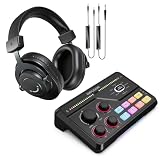
The FIFINE H9 title lists 3.5mm and USB connectivity, 50mm drivers, a 7.1 surround claim, a lightweight build, soft ear cushions, a detachable boom mic and a USB control box for PC, Xbox and PS4 or PS5. The detachable boom is useful on stream: you can remove it when you only want to listen, and a control box puts volume or mic controls under your hand instead of on the earcup. That is also a place where you may find a mic mute switch, though the title does not say, so check the listing. The title spells cushion as Cusion, which is a small sign of a typo in the seller text, so double-check details before ordering.
Pros
- Detachable boom mic and USB control box named
- 3.5mm and USB options plus 50mm drivers
Cons
- 7.1 is a seller claim and likely virtual
- Title contains a spelling slip, so verify the details
Who it’s for: Streamers who like a control box and a mic they can remove.
Who should skip it: People who want a wireless connection or a well-known gaming brand.
Ozeino Wireless Gaming Headset with 2.4GHz USB and Type-C
This Ozeino listing is a wireless set for PS5, PC and Switch, with a 2.4GHz USB and Type-C connection, a 40H battery claim, Play and Charge, a flip mic and compatibility with PS4, Mac, laptops and mobile. As a cheap way to try a wireless headset on stream it is attractive, because a 2.4GHz dongle usually has lower delay than Bluetooth. Treat 40H as a seller claim: real hours depend on volume and any lighting. The title says lossless audio, which is a loose phrase for a 2.4GHz wireless link, so check how it is defined. Play and Charge suggests you can keep using it while the cable is connected.
Pros
- 2.4GHz USB and Type-C dongle options named
- Play and Charge, so you can keep going on a low battery
Cons
- Lossless and 40H are seller claims
- Weight and mic pickup pattern not given
Who it’s for: Budget streamers who want to try a wireless headset on PC.
Who should skip it: Anyone who needs proven mic quality for paid or branded streams.
Ozeino Gaming Headset 7.1 Surround with Noise-Canceling Mic and LED
This is the white Ozeino with LED lighting, listed for PC, PS4, PS5, Xbox, Switch, laptop and mobile. The title calls out 7.1 surround sound and a noise-canceling mic, but gives no connector, so it is the listing where you must check the plug type before you buy. If it ends in a single 3.5mm TRRS plug, a desktop with separate mic and headphone sockets will need a splitter, while a laptop jack will not. The LED lighting may or may not need USB power. Noise canceling on a boom mic is a claim to treat cautiously, since it mostly filters background hiss, not a loud mechanical keyboard.
Pros
- Wide platform list and a white finish
- Low cost for a mic-equipped headset
Cons
- Connector is not stated in the title
- 7.1 and noise canceling are seller claims
Who it’s for: Buyers who want a bright, inexpensive set and will confirm the plug first.
Who should skip it: Streamers who need a proven microphone or a USB connection for sure.
BENGOO G9000 Stereo Gaming Headset
The BENGOO G9000 is listed for PS4, PC, Xbox One and PS5 controller use, with noise-cancelling over-ear headphones, an LED light, 7.1 surround sound and soft memory earmuffs. The wording suggests a 3.5mm connection used with a console controller, so on a PC you may need a splitter or a headset-capable port, which the title does not clarify. It is among the lowest-cost headsets in this group and can serve a casual streamer who wants any headset at all. Do not expect the sound-shaping tools of the pricier models. As with other 7.1 titles, surround here is almost certainly virtual processing.
Pros
- Very low cost for an over-ear headset with a mic
- Memory earmuffs named for comfort
Cons
- Connection to a PC is not spelled out in the title
- 7.1 is a seller claim
Who it’s for: New streamers on a tight budget or those who need a spare headset.
Who should skip it: Anyone building a branded stream where voice quality is the product.
NUBWO HG04L Gaming Headset
The NUBWO HG04L title names Xbox Series X and S, Xbox One, PS5, PS4 and Switch, and does not mention a PC. It lists 40mm speakers, a clear unidirectional mic, a 250g weight, soft memory earmuffs and a 3.5mm jack, for gaming and work. A 250g weight is among the lightest figures in the group, a real advantage for long streams. The missing PC mention matters: a 3.5mm headset may work with a laptop combo jack, but a desktop with separate sockets could need an adapter. Treat it as a console-first headset that might also suit a PC, and confirm before ordering.
Pros
- 250g weight stated in the title
- Unidirectional mic and a 3.5mm jack
Cons
- PC is not named in the title
- Smaller 40mm speakers than the 50mm models
Who it’s for: Streamers on console who sometimes use a laptop and want a light headset.
Who should skip it: Desktop PC streamers without a combo jack or a splitter.
Logitech H390 Wired USB Headset
The H390 is a stereo USB-A headset with a microphone and in-line controls, for PC and laptops, and the title mentions Chromebook use. It is not a gaming headset and it is not built for streaming in the sense of broadcast voice or loud game audio. It is included as a labeled fallback: a plain, plugged-in headset for calls, a producer or moderator who needs to listen to the stream, or a backup when a main headset fails. Surround and lighting are not part of the listing, and neither are driver size or weight, so check the listing for those.
Pros
- USB-A connection with in-line controls
- Chromebook and laptop use named
Cons
- Not a gaming or streaming headset
- No driver size or weight in the title
Who it’s for: A backup headset, a stream moderator or someone who mostly takes calls.
Who should skip it: Streamers who want game audio impact or a better boom microphone.
MAONO AU-A04H USB Microphone Kit with Headphone
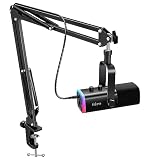
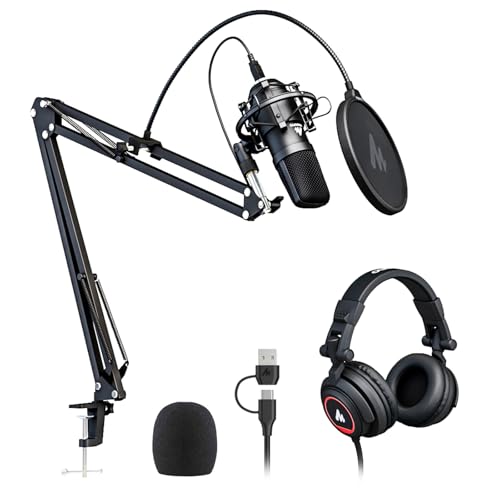
Not a headset: the AU-A04H is a USB condenser microphone kit with a headphone, listed for PC, podcast, gaming, recording, YouTube and streaming, at 192kHz/24Bit with a cardioid pattern, and works with Mac and Windows. It is listed here because it solves the same problem in another way. A cardioid condenser on the desk can record a voice more fully than a boom mic, which suits talk shows. The trade is that you add a separate pair of headphones, and a desk mic also picks up keyboard noise. Check the listing for what is in the box and whether the headphone is a closed back.
Pros
- Cardioid condenser mic with 192kHz/24Bit named
- USB connection for Windows and Mac
Cons
- Not a headset, so no gaming audio features
- Desk placement can pick up keyboard and room noise
Who it’s for: Talk-focused streamers who care most about voice quality.
Who should skip it: Anyone who wants a single device with a mic on the earcup.
How we picked these
We compared the ten Amazon listings on the connection named in the title, the microphone description, platform compatibility, weight where stated and whether the product is a true headset. Basis: published specifications, manufacturer documentation and buyer reviews. Nobody on the team used or measured these units. Everything we say about a specific model comes from its listing title; we flag anything the title does not state, and we mark seller claims such as 7.1 surround, noise canceling and battery hours as claims. Two listings, the MAONO kit and the Logitech H390, are labeled as off-type because they are not gaming headsets.
What to look for in a streaming headset
Connection: USB, 3.5mm or wireless dongle
The connection decides whether a headset works on your PC on day one. USB headsets carry their own sound card, so they avoid the separate green and pink jacks on many desktop motherboards. A single 3.5mm plug with both audio and mic (TRRS) works on laptops and consoles but needs a splitter or a combo jack on a desktop. A 2.4GHz wireless dongle, as with the Logitech G733 and the Ozeino wireless set, plugs into a USB port and usually has less delay than Bluetooth. Bluetooth alone is a poor choice for streaming because voice and game audio can drift apart.
Microphone: pickup pattern, boom and mute
On stream, the microphone matters more than drivers. A boom mic sits near your mouth, so it needs less gain and picks up less room sound than a desk mic. Unidirectional or cardioid patterns favor your voice and reject sound from behind. A flip-to-mute boom, like the G432 listing names, is easy to find without looking. A detachable boom, as on the FIFINE H9, lets you take the mic off when you only want to listen. Be wary of noise canceling claims in titles: they usually mean a filter for steady background hiss, not for keyboard clatter. If your voice is the product, consider a separate mic as with the MAONO kit.
Drivers, surround and what you will actually hear
Driver size is a rough guide, not a quality score: 50mm and 53mm units are common on bigger-sounding headsets, 40mm on lighter ones. Surround labels such as 7.1 or DTS Headphone:X are processing applied to two drivers. They can help you place footsteps in some games, and they can also muddy music.
Comfort over a long stream
Weight, clamp force and ear cup depth decide whether a headset is wearable for three hours. The NUBWO title states 250g, which is useful, while most listings do not give a weight, so check. Suspension headbands, as on the G733, spread pressure; memory foam, as on the Cloud III, helps seal and cushion. Glasses wearers should look for buyer comments about temple pressure. Closed ear cups also reduce sound leaking into your mic, which can cause an echo for viewers.
Sidetone, mixing and echo
Sidetone lets you hear your own voice in the earcups, which stops you shouting. Not every cheap headset has it, and the listings here do not say, so check the product page. Streamers also need to balance game audio against chat and their own voice. USB headsets with a control box or a Windows mixer let you do this per app; a plain 3.5mm set sends everything through one volume. If viewers report an echo, the usual causes are speaker bleed into the mic, a mic boom pushed too far from the mouth with the gain turned up, or a second mic source left active in your streaming software.
Match the headset to your setup
| Your setup | What to check on the listing | Likely fit here |
|---|---|---|
| One PC with spare USB ports | USB lead or dongle named | G432, Cloud III, G733, Ozeino Wireless |
| Desktop with separate mic and headphone jacks | Two plugs or a USB control box | FIFINE H9, USB models |
| PC plus a console | Platform list and 3.5mm option | Cloud III, G432, FIFINE H9 |
| Laptop with one combo jack | Single 3.5mm TRRS plug | NUBWO, BENGOO, Ozeino 7.1 |
| Voice-led talk show | Cardioid pattern, USB | MAONO kit plus closed headphones |
Pair the headset with a camera you like; our guide to the best PC webcam for streaming covers that half of the setup, and a roomy desk helps with cable runs, as in the L-shaped desks for dual-PC streaming list.
Mistakes streamers make when buying a headset
Trusting 7.1 as a quality mark. The label describes processing, not how good the drivers or the mic are. A plain stereo headset with a clear microphone beats a 7.1 set with a thin one for streaming.
Ignoring the plug. A single 3.5mm plug on a desktop with two sockets will give you sound but no mic until you add a splitter. Read the connector line before you read the feature list.
Buying a console headset for a PC. The NUBWO title names consoles only. It may work, but a title that names your platform is the safer buy.
Forgetting the room. Open-back or leaky cups let game sound into the mic, and viewers hear an echo. Lower the volume or use closed cups.
Treating battery hours as fact. A 40H figure is a seller claim, and real use at high volume will be shorter.
Verdict
For a wireless desk, the Logitech G733 Lightspeed is the strongest listing here on the information given. For a wired set that follows you between devices, the HyperX Cloud III names the most connection options, and the Logitech G432 is a simpler alternative with a flip-to-mute mic. The Ozeino Wireless is a low-risk way to try a dongle headset. Keep the MAONO kit in mind if your voice is the main attraction, and treat the H390 as a backup. Confirm the connector before you buy any budget set.
Questions streamers ask
Is a USB headset necessary for streaming on PC?
Not strictly, but USB removes a lot of trouble. A USB headset brings its own sound card, so it avoids the separate headphone and mic jacks on many desktops. A 3.5mm headset works if your PC has a matching jack or you add a splitter.
Is a headset mic good enough for streaming?
For many streamers, yes. A boom mic sits close to your mouth, which helps with room noise and keeps the level steady. A desk condenser such as the MAONO kit can sound fuller, but it also picks up keyboard noise. Beginners usually find a headset mic easier.
Is 7.1 surround worth paying for?
Treat it as a bonus. Most 7.1 headsets use two drivers and software to simulate surround, so the effect depends on the game and your ears. It can help place footsteps in shooters, but a clear mic, comfort and a reliable connection matter more on stream.
Can a console headset be used on a PC?
Sometimes. Headsets with a 3.5mm plug can work on a laptop combo jack or with a splitter on a desktop. A title that names PC and gives a USB connection is safer. If the listing only names consoles, as the NUBWO title does, check the product page before you order.
Wireless or wired for streaming?
Wired has no battery or interference worries, and wireless frees your desk. A 2.4GHz dongle headset usually has low delay and is fine for streaming, while Bluetooth alone can drift out of sync. For long sessions, pick a wireless set you can charge while playing.
Related guides
- When I Turn On Record Game In Background On Gamebar. Gamebar Crashes, What Do I Do?
- Poly Computer Accessories Company Streaming Evaluation
- Hyperx Gaming Peripherals Review For Game Streaming