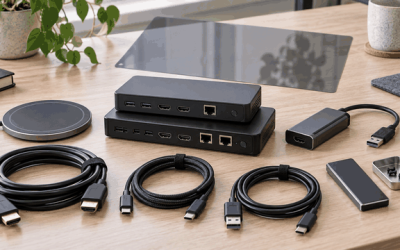
A capture card sits between your source device and your streaming or recording computer, converting an HDMI signal into a video feed your software can work with. The problem most buyers face is straightforward: they want to record console gameplay, bring a DSLR into a video call, or mirror a second PC at high quality without spending more than necessary. Elgato has built the dominant brand in this space, and its lineup spans from a $80 webcam alternative to a $270 internal card capable of 8K passthrough.
What separates a genuinely useful capture card from a frustrating purchase comes down to a handful of specs: maximum passthrough resolution, recorded resolution and frame rate, latency behavior, HDR support, and whether the device works over USB or requires an internal PCIe slot. Budget alternatives exist, but they often skip features that matter in real use — like low-latency monitoring or proper HDR passthrough. Below we compare the top Elgato capture card options alongside a few cheaper HDMI-to-USB alternatives, so you can see exactly where the price differences come from and which features are worth paying for.
As an Amazon Associate we earn from qualifying purchases at no extra cost to you. Product prices and availability are accurate as of the date shown and are subject to change.







Top 3 picks at a glance
Quick Picks
| Product | Best for | Price |
|---|---|---|
| Elgato 4K X | 4K144 gaming capture | $249.99 |
| Elgato Cam Link 4K | DSLR and camcorder streaming | $79.99 |
| 4K HDMI Capture Card (1080P 60FPS) | Budget console streaming | $25.89 |
| Elgato 4K Pro | 8K60 passthrough in a desktop PC | $269.99 |
| 4K HDMI Capture Card (1080P 60FPS, alt) | Lowest-cost HDMI-to-USB option | $19.87 |
| Elgato Game Capture Neo | Portable 4K60 passthrough on any device | $95.60 |
| Elgato HD60 S+ | HDR recording on PS5 or Xbox Series X | $285.76 |
| Acer USB 3.0 HDMI Capture Card | Simple 1080p streaming with loop-out | $26.99 |
How We Picked
We narrowed this list using four criteria that consistently determine owner satisfaction in this category. First, passthrough and recording resolution must match the source device you own — a 4K120 console paired with a 1080p card wastes your hardware. Second, latency matters for competitive gaming and live commentary; ultra-low-latency modes are a differentiator. Third, compatibility with your platform (PC, Mac, iPad, console) eliminates frustration at setup. Fourth, price-to-feature ratio separates cards that deliver real capability from those cutting corners on HDR, frame rate, or build quality.
The 8 Best Elgato Capture Card in 2026
Elgato 4K X
- Supports HDMI 2.1 and captures at 4K144 with ultra-low latency, matching the latest console and PC output standards.
- External USB design keeps your PCIe slots free for other components.
- Price sits well below internal alternatives offering similar passthrough specs.
- Con: No internal mounting option, so cable management on a laptop-heavy setup can feel cluttered.
This card targets gamers who output 4K at 144Hz and want a clean, no-compromise external solution. The HDMI 2.1 input means no adapter gymnastics for PS5 or Xbox Series X owners. Skip it if you primarily stream at 1080p and do not need the extra bandwidth headroom.
Elgato Cam Link 4K
- Turns any HDMI-output camera, DSLR, or action cam into a USB webcam recognized by Windows 10/11 and macOS.
- USB-A connector and USB 3.0 interface ensure broad compatibility without adapters.
- Con: Records at camera-native resolution only — no frame-rate upscaling, so a 1080p camcorder stays at 1080p.
Designed specifically for content creators who already own a quality camera and want that image on Zoom, OBS, or streaming platforms. It is not a gaming capture card; passthrough is absent. Skip it if your primary goal is recording console or PC gameplay.
4K HDMI Video Capture Card (1080P 60FPS)
- Accepts 4K HDMI input and outputs a stable 1080p60 stream to a USB 3.0 port.
- Works with cameras, Xbox, PS4, PS5, PC, and OBS right out of the box.
- Con: No HDR passthrough, and build quality is noticeably utilitarian compared to Elgato cards.
A functional budget pick for streamers who need a second capture source or want to test the workflow before investing. The 1080p60 ceiling means you lose detail compared to native 4K capture. Skip it if HDR monitoring or competitive gaming latency is important to you.
Elgato 4K Pro Internal Capture Card
- Passthrough supports 8K60, making it the most forward-looking option in this lineup.
- Internal PCIe installation removes a USB device from your desk and frees ports for peripherals.
- Con: Requires a desktop PC with an open PCIe slot, so laptops and compact builds are out.
Built for enthusiasts who want to future-proof a recording PC against 8K displays and capture at full bandwidth without USB bus limitations. The premium price reflects the internal form factor and top-tier passthrough. Skip it if you game on a console and stream from a laptop.
4K HDMI Video Streaming Capture Card (1080P 60FPS)
- Lowest absolute price in this roundup at $19.87 for a USB 3.0 1080p60 capture stream.
- Single HDMI input to USB output keeps setup as simple as it gets.
- Con: No loop-out or passthrough port, meaning you cannot monitor the source without splitting.
Adequate for a secondary camera angle, a retro console feed, or a one-off project where image quality is secondary to cost. Skip it if you need to see your game on the same monitor you play on.
Elgato Game Capture Neo (Renewed)
- 4K60 HDR passthrough with 1080p60 recording from a compact, plug-and-play USB stick design.
- Works on laptops, PCs, Macs, and iPads, plus QuickTime — the broadest platform support here.
- Con: The renewed listing means condition and warranty are third-party dependent.
The most portable capture card in this group. Ideal for streamers who switch between console and laptop setups or want a throw-in-the-bag option. Skip it if you require native 4K recording rather than 1080p.
Elgato HD60 S+
- Records and streams at 1080p60 HDR10 or 4K60 HDR10 with ultra-low latency, targeting PS5 and Xbox Series X/S owners.
- External USB design with OBS integration and simultaneous PC and Mac support.
- Con: At $285.76, it is the most expensive external card in this roundup, and 4K recording still outputs at 1080p.
Aimed squarely at console gamers who want HDR passthrough on the TV while recording a clean HDR feed to the PC. The latency profile is tuned for reaction-sensitive titles. Skip it if you already own a 4K X and do not need HDR10 recording specifically.
Acer USB 3.0 HDMI Capture Card
- Includes a 4K HDMI loop-out, letting you pass the signal to a monitor while capturing 1080p60 over USB.
- From a known PC peripheral brand, offering slightly more confidence than unbranded alternatives.
- Con: Lacks documented HDR support and has no published latency specifications.
A middle-of-the-road budget pick that solves the monitoring problem many cheap cards create. If your Elgato card is temporarily dead or you need a backup capture path, this fills the gap. Skip it if you need confirmed HDR passthrough or ultra-low latency for esports.
Buying Guide
Passthrough Resolution and Refresh Rate
Passthrough refers to the signal the card sends to your display monitor while it simultaneously captures a recording feed. If you play a PS5 that outputs 4K120 HDR but your card only passes 4K60 or drops HDR entirely, you are watching a downgraded picture. The 4K Pro handles 8K60 passthrough; the HD60 S+ and Game Capture Neo handle 4K60 HDR10. Budget cards in this list cap at 4K passthrough without HDR, and the cheapest options have no passthrough port at all.
Recording Resolution and Frame Rate
What your capture card records is separate from what it passes through. Several cards here pass 4K but record only 1080p60 — the Game Capture Neo, HD60 S+, and the budget HDMI-to-USB devices all follow this pattern. The 4K X is among the few that records at 4K144. Match this spec to your target output platform; most streaming services still deliver 1080p, so 4K recording primarily matters if you plan to edit or archive at full resolution.
Form Factor and Platform Compatibility
Internal PCIe cards like the 4K Pro demand a desktop slot but remove USB bandwidth concerns and free desk ports. External USB cards (4K X, HD60 S+, Game Capture Neo, Cam Link 4K) plug into any laptop or tablet with USB 3.0. Check that your streaming or editing software — OBS, QuickTime, XSplit — lists your specific model as compatible, especially for the non-Elgato budget options where driver documentation may be sparse.
Our Verdict
The Elgato 4K X earns the top-pick recommendation for most buyers in this category. It delivers 4K144 capture over an external USB form factor at $249.99, balancing cutting-edge specs with broad device compatibility and no installation hassle. For a budget pick, the 4K HDMI Capture Card at $19.87 is the lowest-friction way to get a working 1080p60 USB stream onto your computer. However, if you are a console player who demands HDR passthrough on your TV and HDR recording simultaneously, the HD60 S+ is the only card here purpose-built for that workflow — worth the premium over the 4K X in that specific case.
FAQ
Do I need a capture card to stream console gameplay?
Consoles offer limited built-in streaming features, and none output raw video to a PC for full OBS or XSplit control. A capture card converts the HDMI signal into a webcam-like source your streaming software can encode, overlay, and broadcast at the bitrate and layout you choose.
Can a capture card work without a separate PC?
The Elgato Game Capture Neo connects to an iPad via USB-C and works with QuickTime, letting you record directly to a tablet. Most other capture cards require a host computer running streaming software to encode and save the video feed.
Is a renewed capture card a safe purchase?
Renewed units are refurbished by third parties and typically pass functional checks. The risk is reduced warranty coverage and unknown previous usage. For a low-cost card, the price savings may justify the uncertainty; for a $250+ device, a new unit with full manufacturer warranty is the safer bet.
What is the difference between passthrough and recording resolution?
Passthrough is the resolution sent to your monitor so you can see gameplay in real time. Recording resolution is the quality of the file saved to your computer. Many cards pass a higher-resolution signal than they record, which is why you may see 4K60 on your TV while the recorded file is 1080p60.