Our Short List of 3

- Best for: Console streamers who play at 4K120 and record in 4K
- Model: 20GBH9901
- Capture up to 4K144, 1440p144 and 1080p240
- HDMI 2.1 input and HDMI 2.1 output
- Passthrough up to 4K144 with HDR10 and VRR

- Best for: Console streamers who need party chat in the recording
- Model: GC553G2
- HDMI 2.1 input and HDMI 2.1 output (lag-free passthrough)
- Capture up to 4K60 on macOS, up to 2160p144 on Windows via Streaming Center
- Passthrough: 2160p144, 1440p240 and 1080p360 with HDR/VRR

- Best for: Streamers moving up to 4K60 capture without an HDMI 2.1 chain
- Model: 20GBR9901
- Capture: 2160p60, 1440p60 and 1080p120
- Passthrough up to 2160p60, 1440p120 and 1080p240
- HDR10 and VRR support
All 4 Picks at a Glance
| Product | Specs | Action |
|---|---|---|
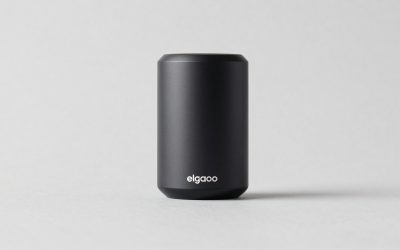
| Elgato Game Capture 4K X |
| Check price on Amazon |
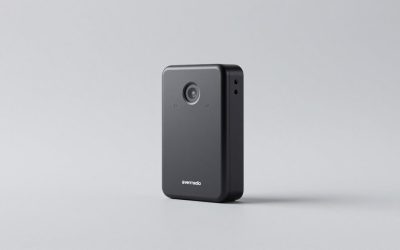
| AVerMedia Live Gamer Ultra 2.1 (GC553G2) |
| Check price on Amazon |
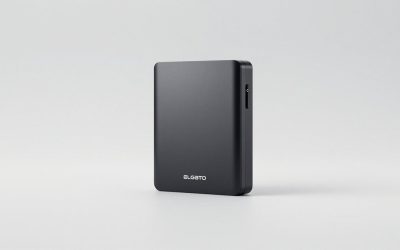
| Elgato Game Capture 4K S |
| Check price on Amazon |
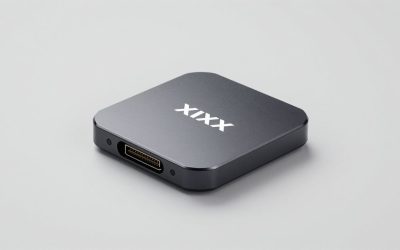
 ASUS TUF Gaming Capture Box CU4K30 |
| Check price on Amazon |
A capture card decides how clean your stream looks long before your encoder settings get a say. Feed it the wrong signal and you get dropped frames, washed-out HDR or a passthrough picture that trails behind your controller inputs. The real decision is matching the card to your source: a PS5 or Xbox pushing 4K120 needs HDMI 2.1 headroom, while a Switch or a 1080p gaming PC asks far less of the hardware in the chain.
This guide is for console streamers, dual-PC broadcasters and creators who record as much as they go live. Every pick below is an external USB capture device, chosen from the names, model numbers and specification blocks on its Amazon product page, so the capture ceilings, passthrough modes and port speeds quoted here come from the listing itself rather than from secondhand roundups.
Our Top Picks
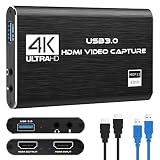
- AVerMedia Live Gamer Ultra 2.1 4K144 HDMI 2.1HDMI 2.1 - GC553G2 (Black)2.7 x 7.3 x 6.3 inches0.3 poundsCheck on Amazon
Top 3 picks at a glance
Quick Picks
As an Amazon Associate we earn from qualifying purchases.
| Product | Best for | Key spec from title |
|---|---|---|
| Elgato Game Capture 4K X | High-refresh console streaming | Capture up to 4K144 over HDMI 2.1 |
| AVerMedia Live Gamer Ultra 2.1 (GC553G2) | Party chat and ultrawide play | 4K144 HDR/VRR passthrough, HDMI 2.1 |
| Elgato Game Capture 4K S | 4K60 streaming on a simpler chain | 4K60 capture, 1080p240 passthrough |
| ASUS TUF Gaming Capture Box CU4K30 | 1080p streams with 4K HDR play | 4K60 HDR passthrough, USB 3.2 Type-C |
How to Choose
Capture Ceiling Versus Passthrough Ceiling
Capture and passthrough are two different numbers, and confusing them is the most common buying error in this category. Passthrough is what reaches your monitor while you play; capture is what your streaming PC records and sends out. A card can pass 4K120 to your screen yet record only 1080p60, which is fine for most live platforms but limiting for edited uploads. Decide which number your workflow actually depends on, then read both columns of the specification block before choosing a card.
HDMI Version and Variable Refresh Support
HDMI 2.1 matters when your console or GPU outputs 4K120, because older HDMI 2.0 chains cap passthrough at 4K60. Variable refresh support keeps the picture tear-free on the monitor while the card records a fixed frame cadence for the stream. If your display runs G-Sync or FreeSync, check that the card passes VRR through rather than forcing a fixed refresh. Buyers on 1080p or 1440p screens can ignore much of this, but anyone planning a console upgrade should buy the headroom now.
USB Speed and Host Requirements
External cards move uncompressed or lightly compressed video over USB, so port speed sets the top capture modes. USB 3.2 Gen 2 at 10 Gbps unlocks the highest frame modes on the flagship cards; a Gen 1 port still works but trims the capture ceiling. Plug straight into the host machine rather than a hub, since hubs share bandwidth with webcams and audio gear. Check the listing for system software limits too, because some headline modes are Windows-only while macOS capture tops out lower.
Audio Paths and Software Fit
Game audio rides the HDMI feed, but party chat is where setups get awkward. Consoles route chat through the controller, so a card with a 4-pole 3.5 mm input saves you a workaround with splitters and ground-loop isolators. Confirm the card works with OBS Studio or your broadcast app of choice without a proprietary driver, and note whether HDR capture is supported on your platform. A card that drops into your existing software chain cleanly beats a stronger card that fights it.
The 4 Best Options
Elgato Game Capture 4K X
- Best for: Console streamers who play at 4K120 and record in 4K
- Model: 20GBH9901
- Capture up to 4K144, 1440p144 and 1080p240
- HDMI 2.1 input and HDMI 2.1 output
- Passthrough up to 4K144 with HDR10 and VRR
Console streamers who play at 4K120 and record in 4K
Full capture modes need a USB 3.2 Gen 2 port; Gen 1 ports reduce the capture ceiling
Streamers running a PS5, Xbox Series X|S or a high-refresh PC get the widest signal envelope here. The 4K X captures up to 4K144 and passes the same range through over HDMI 2.1, so your monitor keeps its 4K120 mode while the stream PC receives a matching high-frame feed. VRR passthrough keeps gameplay tear-free, HDR10 capture is supported on Windows, and the USB 3.2 Gen 2 link avoids the trimmed modes slower ports impose. It suits broadcasters who record 4K masters alongside the live show.
AVerMedia Live Gamer Ultra 2.1 (GC553G2)
- Best for: Console streamers who need party chat in the recording
- Model: GC553G2
- HDMI 2.1 input and HDMI 2.1 output (lag-free passthrough)
- Capture up to 4K60 on macOS, up to 2160p144 on Windows via Streaming Center
- Passthrough: 2160p144, 1440p240 and 1080p360 with HDR/VRR
Console streamers who need party chat in the recording
The highest capture modes depend on the Windows Streaming Center app; macOS capture stops at 4K60
This box answers the two problems console streamers raise most: chat audio and ultrawide monitors. A 4-pole 3.5 mm jack pulls party chat into the recording without extra hardware, and the passthrough list includes 3440×1440 at 120 Hz alongside 4K144 and 1440p240 modes with HDR and VRR. Capture reaches 4K60 on macOS and climbs higher on Windows through the AVerMedia Streaming Center app. It fits broadcasters whose desk mixes a console, an ultrawide screen and a headset habit.
Elgato Game Capture 4K S
- Best for: Streamers moving up to 4K60 capture without an HDMI 2.1 chain
- Model: 20GBR9901
- Capture: 2160p60, 1440p60 and 1080p120
- Passthrough up to 2160p60, 1440p120 and 1080p240
- HDR10 and VRR support
Streamers moving up to 4K60 capture without an HDMI 2.1 chain
HDMI 2.0 caps passthrough at 4K60, so 4K120 console play is out of reach
The 4K S covers what most live channels actually broadcast: a clean 4K60 or 1080p feed with generous passthrough above it. It captures 2160p60, 1440p60 and 1080p120, while the play side runs up to 2160p60, 1440p120 or 1080p240 with HDR10 and VRR, so a 120 Hz console mode survives on your screen. An analog audio input handles chat or a mixer feed, and the USB-C link keeps the cable run simple. It is the sensible middle step for streamers leaving 1080p capture behind.
ASUS TUF Gaming Capture Box CU4K30
- Best for: 1080p streamers who play on a 4K HDR screen
- Model: TUF GAMING CAPTURE BOX-CU4K30
- Capture up to 4K30, 1440p60 and 1080p120
- Passthrough up to 4K60 HDR over HDMI 2.0
- USB 3.2 Type-C connection
1080p streamers who play on a 4K HDR screen
Capture tops out at 4K30, so it is not a 4K recording card
Most live platforms still top out at 1080p60, and this metal-shelled box is built squarely for that reality. It records 4K30, 1440p60 or 1080p120 while your own screen runs 4K60 HDR through the passthrough port, so console play keeps its HDR picture even though the outgoing stream is Full HD. OBS Studio certification means it lands in your source list without driver fuss, and the USB 3.2 Type-C link suits laptops as well as desktops. It suits steady 1080p channels that game on a 4K TV.
Which One Fits Your Situation
Streaming a PS5 or Xbox at 4K120
Your console sends 4K120 only over HDMI 2.1, so the card has to speak the same language on both ports. The Elgato 4K X and the AVerMedia GC553G2 both pass 4K at high refresh with VRR intact, and both record well beyond what live platforms accept today. Pick the 4K X for the highest capture ceiling, or the GC553G2 when party chat needs its own input.
One Card for Console and PC
A mixed desk swaps sources often, so favor the card with the broadest passthrough list and painless software manners. The GC553G2 covers ultrawide resolutions and high-refresh 1440p, while the 4K X handles DSC screens more gracefully at the top end. Either drops into OBS as a standard video source, so the swap becomes a cable change rather than a rebuild of your scenes.
A First Dedicated Streaming Setup
Begin with the feed your audience actually receives. Live platforms compress hard, and a stable 1080p60 stream from the ASUS CU4K30 looks better than a struggling 4K one. Its OBS certification and single USB-C cable keep the learning curve on your content instead of your wiring. Move up to the 4K S later when recordings for edited videos become part of the routine.
Streaming From a Laptop or iPad
Portable hosts reward small boxes and modest port demands. The Elgato 4K S lists iPad among its supported hosts and keeps its capture modes realistic for mobile chipsets, while the ASUS box draws everything over one USB-C cable. Keep the laptop plugged into wall power during long sessions, since capture plus encoding drains a battery faster than viewers expect.
Common Mistakes
- Buying for the capture number while ignoring passthrough, then losing your monitor’s 120 Hz mode
- Plugging the card into a USB hub shared with a webcam, which chokes the bandwidth both devices need
- Assuming party chat travels over HDMI, when consoles send it through the controller instead
- Leaving HDCP enabled on the console, which blacks out the capture feed entirely
- Judging a card by its box headline without checking which modes your host system supports
Frequently Asked Questions
Do I need HDMI 2.1 on a capture card?
Only when your source outputs a signal HDMI 2.0 cannot carry, chiefly 4K120 from a PS5, Xbox Series X|S or a gaming PC. For 1080p and 1440p play, or 4K60 at most, an HDMI 2.0 card passes everything through untouched. Buying 2.1 early makes sense if a console or display upgrade is already planned.
Can one capture card serve two PCs?
Yes, in a dual-PC layout the gaming machine’s HDMI output feeds the card, and the card’s USB output feeds the streaming machine. The card itself is shared hardware; only one host can receive its USB feed at a time. Most broadcasters leave the card cabled to the streaming PC permanently and swap only the HDMI input when the source changes.
Why does my capture look softer than my gameplay?
Your monitor shows the passthrough signal at full resolution, while the stream usually leaves at a lower capture resolution and bitrate chosen in your broadcast software. Platform compression softens it further. Raise the capture resolution first, then the recording bitrate, and check that no scaling filter in your scene is downscaling the source twice.
Does a capture card add delay to my stream?
The passthrough path to your own monitor is effectively lag-free on the cards listed here, so gameplay feel is unchanged. The captured feed reaching your streaming software carries a small processing delay, which is why your voice and camera may need a sync offset in the broadcast app. That offset is a one-time adjustment, not an ongoing penalty.
Related guides
More from Amazon
Programs that pair well with the guide above. Offers and eligibility are set by Amazon and may change.
Free shipping on eligible items, Prime Video and more. Eligible new members can start with a free trial.
Start a Prime free trialAd-free music streaming. Eligible new subscribers can start with a free trial.
Try Music Unlimited freeA Prime membership for ages 18-24 with a trial period. Eligibility is set by Amazon.
See Prime for Young AdultsAudiobooks and podcasts to listen to on the go. Eligible new members can start with a free trial.
Try Audible freeAs an Amazon Associate we earn from qualifying purchases.