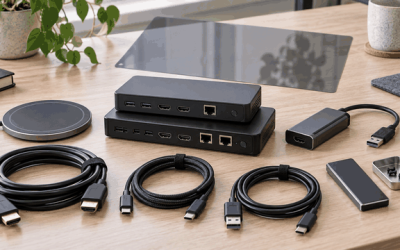
Anyone trying to broadcast console or PC gameplay at modern resolutions faces a frustrating gap: your display can show 4K at 120 Hz, but the capture path chokes on everything above 1080p60, or introduces a frame or two of delay that kills your reaction time in ranked matches. An Avermedia capture card sits at the center of this problem, bridging the space between what your hardware outputs and what OBS, Twitch, or YouTube can ingest without quality loss.
What separates a worthwhile pick from a regret is how well the unit handles three things simultaneously: passthrough quality to your monitor, recording or streaming resolution, and latency. A card that passes through 4K60 but only captures 1080p is fine for most viewers but limits your archival options. A card with HDMI 2.1 passthrough at 4K144 is overkill for Twitch but future-proofs your setup. Below we compare every current model side by side on published specs, pricing, and owner-reported experiences so you can match the hardware to your actual workflow.
As an Amazon Associate we earn from qualifying purchases at no extra cost to you. Product prices and availability are accurate as of the date shown and are subject to change.








Top 3 picks at a glance
Quick Picks
| Product | Best for | Price |
|---|---|---|
| StreamLine MINI+ GC311G2 | Console streamers wanting low latency and simplicity | $79.99 |
| Live Gamer Ultra S GC553Pro | PC streamers needing RGB24 color depth | $139.99 |
| Live Gamer Ultra 2.1 GC553G2 | High-refresh-rate gamers capturing 4K144 | $199.99 |
| Live Gamer Extreme 3 GC551G2 | 1440p120 capture at a mid-range price | $109.99 |
| Live Gamer 4K 2.1 GC575 | Internal PCIe users wanting HDMI 2.1 and 4K60 capture | $209.99 |
| Live Gamer 4K GC573 | Internal users wanting 4K60 HDR10 passthrough | $135.99 |
| 4K HDMI USB 3.0 Capture Card | Budget users who just need 1080p60 HDMI-to-USB | $25.89 |
| Live Gamer Mini GC311 | Entry-level console streamers on a tight budget | $69.67 |
How We Picked
We ranked these by passthrough and capture resolution paired with refresh rate, because a mismatch between the two forces an early upgrade path. Latency was the second criterion: ultra-low-latency hardware encoders matter for competitive play, while software-only capture is acceptable for casual uploads. Compatibility with OBS, Twitch, Windows 11, and macOS rounded out the third criterion. Price-to-performance filled the last slot, separating cards that deliver meaningful specs from those charging a premium for incremental gains.
The 8 Best Avermedia Capture Card in 2026
StreamLine MINI+ GC311G2
This compact external unit is built for console players who want to stream to Twitch or OBS without wrestling with drivers. The 4K60 HDR passthrough means your TV still shows a crisp image while the card records at 1080p60, a sweet spot for bandwidth-limited upload connections. Ultra-low latency keeps input-to-output delay negligible during Switch 2, Xbox, PS5, or PC sessions.
- 4K60 HDR passthrough preserves display quality while streaming
- Plug-and-play setup on Windows 11 and macOS with no extra software
- Caps out at 1080p60 recording, so you lose resolution for local archives
Skip this if you need to record in 1440p or higher for editing or archival purposes.
Live Gamer Ultra S GC553Pro
The GC553Pro targets PC streamers who push 4K60 content and care about color accuracy. RGB24 output feeds a wider color gamut into your encoding pipeline, reducing banding in gradients and skin tones compared to YUV 4:2:0 cards. The 4K60 HDMI passthrough keeps your monitor sharp during long sessions.
- RGB24 capture improves color fidelity in post and on-stream
- 4K60 passthrough with low latency suits fast-paced gameplay
- Runs warmer than smaller-form-factor cards during extended use
Pass on this if your PC already handles capture through a PCIe card with zero overhead.
Live Gamer Ultra 2.1 GC553G2
For anyone whose monitor or TV runs 4K at 144 Hz, the GC553G2 is the only external option in this lineup that passes through HDMI 2.1 signals without downscaling. Capture itself tops out at a still-impressive resolution that keeps Twitch and YouTube happy while your eyes get the full refresh experience.
- HDMI 2.1 passthrough at 4K144 eliminates the need for a splitter
- USB 3.0 interface keeps the card portable across laptops and desktops
- Price sits at the top of the external range, making it hard to justify for 1080p streaming
Skip this if your display maxes out at 4K60; the 144 Hz passthrough goes unused.
Live Gamer Extreme 3 GC551G2
The GC551G2 occupies a practical middle tier: it captures at 1440p120, which is the native resolution of many popular streaming setups, while passing through up to 4K. Compatible with PS5, PS5 Pro, Xbox Series X/S, Nintendo Switch, and PC, it covers the broadest console base without demanding HDMI 2.1 cables.
- 1440p120 recording delivers a sharper stream than 1080p cards
- Broad console and PC compatibility with OBS and Twitch out of the box
- Passthrough resolution is lower than the Ultra 2.1, so 4K120 monitors will see a compromise
Consider the cheaper GC311G2 instead if you only stream at 1080p60 and do not need higher capture resolution.
Live Gamer 4K 2.1 GC575
The GC575 is an internal PCIe capture card designed for dedicated streaming rigs. It handles 4K60 capture with ultra-low latency and supports HDMI 2.1 passthrough, making it the strongest choice for anyone combining a 4K120 display with a high-output PC. Because it draws power from the slot and transfers data over PCIe, there is no USB bandwidth bottleneck.
- HDMI 2.1 passthrough plus 4K60 capture in a single internal card
- PCIe bandwidth eliminates the USB latency issues some streamers report
- Requires an open PCIe x4 slot and a desktop chassis, ruling out laptops
Skip this if your build uses a laptop or a motherboard with no spare PCIe slots.
Live Gamer 4K GC573
The GC573 is the older internal sibling, still widely recommended for its 4K60 HDR10 passthrough and solid capture quality at a price well below the GC575. It lacks HDMI 2.1, but for anyone streaming at 4K60 or 1080p60 to Twitch, that is rarely a meaningful gap.
- 4K60 HDR10 passthrough at a price that undercuts most external equivalents
- Ultra-low latency via PCIe makes competitive gameplay feel native
- No HDMI 2.1, so 4K120 or VRR passthrough is not available
Move up to the GC575 if you need HDMI 2.1 features for a new console or monitor.
4K HDMI USB 3.0 Capture Card
This unbranded HDMI-to-USB 3.0 dongle at $25.89 is not an Avermedia product, but it appears in every budget comparison and belongs here as a reference point. It accepts a 4K HDMI input and outputs 1080p60 over USB 3.0, working with cameras, Xbox, PS4, PS5, and PC in OBS. For a quick secondary stream or a work-from-home camera capture, it is functional.
- Lowest cost by a wide margin, with basic 1080p60 output over USB 3.0
- Works with cameras and consoles without proprietary drivers
- No HDR passthrough, no low-latency hardware encoding, and no build quality matching AVerMedia cards
Do not buy this as your primary streaming card if image quality, color depth, or latency matter to your audience.
Live Gamer Mini GC311
The GC311 is the original entry-level Avermedia card, still sold alongside the newer MINI+ at $69.67. It records 1080p60 with HDMI pass-through and works in OBS on Xbox Series X/S, PS5, Switch, Windows 11, and macOS 12. Plug-and-play design keeps setup trivial for first-time streamers.
- Lowest entry price among AVerMedia-branded cards
- Plug-and-play on both Windows and macOS with no RECentral software required
- No HDR passthrough and no 4K input handling, limiting future display upgrades
The $10 gap up to the GC311G2 adds HDR passthrough, which most buyers find worth it.
Buying Guide
Passthrough vs. Capture Resolution and Refresh
Passthrough is what your monitor or TV receives; capture is what your computer records. A mismatch is normal and often intentional. If you play on a 4K60 TV and stream at 1080p, a card with 4K60 passthrough and 1080p60 capture (like the GC311G2) is a complete solution. If you want to archive 1440p footage for editing, you need a card whose capture path reaches that resolution, such as the GC551G2 at 1440p120. Check both numbers on the spec sheet before assuming the card handles your display.
Latency and Interface Type
External USB cards introduce a small amount of additional latency compared to internal PCIe cards. For casual streaming and Let’s Plays this is irrelevant. For competitive FPS sessions where you watch your own overlay in real time, the difference between an ultra-low-latency hardware path and a software-buffered USB path becomes noticeable. Internal PCIe cards like the GC573 and GC575 eliminate the USB bottleneck entirely but lock you to a desktop.
HDMI Version and Future Compatibility
HDMI 2.1 support unlocks features like variable refresh rate passthrough and 4K at 120 or 144 Hz on newer consoles and monitors. Cards limited to HDMI 2.0 cap passthrough at 4K60. If you already own or plan to buy a 4K120 display, the GC553G2 or GC575 are the only options in this list that keep your monitor running at full capability without a splitter.
Our Verdict
The best overall Avermedia capture card is the Live Gamer Ultra 2.1 GC553G2 at $199.99, because it passes through 4K144 over HDMI 2.1, captures at a resolution that satisfies both Twitch and local archives, and remains external enough to work with laptops. For a budget pick that still delivers AVerMedia reliability, the StreamLine MINI+ GC311G2 at $79.99 handles console streaming with 4K60 HDR passthrough and negligible latency. If you build exclusively in a desktop and never move the card, the internal GC573 at $135.99 wins on price-to-performance because PCIe bandwidth gives you the same 4K60 capture without paying the HDMI 2.1 premium.
FAQ
Do I need an Avermedia capture card if my PC has a good GPU encoder?
A GPU encoder such as NVENC handles single-PC streaming perfectly, but it cannot capture HDMI from a separate console. A capture card is essential whenever your gameplay source is a different machine or device from your streaming computer.
What is the difference between the GC311 and GC311G2?
The GC311G2 adds 4K60 HDR passthrough over the original GC311, which tops out at 1080p pass-through. Recording resolution stays at 1080p60 on both. The $10 price difference buys you monitor-side future compatibility.
Can I use an internal PCIe card in a laptop?
No. Internal cards like the GC573 and GC575 require a free PCIe x4 or wider slot in a desktop motherboard. Laptops need an external USB-based card from this lineup instead.
Is 4K capture necessary for streaming on Twitch in 2026?
Twitch still recommends 1080p60 or lower for most partners and affiliates due to bitrate limits on free accounts. A 4K passthrough card keeps your own display sharp while your stream stays within platform bandwidth. True 4K capture is most useful for YouTube uploads and local editing.